Participating Frequently
January 24, 2019
Answered

Adobe XD CC will not open new documents

  • January 24, 2019
  • 2 replies
  • 1741 views

Same here.... Can't open new documents, but just recent ones that appear in the launch screen. The effect when selecting a new artboard to start a new project displays, but nothing actually happens.

I have re-installer XD, also trying with CC app and tried a thousand different ways that seem to work for some other users, but nothing has worked. I had the v9 sth and I updated yesterday to 14.0.42.14 of XD, and now I can't continue my work with it.

I do not even have the "other versions" menu as it is displayed in this post, so I can't try a different version to see whether that would fix it...
    This topic has been closed for replies.
    Correct answer niharikajha

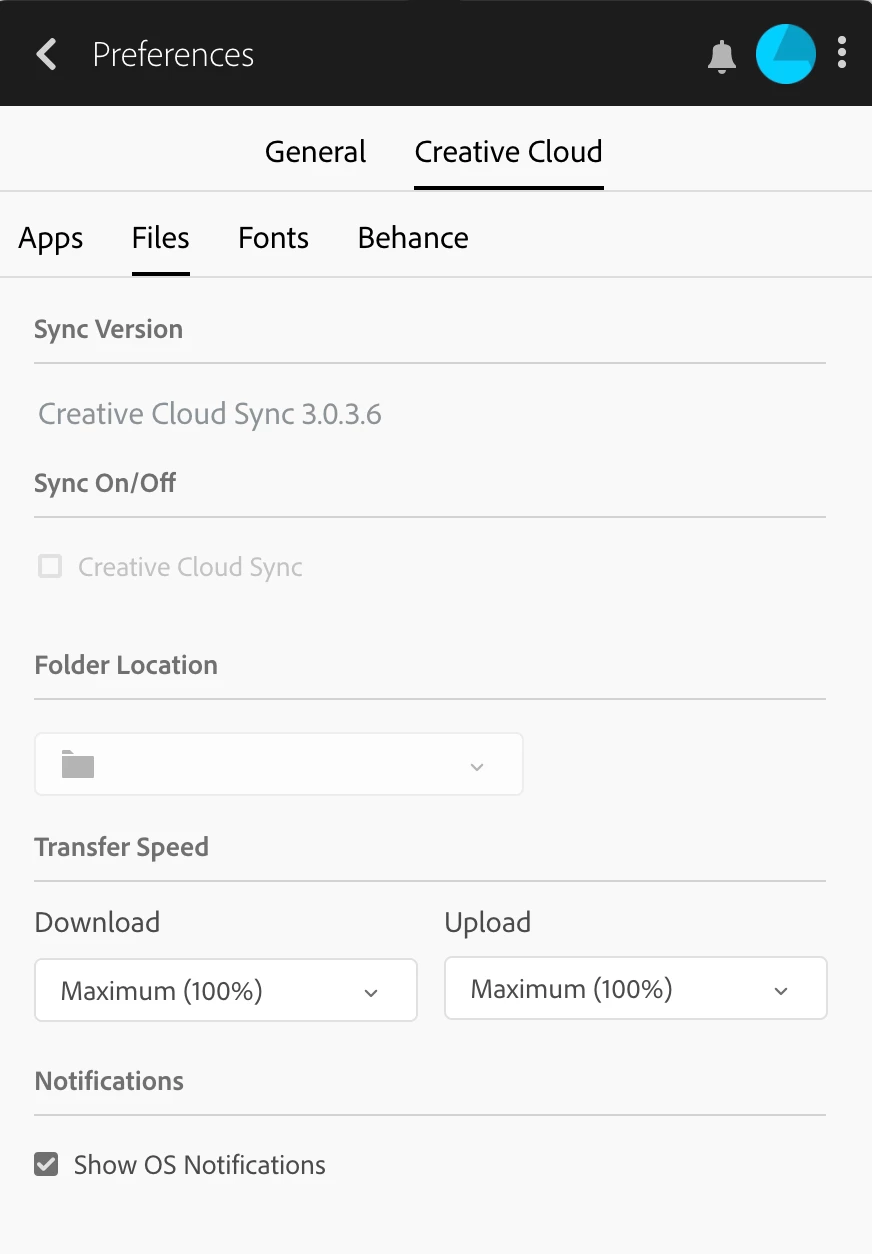
    I tried logging out and back in and now this is how it looks like:

    I understand this happens because the app can find the location of the CoreSync folder after changing its name, but how do I make it upload the CoreSync to the new version if I can't select the checkbox for Creative Cloud Sync?


    Hi,

    Thanks for trying everything, I am not sure why nothing is working. I think we need to do it the hard way, can you try uninstalling all adobe apps and then uninstall creative cloud. Do a fresh install from adobe.com which would then have the latest version of everything.

    Let me know if that works.

    Also you could make use of the cleaner tool- Use the Creative Cloud Cleaner Tool to solve installation problems

    Regards,

    Niharika Jha

    Adobe XD

    2 replies

    Preran
    Legend
    January 28, 2019

    I have branched your post as a new discussion because this issue is different from the one in the post that you replied to.

              Creative Cloud desktop app > ... button > Preferences > Creative Cloud tab > Files sub-tab.

    Thanks,

    Preran

    HualurserAuthor
    Participating Frequently
    January 28, 2019

    Hi Preran,

    thanks for trying to help. However, maybe because I explained myself wrong, but my case has definitely nothing to do with none of the cases you mention... starting with the fact that I use Mac, not Windows...

    The problem I experience is that AdobeXD does not allow me to create new projects. So it opens and displays the launch window, but then none of the options below seem to work at all. I click and click and nothing happens.

    The only way to go further is by selecting an existing project, which then opens normally. I did this and also tried from there opening a new project by clicking File>New, but then again the same launch screen appears and it keeps not working/opening new projects of any kind.

    Therefore, the only way I have to create new projects is by selecting an existing one, remove everything (Artboards, etc.) from it and save it as a blank project in my laptop. After that, it shows in "recent projects" from the launch screen and then I can start new projects from there. It is the only solution I have at this moment to be able to work at all with XD, but as you can image is far from ideal. Anything else you would like to suggest?

    Here's the version of CC I have, as requested (which I already mentioned in my first post...):

    Preran
    Legend
    January 28, 2019

    Thank you for the additional info. Before I pass you on to the support team, can you try logging out and logging back into your Creative Cloud desktop application? Also, referencing the screenshot above, can you click Creative Cloud > Files, and post the version number here?

    Thanks,

    Preran

    Participant
    January 27, 2019

    Same here,  the exactly same issue 3 days later and still no other versions as displayed in the post. Still waiting