
Participant
April 20, 2020
Answered

Adobe XD crashes while editing the document.

  • April 20, 2020
  • 1 reply
  • 994 views

Hi,

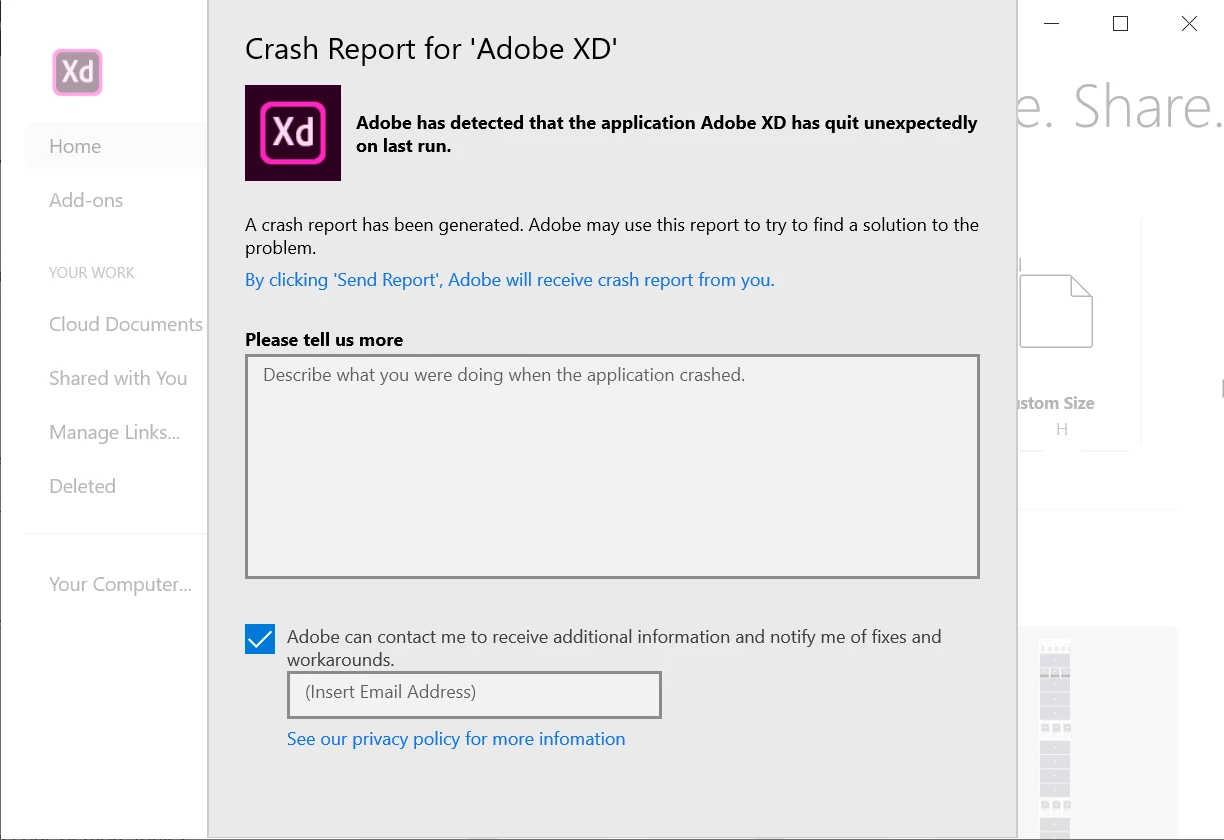
Im in trouble with Adobe XD. Suddenly the application was closed while im editing and i didnt saved to cloud. Now im trying to reopen the application but notification screen doesn't allow. I couldn't see 'Send Report' button.


Here a screenshot for my problem


Note: I click 'By clicking 'Send Report', Adobe will receive crash report from you.' text. Whenever I click here, a file with txt and dmp opens. I can't take any action with the opened files.


txt file: include crashReport


xml version="1.0"
encoding="utf-8"
crashReport clientVersion="1.1.2.0"
applicationName="Adobe XD"
applicationVersion="28.3.12.7"
applicationBuild="12"
sessionId="51ae17ea-717d-48bc-ab9a-9264e5e85c8f">
package architecture="X64" familyName="Adobe.CC.XD_adky2gkssdxte" fullName="Adobe.CC.XD_28.3.12.7_x64__adky2gkssdxte"
name="Adobe.CC.XD" installedDate="4/3/2020 12:34:30 PM +03:00
publisher="CN=Adobe Systems Incorporated,
OU=Adobe Systems,
O=Adobe Systems Incorporated,
L=San Jose,
S=California,
C=US,
publisherId="adky2gkssdxte"
resourceId=""
signatureKind="Developer"
version="28.3.12.7"


screenshot:
 

<The title was renamed by moderator>

This topic has been closed for replies.
Correct answer HARSHIKA_VERMA

Anyway i found some of my saved works. I installed the application on a different computer and transferred my saved xd files to Figma


We are sorry for the bad experience. We are unable to see your faulty module causing this issue. If possible, could you please get in touch with our support team using this link: https://helpx.adobe.com/in/contact.html so that they can identify the root cause of the issue?


We will try our best to help.


Thanks,

Harshika

1 reply

HARSHIKA_VERMA
Community Manager
Community Manager
April 20, 2020

Hi there,


We are sorry for the trouble while editing the document in Adobe XD. It looks like you're on the older version of Adobe XD. Would you mind updating XD to the current version (28.6) and restart the machine?


Let us know if that helps.


Thanks,

Harshika

Participant
April 21, 2020
I updated the application with Adobe Cloud and restarted my computer. But unfortunately I still have the same problem
Participant
April 21, 2020

Anyway i found some of my saved works. I installed the application on a different computer and transferred my saved xd files to Figma