Participant
November 2, 2021
Answered

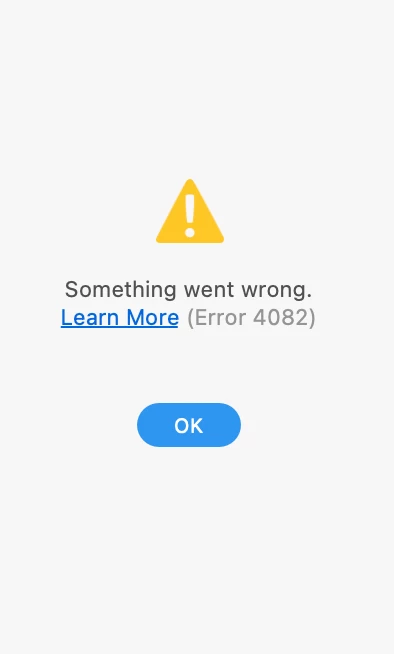
Adobe XD: Error 4082
  • November 2, 2021
  • 3 replies
  • 3308 views

When sharing and creating a link it gets to 100% and then this error pops up in its place and I cant generate a Shared link.


What does this mean. I can't seem to find any answeres. Thanks in advance. 

    This topic has been closed for replies.
    Correct answer mvoogt

    I had the same error. The Creative Cloud-app also showed a library sync error. I quit and restarted the Creative Cloud app and that fixed it for me. 

    3 replies

    mvoogtCorrect answer
    Participant
    November 15, 2021

    I had the same error. The Creative Cloud-app also showed a library sync error. I quit and restarted the Creative Cloud app and that fixed it for me. 

    Rishabh_Tiwari
    Community Manager
    Community Manager
    November 16, 2021

    Hi there,


    Thanks for reaching out and sharing the solution here, it will surely help other community members. We really appreciate your participation here.


    Regards

    Rishabh

    Participant
    December 15, 2021

    The same problem for me, Help !


    Rishabh_Tiwari
    Community Manager
    Community Manager
    November 3, 2021

    Hi Karlo, 


    We're so sorry to hear about the trouble. Please try the steps shared below:


    1. Sign out of XD and CC Desktop app.
    2. Close CoreSync and all Adobe related processs.
    3. Reboot the computer.
    4. Sign back in on the Adobe CC Desktop app and launch XD from there.


    Please check if you are able to publish the links. In case if this doesn't help, please share the details asked by Gianvitulano, we'll try our best to help you with it.


    Regards

    Rishabh

    Participant
    October 30, 2023

    Hi Rishabh,


    This solution Didnt work for me, pls give me the solution


    Community Expert
    November 3, 2021

    Hi Carlo,

    we need more information to help you. Which version of Adobe XD are you using it? Does this problem occur with all files or just with a specific file? What kind of network are you connected to?

    Karlo IAuthor
    Participant
    November 3, 2021

    Steps taken:

    1-Signed out of Adobe. Rebooted mac

    2-Signed back into Adobe - Instaled all of Adobe app latest updates

    3-Rebooted with new updates.

    4-Was working off XD file from google drive. brought the XD file back to my personal desktop.

    5-Opend up the XD directly from desktop. To no Avail.  (Error 4082)


    Adobe XD: 45.0.62.17 x64 (Latest Update)

    My comp info


    My connection speed.

    Thank you Adobe community in advacne for your time and support.

    Karlo IAuthor
    Participant
    November 3, 2021

    NOTE ADD: It happens with ALL XD FILES. Both from my XD files on Google Drive and XD Files on Desktop.