
Participant
November 24, 2019
Answered

Adobe XD - error in opening cloud file, then opens with all layers gone

  • November 24, 2019
  • 1 reply
  • 462 views

This happened today after all my hard work. Is there a way to recover it? I could not find it in the history/old versions tab. The cloud documents tab has the file under the same name, but with all layers gone! I could only find it in the published tab, but I could not recover it. Please do help. This is seriously URGENT
This topic has been closed for replies.
Correct answer user1732278

Hello Imamull,


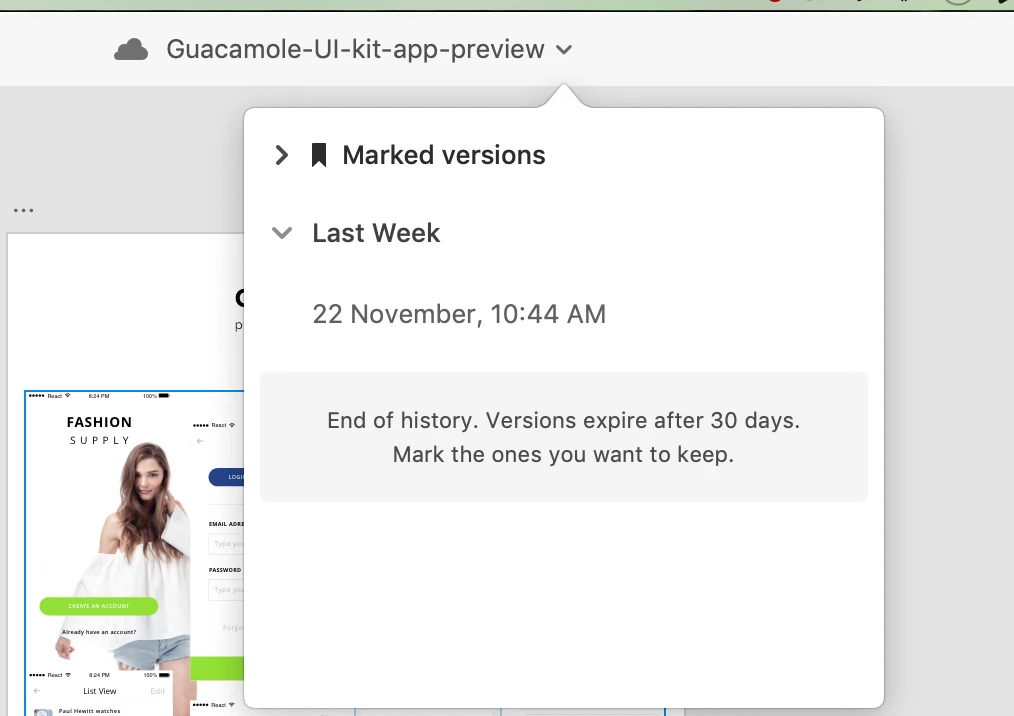
We are sorry to hear you're facing trouble. You can recover the file using the document history. I am attaching the sample screenshot.

If the above solution is not solving your issue, please generate log files using the information provided in this document <https://helpx.adobe.com/in/creative-cloud/kb/cc-log-collector.html > After the files have been generated, upload the files to a shared location such as Creative Cloud, and share the URL with me over a private message.


Regards,

Arpitha Sannappa,

Adobe XD

1 reply

user1732278Correct answer
Adobe Employee
November 25, 2019

Hello Imamull,


We are sorry to hear you're facing trouble. You can recover the file using the document history. I am attaching the sample screenshot.

If the above solution is not solving your issue, please generate log files using the information provided in this document <https://helpx.adobe.com/in/creative-cloud/kb/cc-log-collector.html > After the files have been generated, upload the files to a shared location such as Creative Cloud, and share the URL with me over a private message.


Regards,

Arpitha Sannappa,

Adobe XD