Participant
August 12, 2022
Question

Adobe XD Plugin for Visual Studio Code is not importing

  • August 12, 2022
  • 2 replies
  • 831 views

Hi


Having problem importing the CC library into VScode keep getting this message after providing the valid import link
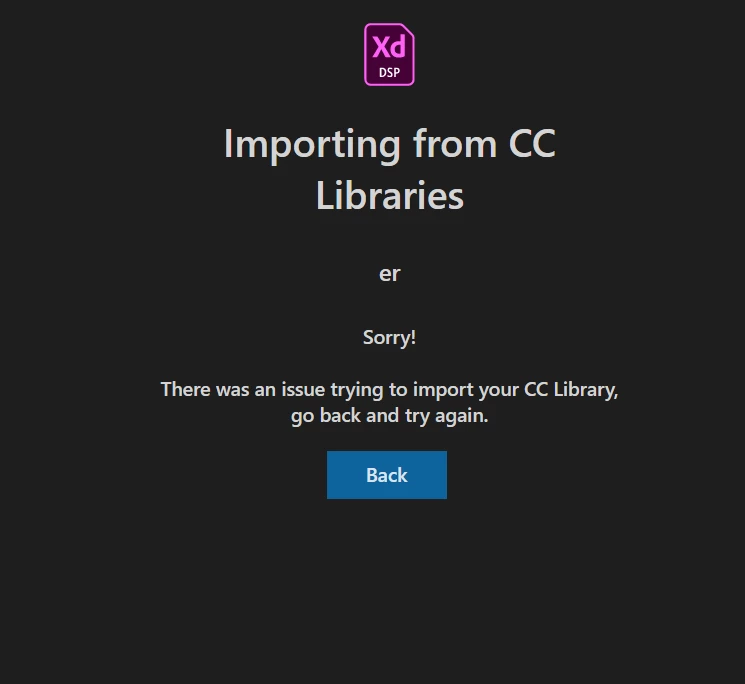



    This topic has been closed for replies.

    2 replies

    Atul_Saini
    Community Manager
    Community Manager
    August 12, 2022

    Hi Sathya256241179jla,


    Thank you for reaching out. In addition to what italosan said, have you tried accessing this library in any other Adobe app, Photoshop or Illustrator? 

    Can you create a sample library and see if you can import it to other apps and Visual Code Studio? If you're unable to use libraries with other apps, please follow the steps mentioned here: - https://helpx.adobe.com/creative-cloud/kb/libraries-panel-not-working.html 


    I'd also like to know the version of: 

    1. XD
    2. Visual code Studio
    3. Creative Cloud and OS build. 


    Thanks,

    Atul_Saini

    Participant
    September 9, 2022

    I'm in exactly the same situation.
    I'm trying to create a sample library and import it, but I've never been successful.


    Adobe XD version is up to date. (54.1.12.1)
    Visual Studio Code version: 1.71.0
    Creative Cloud version: 5.8.0.592


    Other Adobe apps (Photoshop, Illustrator) can access the library.

    italosan
    Community Expert
    Community Expert
    September 20, 2022

    Hi, have you tried to follow Atul's suggestions?

    italosan
    Community Expert
    Community Expert
    August 12, 2022

    Hi, are you using the latest version of Adobe XD and the plug-in?