
Participant
August 26, 2020
Answered

Adobe Xd problem prototyping

  • August 26, 2020
  • 2 replies
  • 905 views

Hi Guys,


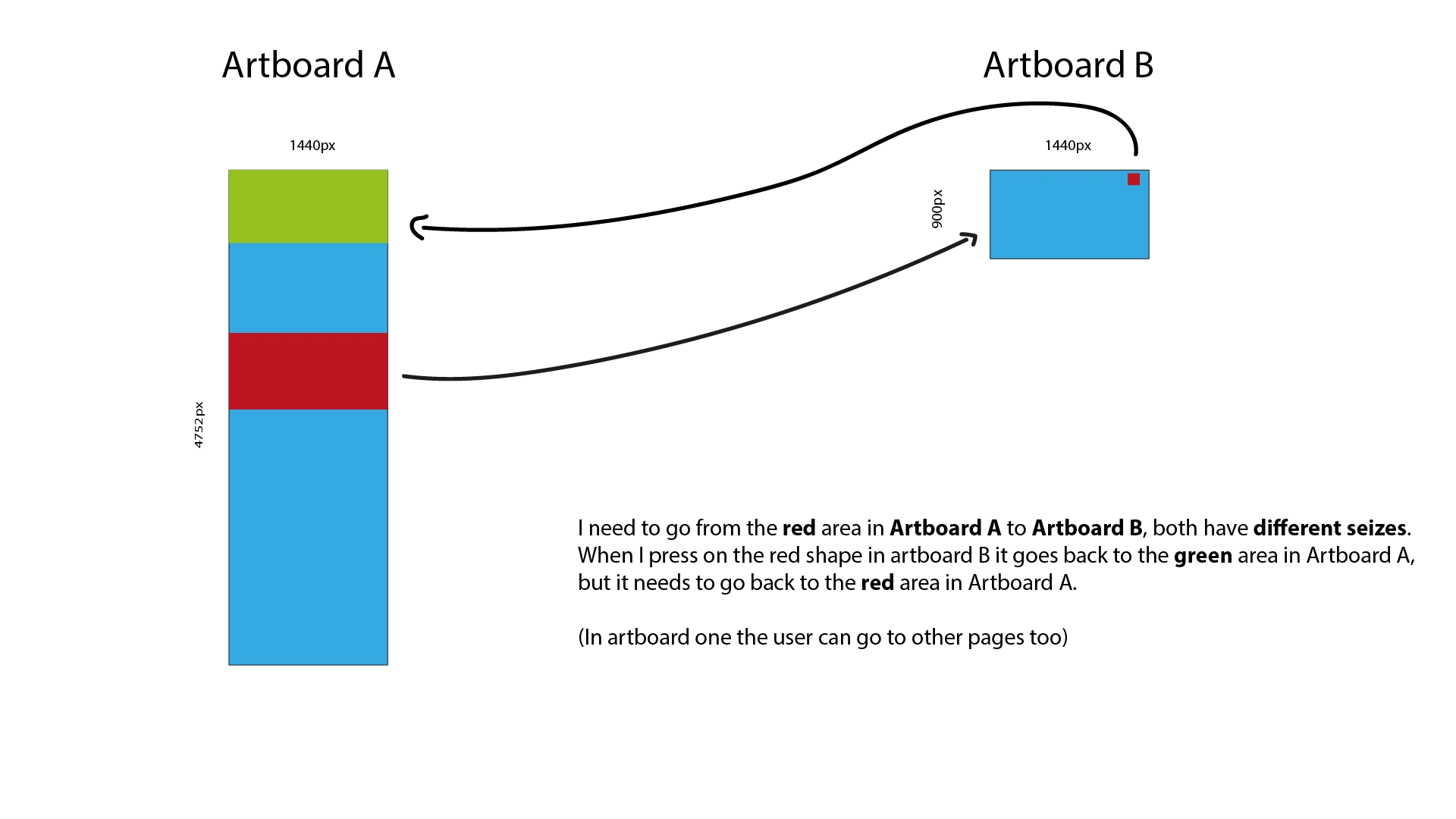
I'm making a prototype where I go from Artboard A to B and B to A. But when I go back from B to A the screen needs to be positioned on the same x and y as when the user clicked to go to Artboard B. But when I go back from B to A it goes to the top of the screen. Can I fix this? I have an image so you guys can understand it more.


Thanks heaps!
    This topic has been closed for replies.
    Correct answer Spas K.

    Hey there. Yeah, the problem is that the second artboard is only 900px tall, so there's no way to preserve the scroll position. You also can't point to a specific scroll point on a new artboard from the previous one. "Scroll To" actions only work within the same artboard.


    From what you've drawn there, it seems you can easily just use an Overlay. So Artboard B is opened as a full screen overlay, and you never really leave Artboard A, so when you go back (close the overlay), the scroll will stay the same as before opening it.

    2 replies

    Joely10623436
    Community Expert
    Community Expert
    August 26, 2020

    Hy @Uwexawer


    I would agree with ACP fellow @Spas K. – another way/workaround could look like this:


    Select «preserve Scroll Position»

    Spas K.
    Community Expert
    Spas K.Community ExpertCorrect answer
    Community Expert
    August 26, 2020

    Hey there. Yeah, the problem is that the second artboard is only 900px tall, so there's no way to preserve the scroll position. You also can't point to a specific scroll point on a new artboard from the previous one. "Scroll To" actions only work within the same artboard.


    From what you've drawn there, it seems you can easily just use an Overlay. So Artboard B is opened as a full screen overlay, and you never really leave Artboard A, so when you go back (close the overlay), the scroll will stay the same as before opening it.

    Dan Rodney
    Community Expert
    Community Expert
    August 27, 2020

    This is really the best workaround for now, because XD does not support the kind of functionality @uwexaver is asking for.


    Someone has already created a feature request on the Adobe XD User Voice website. Anyone who would like to see this added, should upvote that feature request https://adobexd.uservoice.com/forums/353007-adobe-xd-feature-requests/suggestions/33386158-previous-artboard-scroll-position

    — Adobe Certified Expert & Instructor at Noble Desktop | Web Developer, Designer, InDesign Scriptor