

Jamie_Parker_Art
Participant
May 21, 2022
Answered

Adobe XD quits unexpectedly immediately after install

  • May 21, 2022
  • 1 reply
  • 703 views

Hi, 

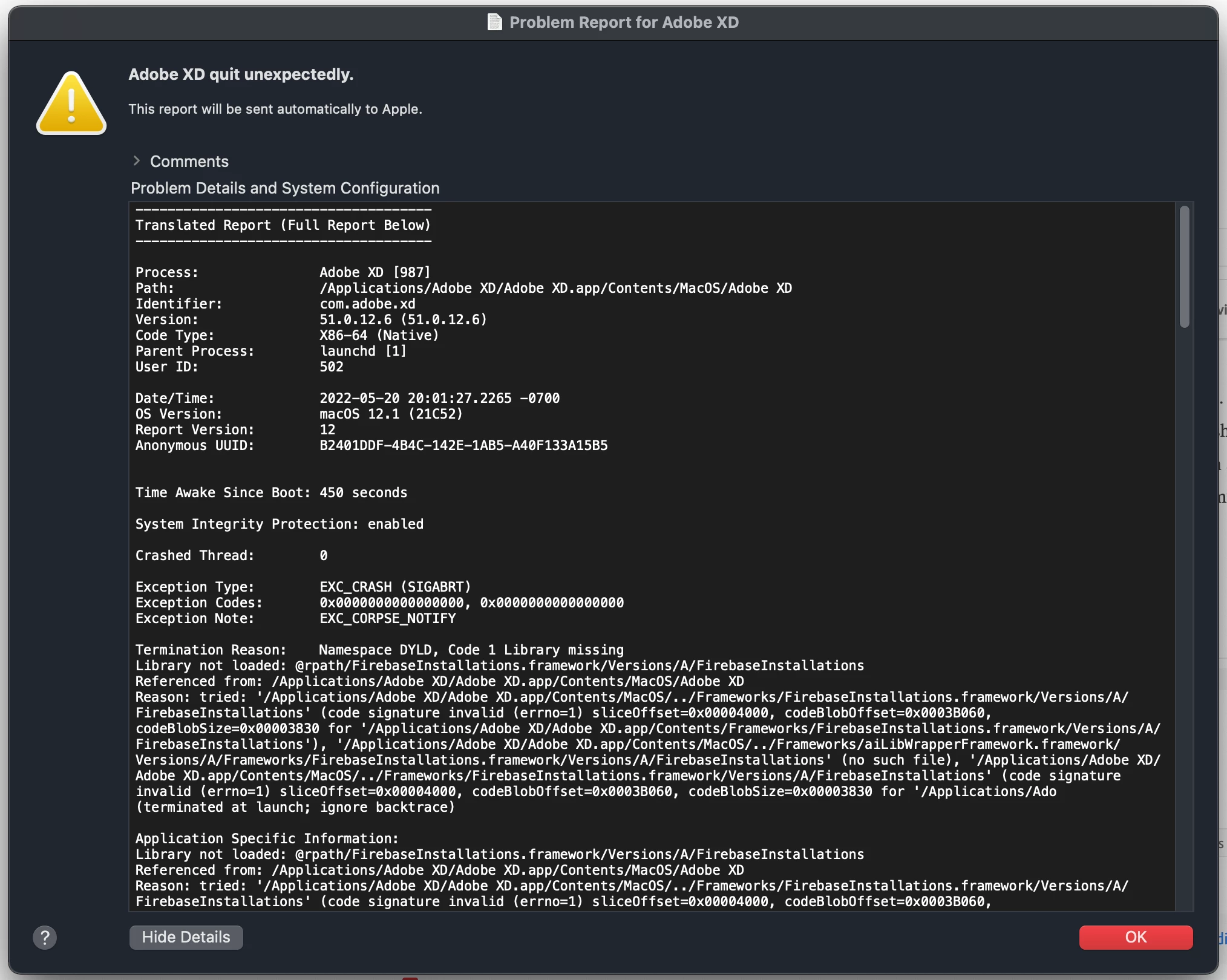
I have been trying to install Adobe XD 51.01.12.6 on my macOS Monterey 12.1 the last couple of days.  XD will install, but when I try to open I get an error that says "Adobe XD quit unexpectedly" and sends a crash report to Apple.  I have uninstalled/reinstalled, shut down/restarted my computer and also logged in and out of the creative cloud...repeatedly.  I have not found anyone else with this exact problem in the community or with a Google search.  Any ideas out there?


Thanks!
    This topic has been closed for replies.
    Correct answer AkinGn

    Hi @Jamie_Parker_Art, as I see in this conversation: https://community.adobe.com/t5/adobe-xd-discussions/unable-to-launch-adobe-xd-on-macos/td-p/11030758 you might want to uninstall XD using the Creative Cloud Cleaner tool: https://helpx.adobe.com/creative-cloud/kb/cc-cleaner-tool-installation-problems.html and try reinstalling it. Hope this helps!

    1 reply

    AkinGn
    Community Expert
    AkinGnCommunity ExpertCorrect answer
    Community Expert
    May 21, 2022

    Hi @Jamie_Parker_Art, as I see in this conversation: https://community.adobe.com/t5/adobe-xd-discussions/unable-to-launch-adobe-xd-on-macos/td-p/11030758 you might want to uninstall XD using the Creative Cloud Cleaner tool: https://helpx.adobe.com/creative-cloud/kb/cc-cleaner-tool-installation-problems.html and try reinstalling it. Hope this helps!