Participant
May 5, 2020
Answered

Adobe XD - Repeat grid and wires connection problems

  • May 5, 2020
  • 5 replies
  • 841 views

Hi Adobe Community,

i am pretty new in this but i have two problems and just can't solve it. 

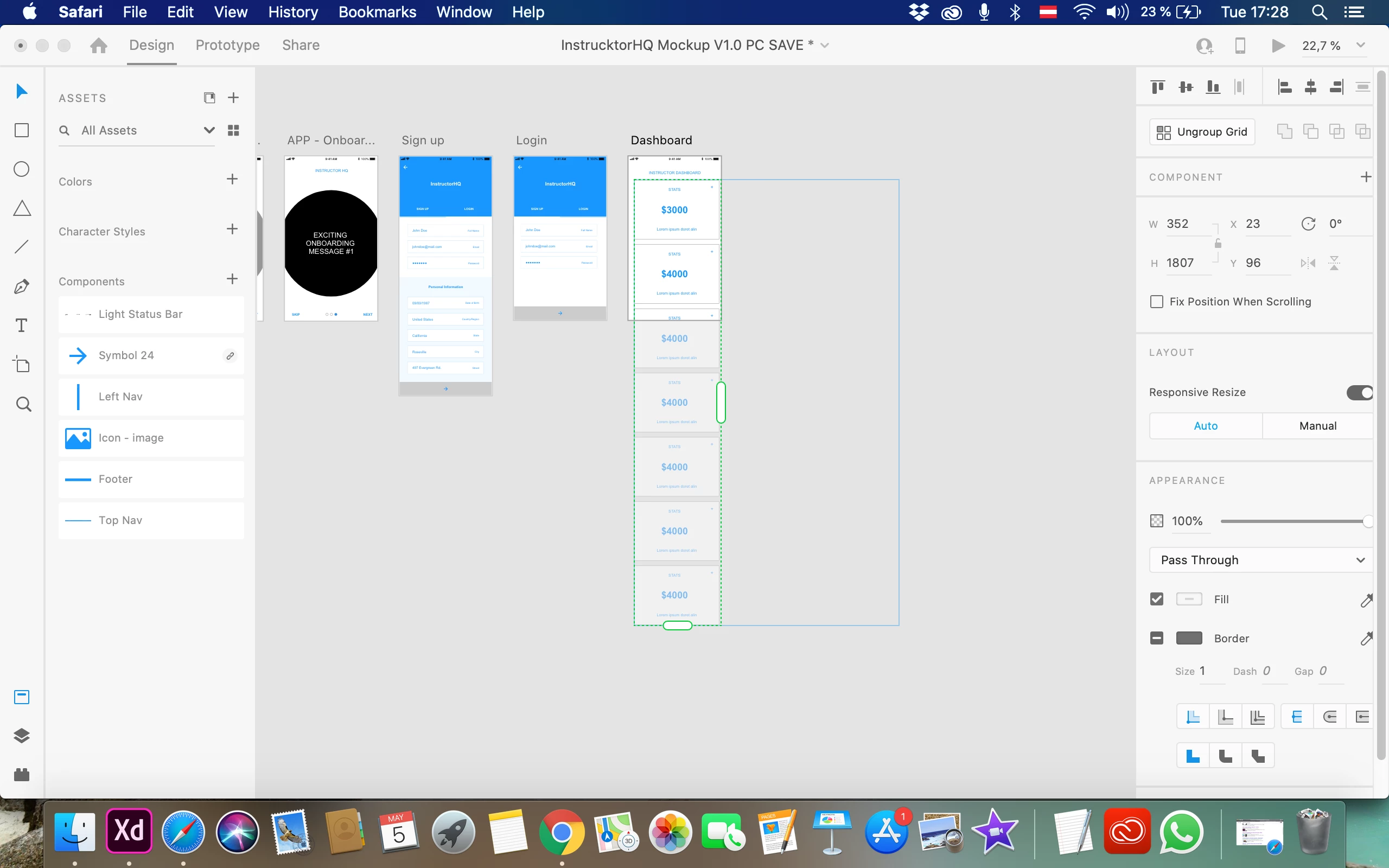
1. When i copy paste the repeat grid to put on the mobile board and i make it small just the part i need and than when i click ungroup grid i got the whole table again, so i need to ungroup and delete the ones i don't need. 

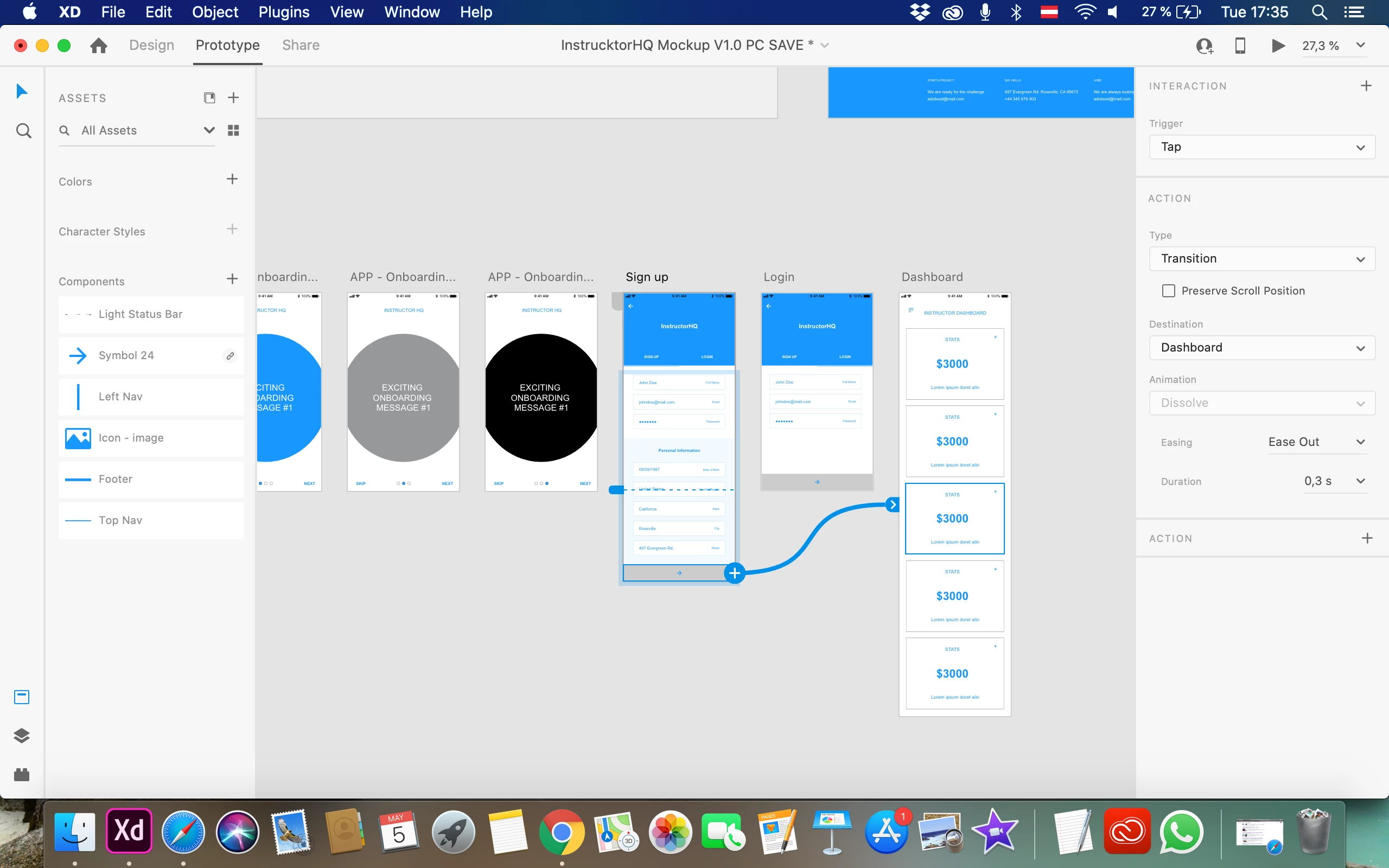
2. Than comes the next problem when i can't connect them especially the boards that are longer, for example longer than viewport high 664.

With some of them i don't have the option for animation.

Thank you for your help !!!! 🙂


    This topic has been closed for replies.
    Correct answer Rishabh_Tiwari

    Thanks for sharing the video. It looks like you are following the correct workflow however the outcome is different from what I got when I tried reproducing this. Could you please try this on a new file and check if it happens on a new file as well or with this specific file?


    5 replies

    Rishabh_Tiwari
    Legend
    May 5, 2020

    Hi there,


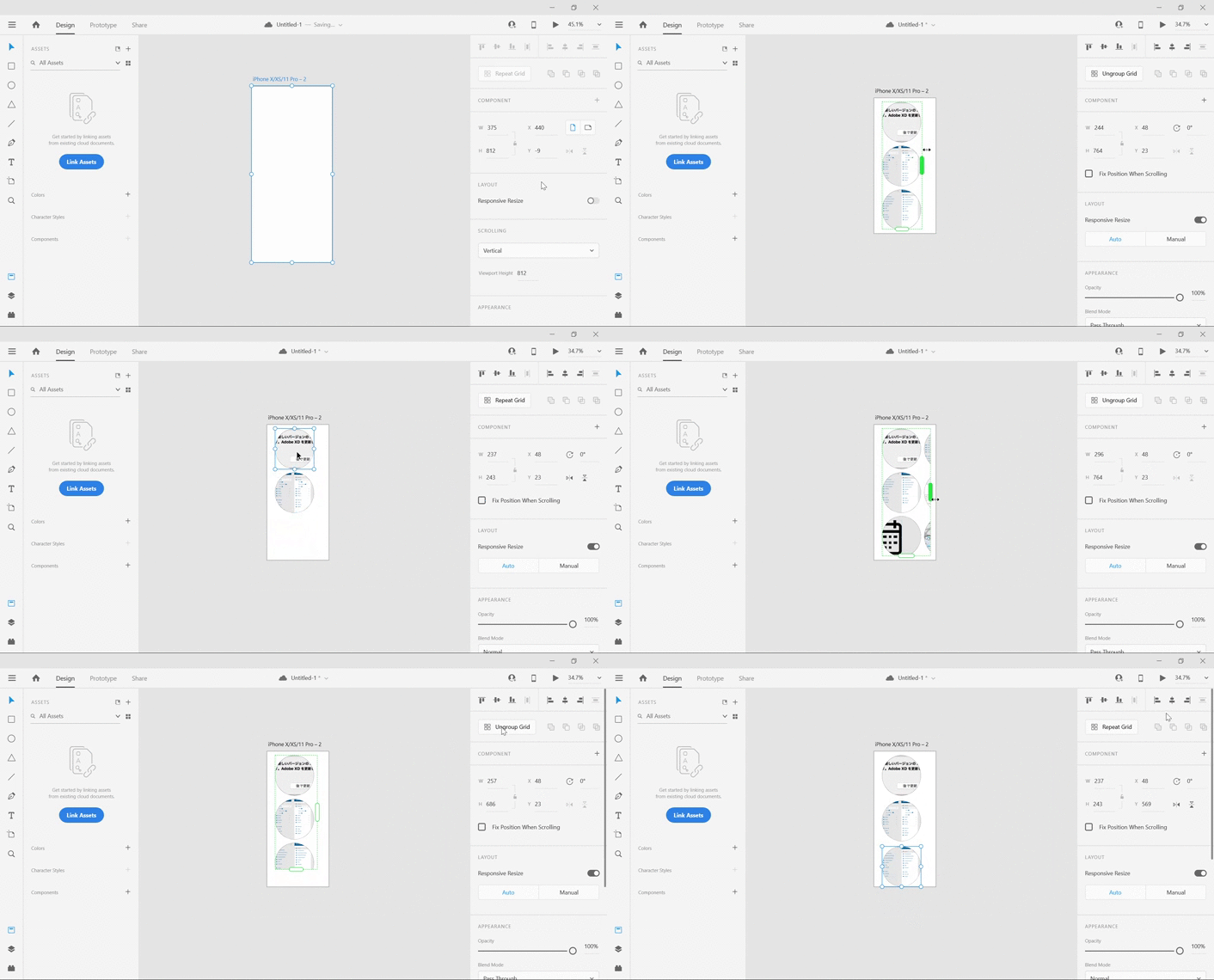
    Thanks for reaching out. I tried reproducing the same and would like to share my findings. Let say you have a repeat grid of 5 square boxes and when you copy that to mobile artboard you only want 3 of them so please ensure to reduce the grid accurately to 3 grids as it tends to round off. I have attached a GIF demonstrating the same:


    Regards

    Rishabh

    AdobeDTAuthor
    Participant
    May 6, 2020

    Hi Rishabh,


    thank you so much for your answer and finding time to make also this video. My problem is that i have repeat grid in the document from the artboard for website and the repeat grid i want to copy it is the artboard for mobile. I copy the repeat grid, paste and just like you i make it ajust it and make it smaller. But that when i click ungroup on that i got all the content like from the original artboard, even if i already made it smaller.

    So insteat doing all over again i just ungroup from the arboard i need it and took the one box that i need it, put it in my artboard for mobile, ajust it and that use the repeat grid option.


    But i wanted to know what i was doing wrong before and why i can see the whole spreadsheet when i already adjust it the green line(reapeat grid)  and made it smaller.


    Hope with this video you can understand what am I talkng about.


    Thank you!!!!!

    Rishabh_Tiwari
    Rishabh_TiwariCorrect answer
    Legend
    May 6, 2020

    Thanks for sharing the video. It looks like you are following the correct workflow however the outcome is different from what I got when I tried reproducing this. Could you please try this on a new file and check if it happens on a new file as well or with this specific file?