


Participant
Mar 19, 2021 2:41 PM UTC
Answered

Adobe XD right CLICK problem

Hi all,

Adobe XD 38.0.12.13 WIN10

I had formated my laptob because I thought I have correpted files in the Adobe XD folder and it is the same ... when I click the right mouse button it shows only paste option ... I can not see the menu any more ... where i can show/hide guides ....

See this 
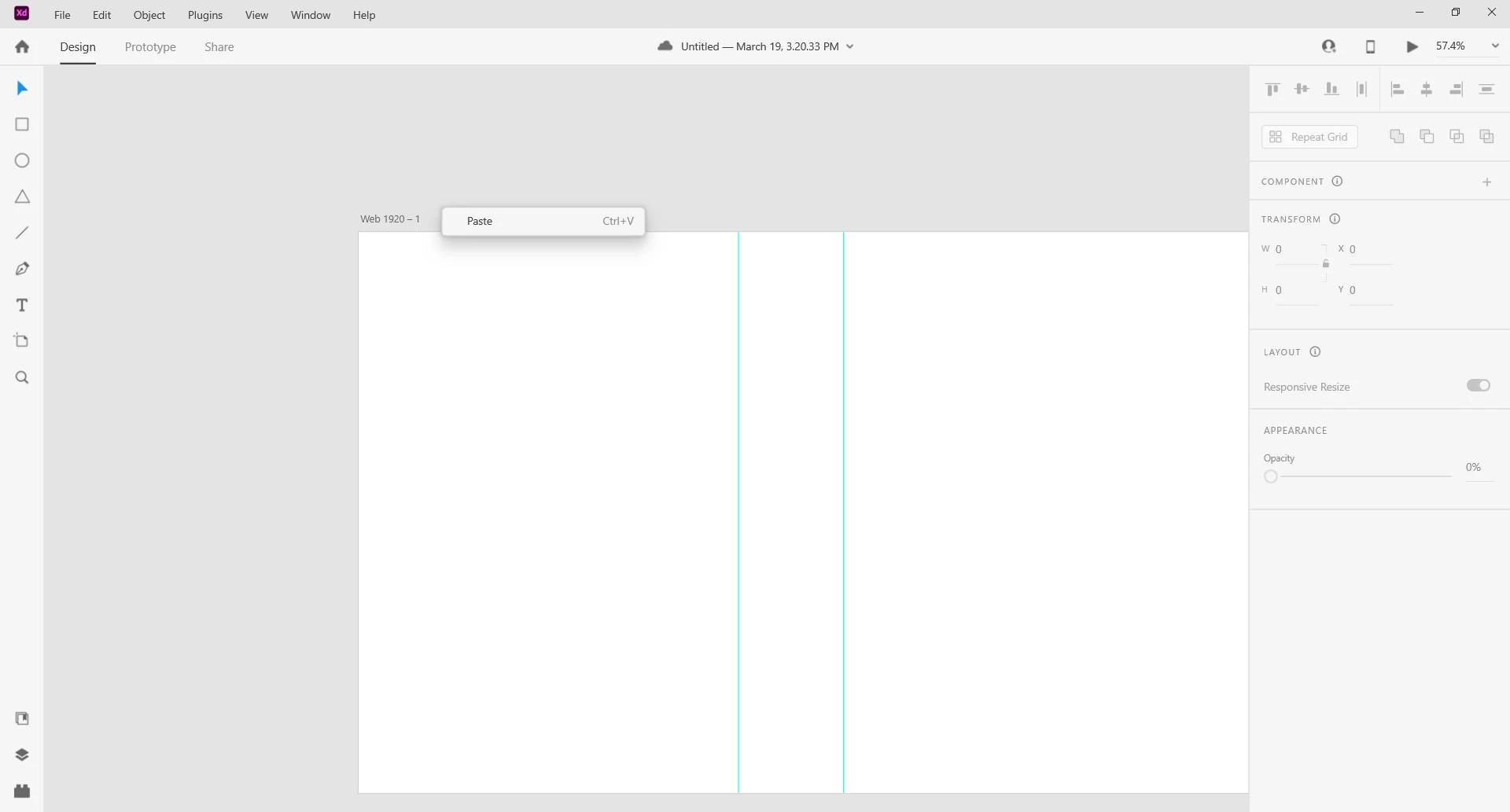
 

Also I had updated Adobe XD to the same version in my work computer and the result is the same ... the problem is the same ...


I can not work without mouse right click !!


Please review !!!


Thank you

    This topic is closed to new replies. Start a new post to keep the conversation going.
    Dan Rodney
    Dan RodneyCorrect answer
    Community Expert
    Mar 19, 2021 5:44 PM UTC

    The latest XD update for Windows added a proper top-level menu that was missing in previous versions (to make it more like every other PC program Adobe and other companies make).


    It seems that they also removed some items from a right-click to simplify that menu (and make it the same across Mac and PC). Look for View > Show Layout Grid at the top of the application window.

    Adobe Certified Expert & Instructor at Noble Desktop | Web Developer, Designer, InDesign Scriptor

    4 replies

    Dan Rodney
    Community Expert
    Dan RodneyCommunity ExpertCorrect answer
    Community Expert
    Mar 19, 2021 5:44 PM UTC

    The latest XD update for Windows added a proper top-level menu that was missing in previous versions (to make it more like every other PC program Adobe and other companies make).


    It seems that they also removed some items from a right-click to simplify that menu (and make it the same across Mac and PC). Look for View > Show Layout Grid at the top of the application window.

    Translate
    Adobe Certified Expert & Instructor at Noble Desktop | Web Developer, Designer, InDesign Scriptor
    Participant
    Mar 22, 2021 9:52 AM UTC

    I just want to say I hate this, as I typically turn on and off the layout grid constantly to align content to certain grid columns. My hand is usually on the mouse, so using the top navigation means removing my focus on the artboard, and removing my hand from the mouse to use the shortcut key is just as annoying. 

    Translate