
Participant
May 17, 2021
Question

Adobe XD versions incompatible between Mac & Windows PC

  • May 17, 2021
  • 5 replies
  • 1601 views

Hi, 


I'm wondering if anyone else is experiencing the same issues as I where I can't work on the same Adobe XD file with someone else because of XD compatibility version issues? 


I have a MacOS Big Sur and on my Adobe CC it says my Adobe XD is running the latest version at 39.0.12, whereas my teammate has a Windows PC running XD version 40.0.22. Due to that we can't access/work on the same file. And when he tries to access the file I share I now get this error. 
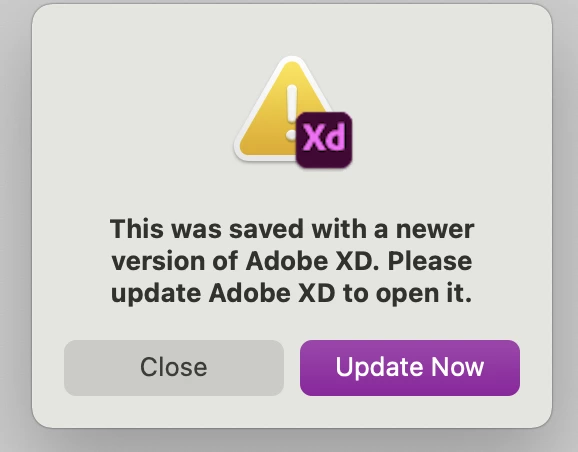
 

But I can't even update anything since it already says I'm running on the latest version, and there's no update available.
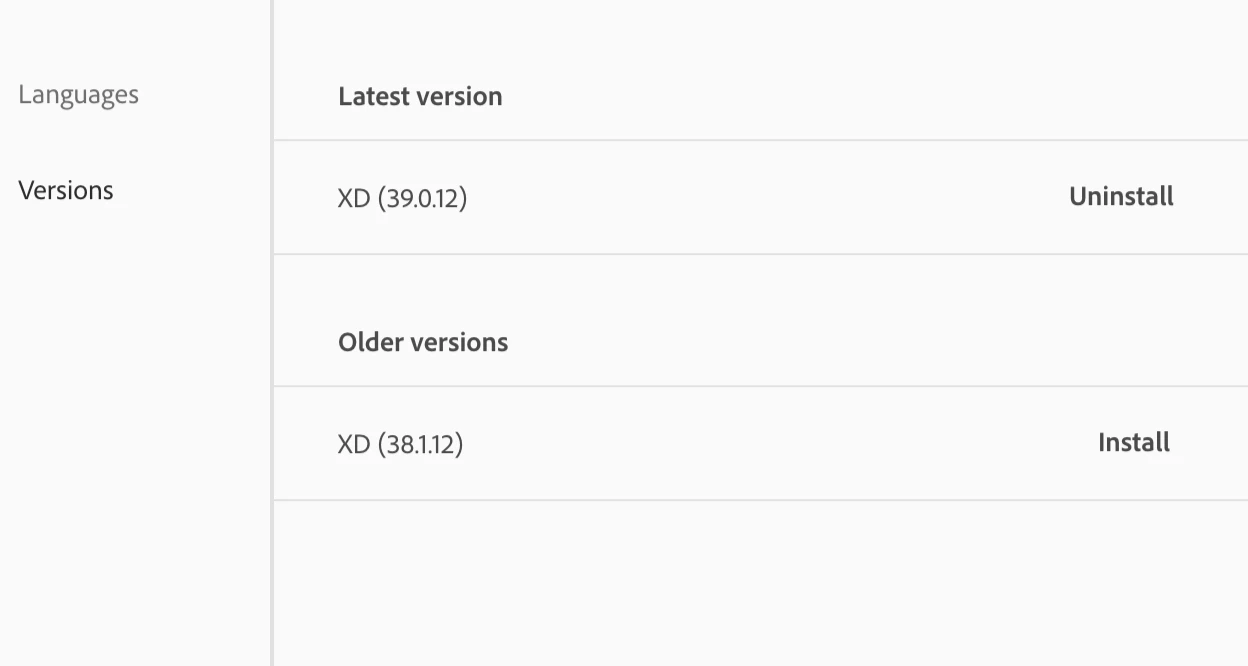


Wondering if anyone else experienced this and got it resolved?


Thanks! 🙂 

This topic has been closed for replies.

5 replies

adamt18510785
Inspiring
November 16, 2021

Same, mac version is newer and my PC guys can't open the XD files

Rishabh_Tiwari
Community Manager
Community Manager
November 16, 2021

Hi there,


We're so sorry to hear about the trouble. Please ensure that you have the latest version of XD which is 45.1. You can keep the app up to date automatically by following the steps shared here https://helpx.adobe.com/creative-cloud/help/creative-cloud-updates.html


Feel free to reach out if you need any further assistance.


Regards

Rishabh

Participant
November 2, 2021

Same here 😞

Participant
May 20, 2021

Same here. Yesterday I was working from home on my Mac with Adobe XD40. Today I'm back in the office with a Windows computer with Adobe XD39 and I can't open yesterday's file because it needs to be updated to the latest version. But there is no update available. Unfortunately, the steps mentioned do not help. Very annoying in a productive work environment. It seems to me that automatic updates are not recommended when working on different computers. Better to update everything manually to ensure uniform versions.

HARSHIKA_VERMA
Community Manager
Community Manager
May 20, 2021

Hi there, 


Sorry for the trouble. I would request you to please go through the first step of this article: https://helpx.adobe.com/creative-cloud/kb/creative-cloud-application-recognizing-available.html and see if that helps.


We're here to help.


Thanks,

Harshika

adamt18510785
Inspiring
November 16, 2021

didn't work, also old UI

HARSHIKA_VERMA
Community Manager
Community Manager
May 19, 2021

Hi Claudine, 


We are sorry to hear you are unable to update XD. We would request you to please try the steps mentioned in this article: https://helpx.adobe.com/creative-cloud/help/creative-cloud-updates.html and let us know if that helps.


We will try our best to help.


Thanks,

Harshika

Community Expert
May 18, 2021

Hi Claudine,
have you tried clicking on "Check Update"? Try disconnecting and logging back into your Creative Cloud account and see if the update is available.