
Participant
October 29, 2021
Question

Adobe XD won't launch

  • October 29, 2021
  • 2 replies
  • 755 views

I can't launch newest version of Adobe XD:

  • When I click to open button in Creative Cloud, Adobe XD opens and closes in less then one second.
  • When I try to open Adobe XD from file, I receive the error listed bellow
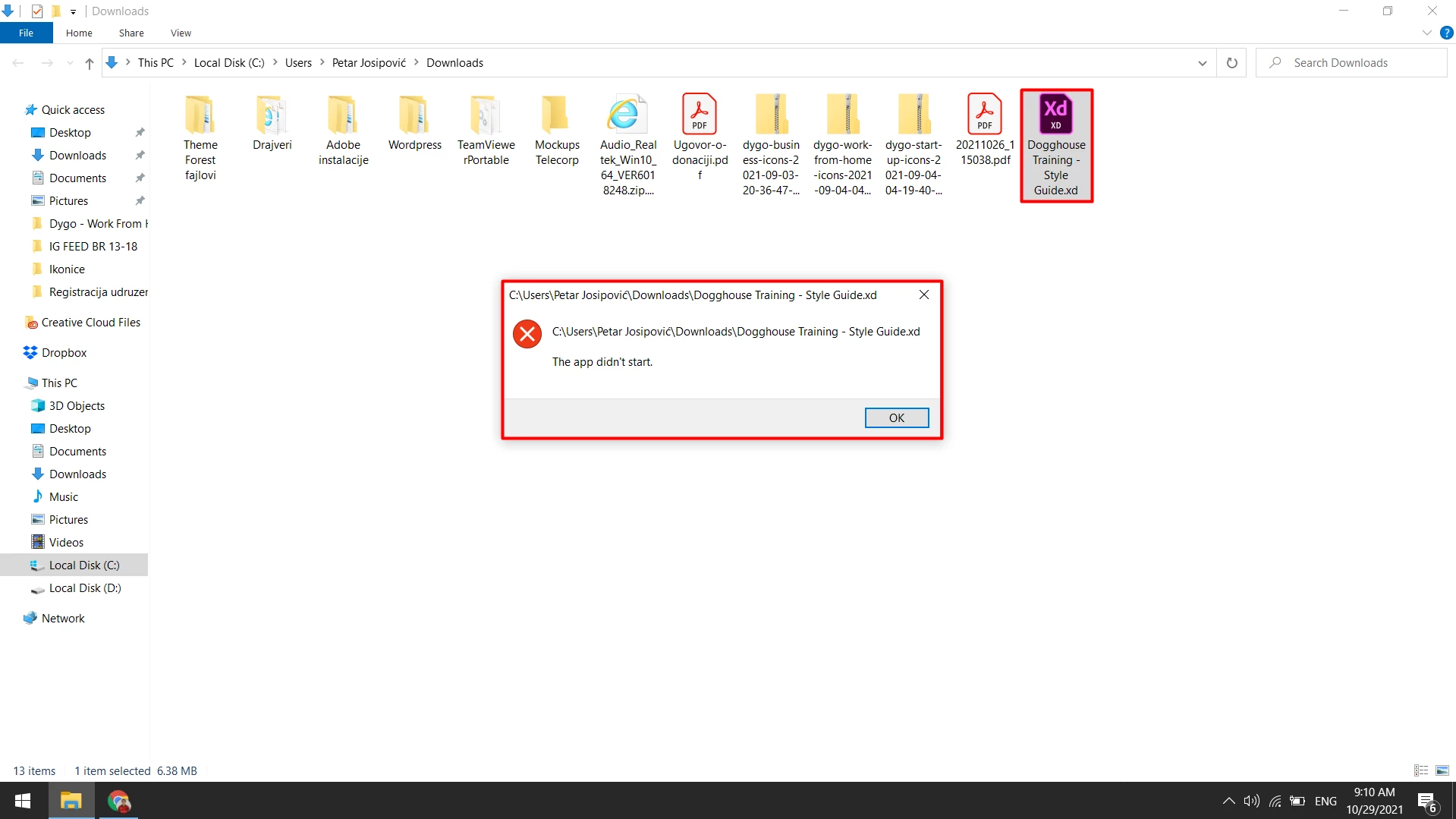


I'm using lastest version of Adobe XD (45.0.62) and Windows 10 Pro - 64 bit (Version 1909). I have uninstalled and reinstalled Adobe Creative Cloud and Adobe XD, I also tried all steps from this post https://helpx.adobe.com/ca/xd/kb/xd-crashes-when-launched-on-Windows.html.


Other specifications of my lap top:

Processor: Intel(R) Core(TM) i7-8550U CPU @1.80GHz 1.99GHz, 8th Generation

Installed RAM: 8.00GB

Screen Size: 15.6''


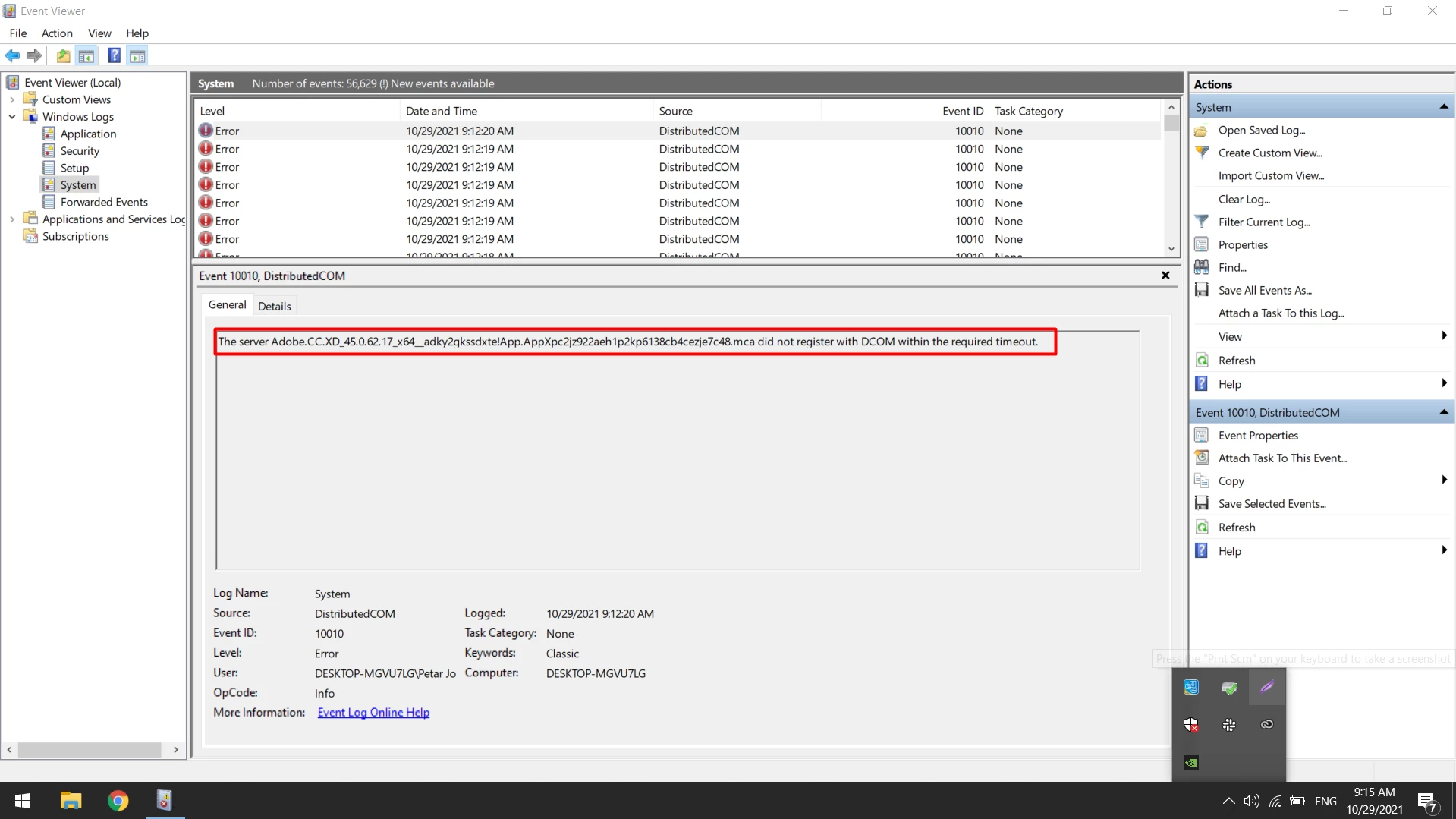
Error which I recieve in Event Viewer is listed bellow:
 

Best regards,
Petar
    This topic has been closed for replies.

    2 replies

    Participant
    November 11, 2021

    Got same issue on Mac catalina 10.15.7. When try to open a file it close immediately.

    HARSHIKA_VERMA
    Community Manager
    Community Manager
    November 11, 2021

    Hi guillaumes69423320,


    We are sorry for the trouble and thanks for reaching out. We would like to confirm if it's happening with all files or with a specific file. Is it possible for you to share the XD file with us for investigation purpose? If yes, please upload the file to a shared location such as CC or Dropbox and share the URL with me over a private message.


    We will try my best to help.


    Thanks,

    Harshika

    Participant
    November 12, 2021

    It was working before I update the app. I have a mac and a windows, all 2 the same issues. I have try a cloud document and a local file and all the same, it close immediately. Also trying multiples documents with same results, closing as soon as I click open. Yes can share one with you.

    Rishabh_Tiwari
    Community Manager
    Community Manager
    October 29, 2021

    Hi there,


    Sorry to hear about the trouble. Could you please try the solution shared below:


    Solution-1: Make sure that Windows is updated to the latest version.


    Solution-2: Modify Group Policy


    • Open Local Group Policy Editor Using Run
    • Press the Windows key + R to open the Run box.
    • Type gpedit.msc and press Enter.
    • If prompted by UAC, click on Yes.
    • Go to User Configuration > Administrative Templates > System
    • Disable Download missing COM components
    • Launch XD, if it fails then try after rebooting the machine.
    • If it still fails, try disabling the Download missing COM components from Computer Configuration also.


    In case if you need any further assistance, please contact us directly using this link https://helpx.adobe.com/contact.html


    Regards

    Rishabh