

sydibyd
Participant
April 12, 2020
Question

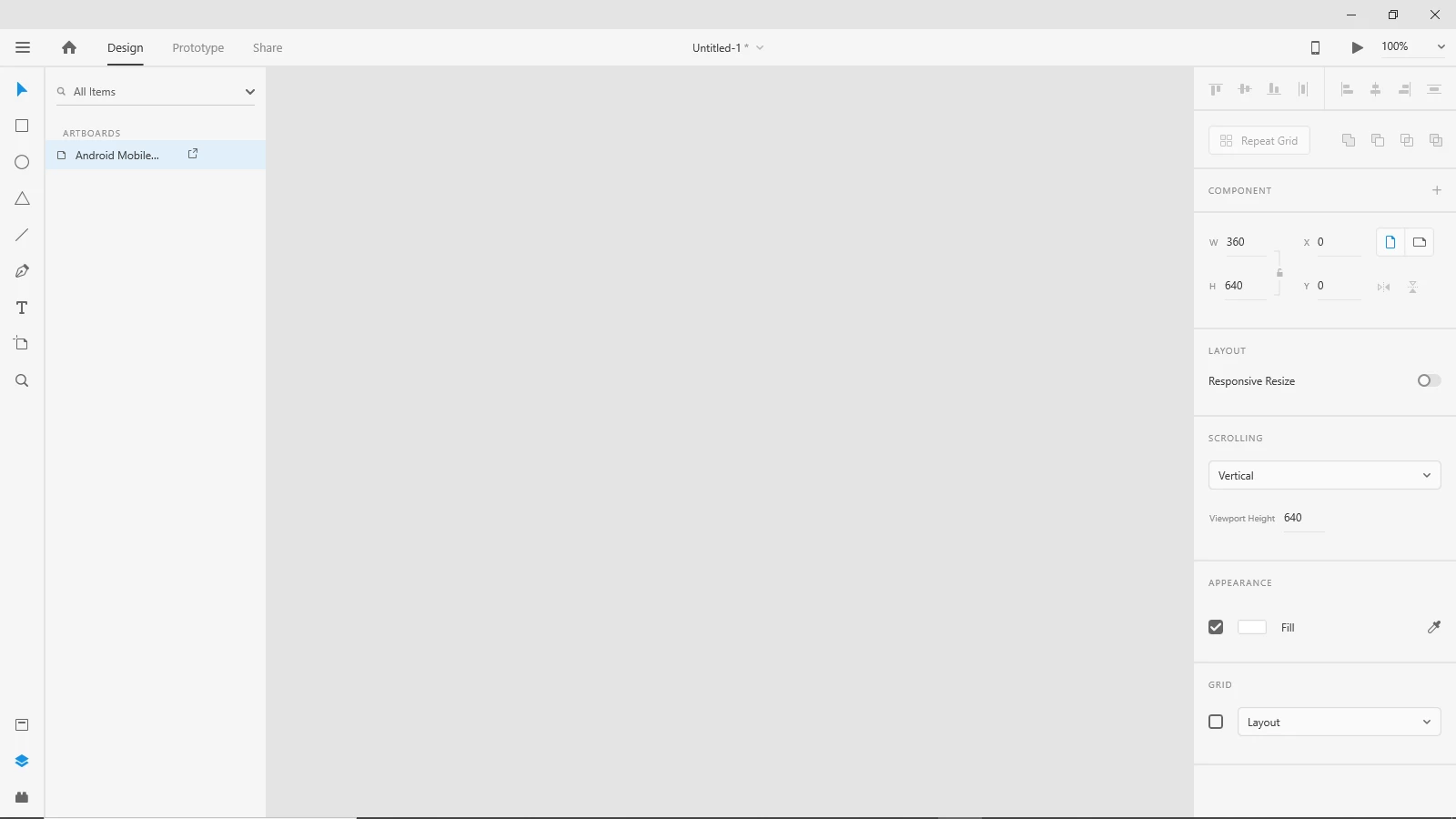
After XD crashed on windows, lost all the artboard in the document.

  • April 12, 2020
  • 1 reply
  • 661 views

Hello,
As you can see in the prt sc below, I lost suddenly my Artboard and my Adobe XD is not working no more on Windows 10. Last time I were connected to my XP-Pen Pro (I was int he multiple display mode) and I ran the Adobe XD and it crashed. Since it doesn't work anymore (no Artboard).
[I tested it in the safe mode, but Adobe XD do not open in the safe mode on windows 10]
Is there any help out there?

Thanks in advance,

Syd


<The Title was renamed by moderator>

This topic has been closed for replies.

1 reply

HARSHIKA_VERMA
Community Manager
Community Manager
April 13, 2020

Hi Syd, 


Sorry to hear that you are having trouble with XD crashing and unable to see your artboards. Would you mind checking if you're able to see the artboard in the cloud file here: https://assets.adobe.com/cloud-documents?


I would also suggest checking the version history of the file as mentioned here: https://community.adobe.com/t5/adobe-xd/revision-history-in-xd-helps-ensure-peace-of-mind-during-collaboration/m-p/10703548?page=1#M18044 


If you're able to see the artboards, please copy the design in to a new document. Let us know if that helps.


We'd be happy to help.


Thanks,

Harshika

sydibyd
sydibydAuthor
Participant
April 20, 2020

Hi,


There is nothing here: https://assets.adobe.com/cloud-documents.


Can we use actuelly, the Adobe XD in offline mode on PC (and not on cloud) ?


Regards,

Syd


HARSHIKA_VERMA
Community Manager
Community Manager
May 22, 2020

Hi Syd,


Sorry for the delay in response. I would like to know if the issue has been resolved or not. We will try our best to help.


Thanks,

Harshika