
Participant
July 1, 2022
Answered

All cloud files disappeared from Adobe XD

  • July 1, 2022
  • 1 reply
  • 350 views

Hi there,

all my files disappeared from Adobe XD. This is really bad. How can I fix this?
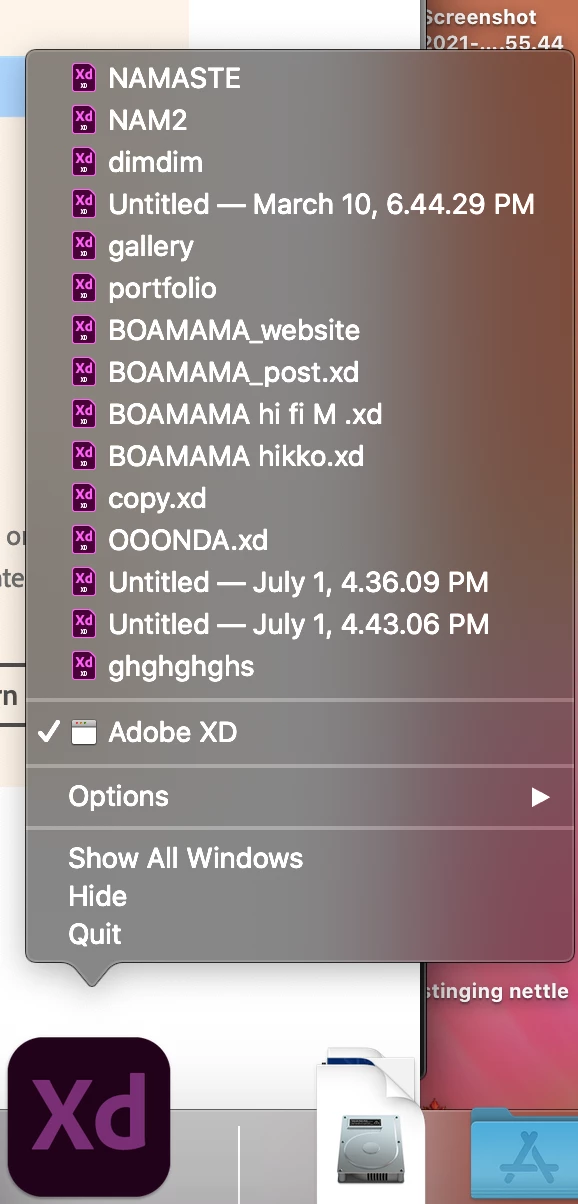
I already tried to login and logout from Adobe CC and terminate Core Sync but nothing is fixed, only way to see the files is by clicking with the right click on the icon and it shows the list, but I can't open them!

Please help me as soon as possible, I have work files and projects!

Thank you!


    This topic has been closed for replies.
    Correct answer AkinGn

    Hi @zacca25090478u9nn, sorry to hear that you had this issue, as I see in this thread: https://community.adobe.com/t5/adobe-xd-discussions/all-my-xd-cloud-files-are-gone-after-upgrade/m-p/11216497#M31658 I'd also make sure that I'm not logging in with a different account meanwhile maybe some other expert can offer a solution but I want to also give you the link to contact the support: https://helpx.adobe.com/support/xd.html Hope this helps!

    1 reply

    AkinGn
    Community Expert
    AkinGnCommunity ExpertCorrect answer
    Community Expert
    July 1, 2022

    Hi @zacca25090478u9nn, sorry to hear that you had this issue, as I see in this thread: https://community.adobe.com/t5/adobe-xd-discussions/all-my-xd-cloud-files-are-gone-after-upgrade/m-p/11216497#M31658 I'd also make sure that I'm not logging in with a different account meanwhile maybe some other expert can offer a solution but I want to also give you the link to contact the support: https://helpx.adobe.com/support/xd.html Hope this helps!