
Question
Alligning text based on "baseline" and "cap height" is currently impossible...?
Unfortunately, I just had to notice that it seems like aligning text elements based on their "baseline" and "cap height" is currently not possible.
Unless I missed something big, for whatever reason... the Adobe XD team decided that they would want to align text based on ascender and descender height?
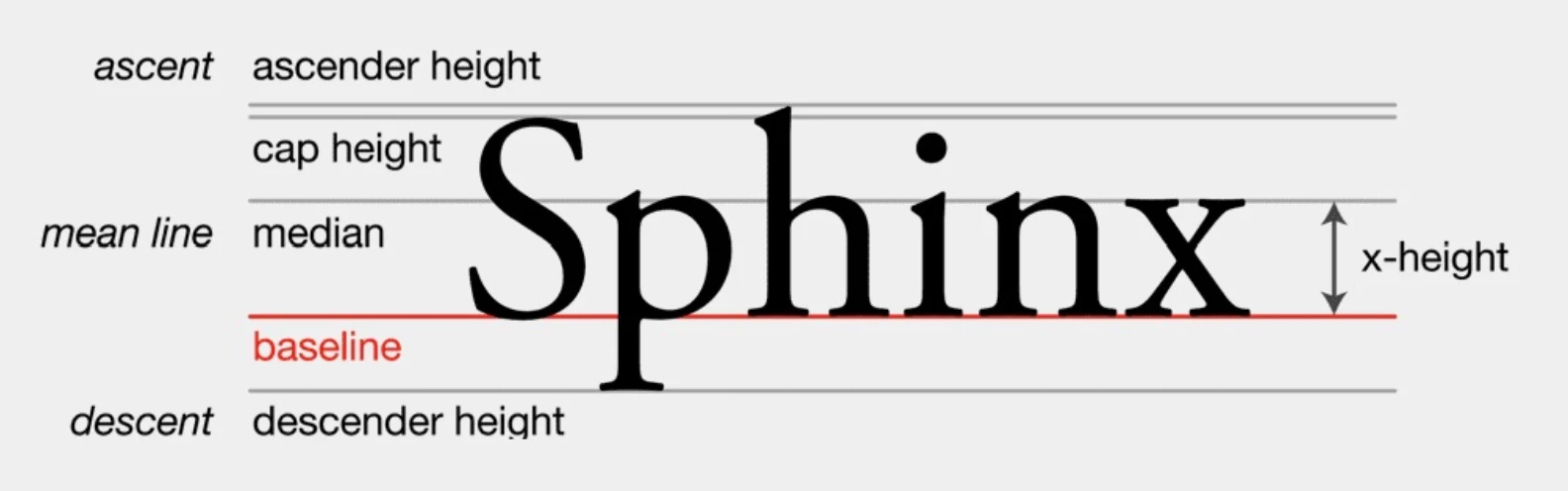
This makes absolutely 0 sense from a consistent design perspective -- things won't align perceptually correctly unless "baseline" and "cap height" are used.
Even worse, if you dare to use different fonts like this, the alignments will be even more off.
This kind of makes working with XD really tedious since all text will be aligned improperly. For a billion-dollar company, I believe letting me align text properly, should be possible?


 AdChoices