
Participant
May 25, 2020
Answered

An issue with an interactive prototype on Behance

  • May 25, 2020
  • 2 replies
  • 2259 views

Hello.

I have an issue with embeded code from Adobe XD on Behance. 
When I insert the embeded code for my interactive prototype its size fits perfectcly with my project.

However, when I save my project and publish it, and click to launch the interactive prototype, the prototype opens in the new window and is cropped so that I'm compelled to scroll down to see the rest of it. 


This is how it looks. This is only half of what should be on the screen. 
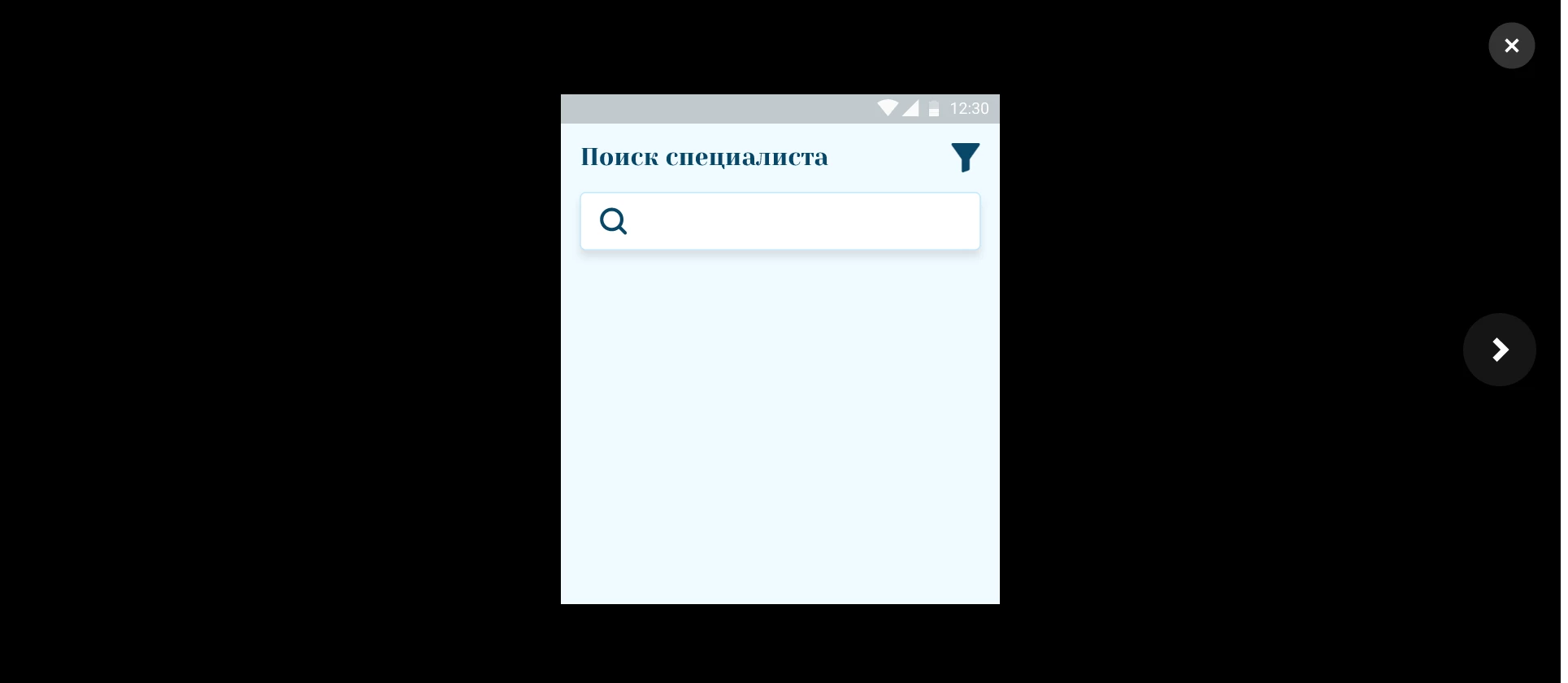
 

Looking forward to receiving your reply.

This topic has been closed for replies.
Correct answer HARSHIKA_VERMA

I'm also experiencing this problem. When I originally posted the project it was showing in the original resolution, but now it is a quarter of the original size. 


Have you found a solution to this problem?


Hi @audmartini,


Thank you for reaching out, and sorry for the trouble. Would you mind creating a new project and hosting it to Behance?


If that doesn't help, please submit a request here: https://help.behance.net/hc/en-us/requests/new?ticket_form_id=4164.


Hope it helps.


Thanks,

Harshika 

2 replies

HARSHIKA_VERMA
Community Manager
Community Manager
May 27, 2020

Hi there,


Sorry for the delay in response. If I heard you right it looks like you are having the similar issue as mentioned here: https://community.adobe.com/t5/adobe-xd/how-to-launch-or-embed-an-interactive-prototype-of-xd-on-behance/td-p/10575942?page=1 Please go through the link and let me know if that helps.


Thanks,

Harshika

elvina248Author
Participant
May 28, 2020

Hello.

Thank you for your response. Unfortunately, this previous discussion does not contain anything related to my problem. 

I don't have problems with embedding a code. It's an issue with displaying a prototype after launching it, in particular, it is showing only half of the screen (mobile) that supposed to be shown in full.

Participant
November 3, 2022

I'm also experiencing this problem. When I originally posted the project it was showing in the original resolution, but now it is a quarter of the original size. 


Have you found a solution to this problem?

Peru Bob
Community Expert
Community Expert
May 25, 2020

I've moved this from the poorly named Community Help forum (which is the forum for issues using the forums) to the XD forum so that proper help can be offered.