
Participant
November 24, 2022
Answered

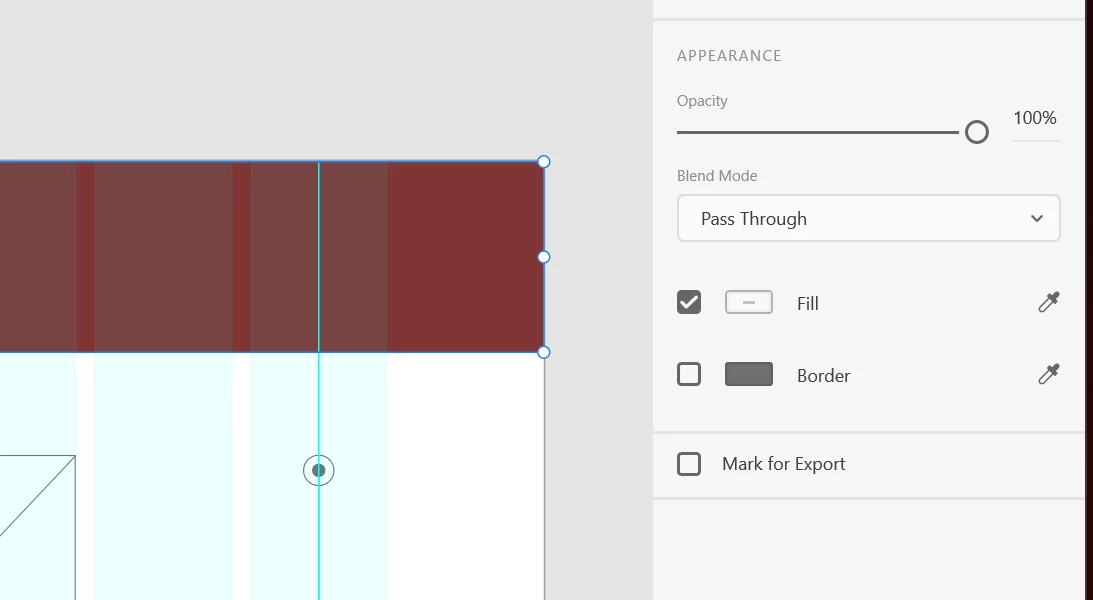
Appearance panel not displaying blur nor shadow

  • November 24, 2022
  • 1 reply
  • 578 views

Hey there,


I am using Win 11, Xd version 55.1.12. I cannot see the Blur nor shadow options in the appearance panel. I've tried creating a new file, grouping, ungrouping, creating a component, running CC updates, restarting, you name it.


I have no idea where I can find it and I need it desperately 😞
 

    This topic has been closed for replies.
    Correct answer T Cantu

    Hi and thank you for the poke! I seem to have missed the previous notification. I think I figured it out - I was trying to add the effect on grouped elements rather than a single element within that group, and then convert it into a component.


    Thanks again!!!

    1 reply

    Spas K.
    Community Expert
    Community Expert
    November 25, 2022

    Can you share a screenshot of the whole window with the layers panel visible? So it happens on all elements? Effects can only be applied on separate elements, not on groups and components.

    HARSHIKA_VERMA
    Community Manager
    Community Manager
    November 30, 2022

    Hi @T Cantu,


    Hope you're doing well!


    We would like to follow up on your issue. Are you able to resolve the issue by following our expert advice? Please feel free to update the discussion if you need further assistance.


    We would be happy to help.


    Thanks,

    Harshika

    T CantuAuthorCorrect answer
    Participant
    November 30, 2022

    Hi and thank you for the poke! I seem to have missed the previous notification. I think I figured it out - I was trying to add the effect on grouped elements rather than a single element within that group, and then convert it into a component.


    Thanks again!!!