
Participant
May 22, 2020
Answered

Artboard Order is wrong

  • May 22, 2020
  • 2 replies
  • 2122 views

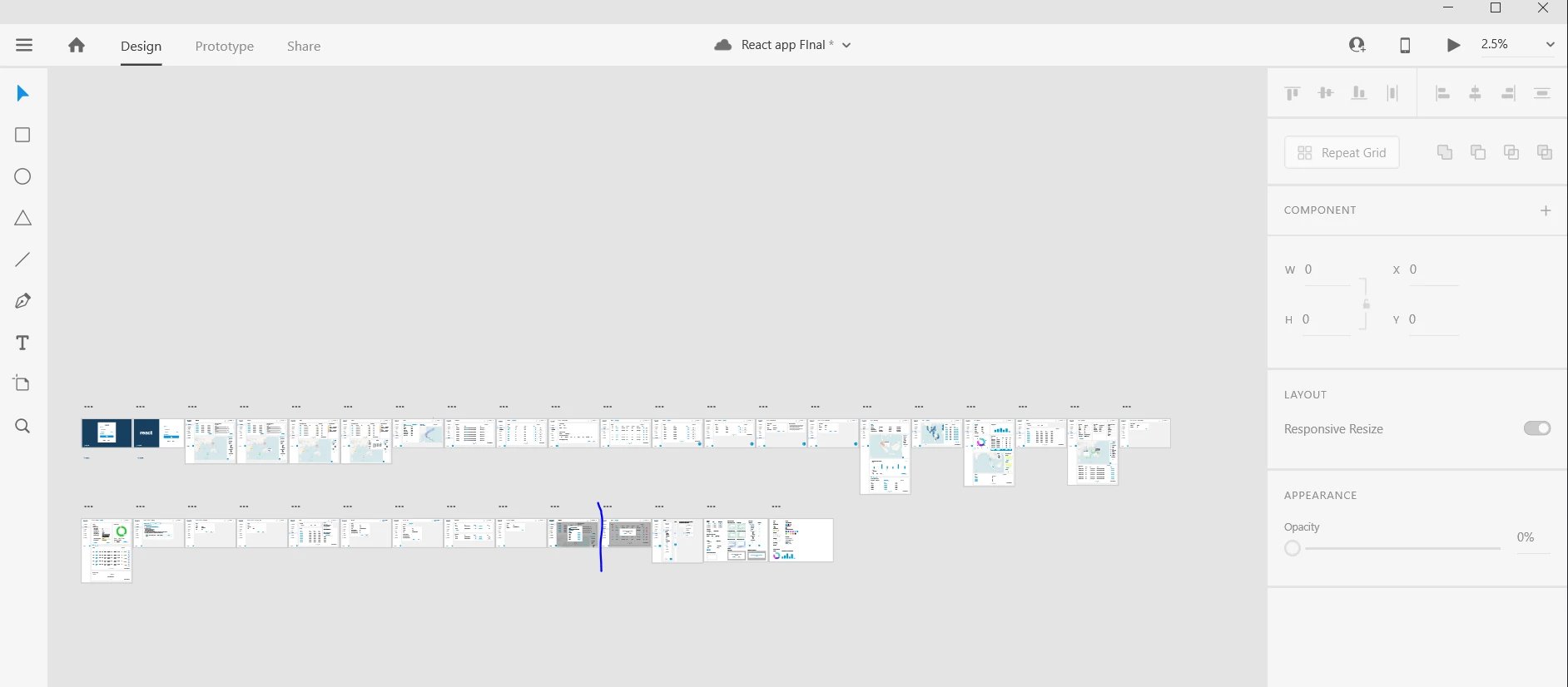
So I am making many artoards for my project, I want to see as many as possible side by side. When I use the full width of Adobe XD the first line of artboards displays fine, but once it goes to the second line, it only shows the artboards which are in the middle of the XD file. What's the point of the left side of the software if i can't use it? It's so frustrating to arrange my artboards because everything would have to go from the middle to the right which fits about 8-9 artboards which is nothing when there is a 50-60 artboard project or more. If this is what happens at least give us manual control over the order of artboards, no matter what order I change it into, Ieven numbered the arboards, it still only displays them per the left to right top to bottom order. I would love to just be able to pick what order they are in line in Illustrator. It takes agaes to arrange the artboars sometimes and it's frustrating and time wasting. Is there any workaround on this? I hate looking at 8 artboards per row with 10 rows. It doesn't feel organised and the left hand side is such a waste of space. 
 

    This topic has been closed for replies.
    Correct answer Harshika Verma

    Hi there,


    Sorry to hear you are having trouble with artboards orders in XD. I have found one similar post regarding the similar discussion: https://community.adobe.com/t5/adobe-xd/adobe-xd-won-t-let-me-change-the-order-of-the-artboards/td-p/8748884?page=1


    Please try the workaround solution suggested in the post. Please see thie uservoice request as well: https://adobexd.uservoice.com/forums/353007-adobe-xd-feature-requests/suggestions/32368135-control-artboard-order-for-shared-prototype
    If you think that it matches your requirement, please submit your feedback and upvote the request to add your voice.


    Hope it helps.


    Thanks,

    Harshika

    2 replies

    Participant
    June 4, 2020

    This is kind of ridiculous - has it been fixed? I am having this issue and need to show the client my progress.

    Participant
    June 4, 2020
    The best solution is to paste them into a new page with the artboards in the exact order you want 😞 I had to do that. Wasted about an hour of my time. Then when new changes came in I had to move arboards again to organise the screens. Wasted another hour. Unfortenatly there is no other way at the minute 😞 I am moving to an iMac soo and considering Sketch as it doesnt have these issues.
    Participant
    August 25, 2020

    I am facing the same issue

    Harshika Verma
    Community Manager
    Harshika VermaCommunity ManagerCorrect answer
    Community Manager
    May 26, 2020

    Hi there,


    Sorry to hear you are having trouble with artboards orders in XD. I have found one similar post regarding the similar discussion: https://community.adobe.com/t5/adobe-xd/adobe-xd-won-t-let-me-change-the-order-of-the-artboards/td-p/8748884?page=1


    Please try the workaround solution suggested in the post. Please see thie uservoice request as well: https://adobexd.uservoice.com/forums/353007-adobe-xd-feature-requests/suggestions/32368135-control-artboard-order-for-shared-prototype
    If you think that it matches your requirement, please submit your feedback and upvote the request to add your voice.


    Hope it helps.


    Thanks,

    Harshika

    Participant
    May 26, 2020

    Hi. I tried the ascending numbers on artabords and it doesnt work anymore I believe with latest updates. I also don't always have the time to copy over 80-100 artboards to a new doc. It's so frustrating, I'm not using XD because its free, I used it cause its a part of the adobe package my company paid for. And this one simple frustration is the reason I rather pay for other tools.


    Is there any plan for the devs to make it the same function like in Illustrator, or more controllable? If there arent any plans to make this change I'm afraid I will be moving on to Sketch or Framer, when working on software UX with tight dev deadlines I dont have the time to spend an hour copying artboards into a new doc. 

    Harshika Verma
    Community Manager
    Community Manager
    May 27, 2020

    I completely understand your frustration. I will make sure to share your feedback with the team. In the meantime, I would request you to please upvote the above link and submit your feedback.


    This is the best way of communicating with our engineering team. I am sorry for the inconvenience.


    Thanks,

    Harshika