
mau5head
Participant
December 6, 2019
Question

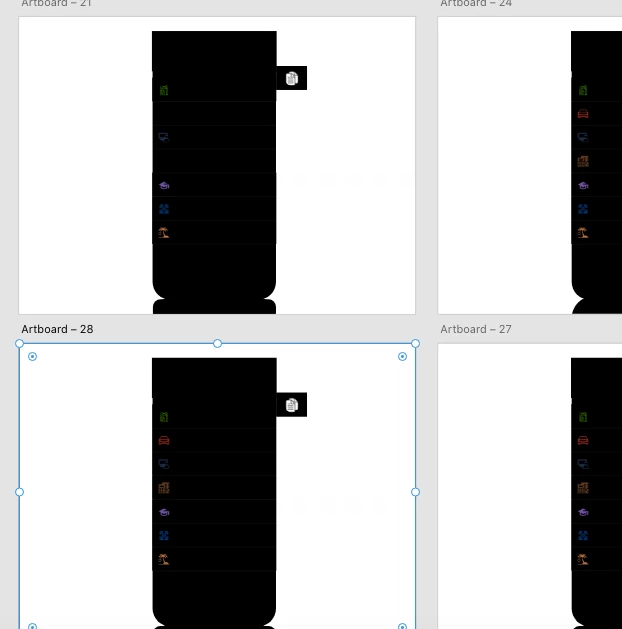
Artboards are filled with black

  • December 6, 2019
  • 2 replies
  • 462 views

Hey guys. I have a very serious issue with Adobe XD. I was working on my prototypes and the system completely hung and filled up all my artboards completely black. Is there a way to revert to an earlier version of your XD file? This was saved locally on my system and not on the cloud.
This topic has been closed for replies.

2 replies

Peter Villevoye
Community Expert
Community Expert
December 8, 2019

Well, the whole artboard seems bigger than this black area. Are you using some plugin to create an iPhone-like backdrop within an artboard, or is that your own design ? Do you have an example of what it should look like ? Can you move stuff around and see black parts moving accordingly ? You need to change something in order to see what happens and what might give a clue of a possible cause...

Ares Hovhannesyan
Community Expert
Community Expert
December 7, 2019

That is very strange glitch. You can revert file on cloud.


How do I revert to an earlier version of an XD file?
  • Sign in to the Creative Cloud website.
  • Open the tab containing your file, and select it.
  • Click the Timeline icon on the right to view the previous versions of the file.
  • Select the file to which you want to revert.


For local revert try wihdows settings to for backup files


What is your OS? 

Did this happens with any new files created on Xd?