


Artboards messed after changing router connection to wifi
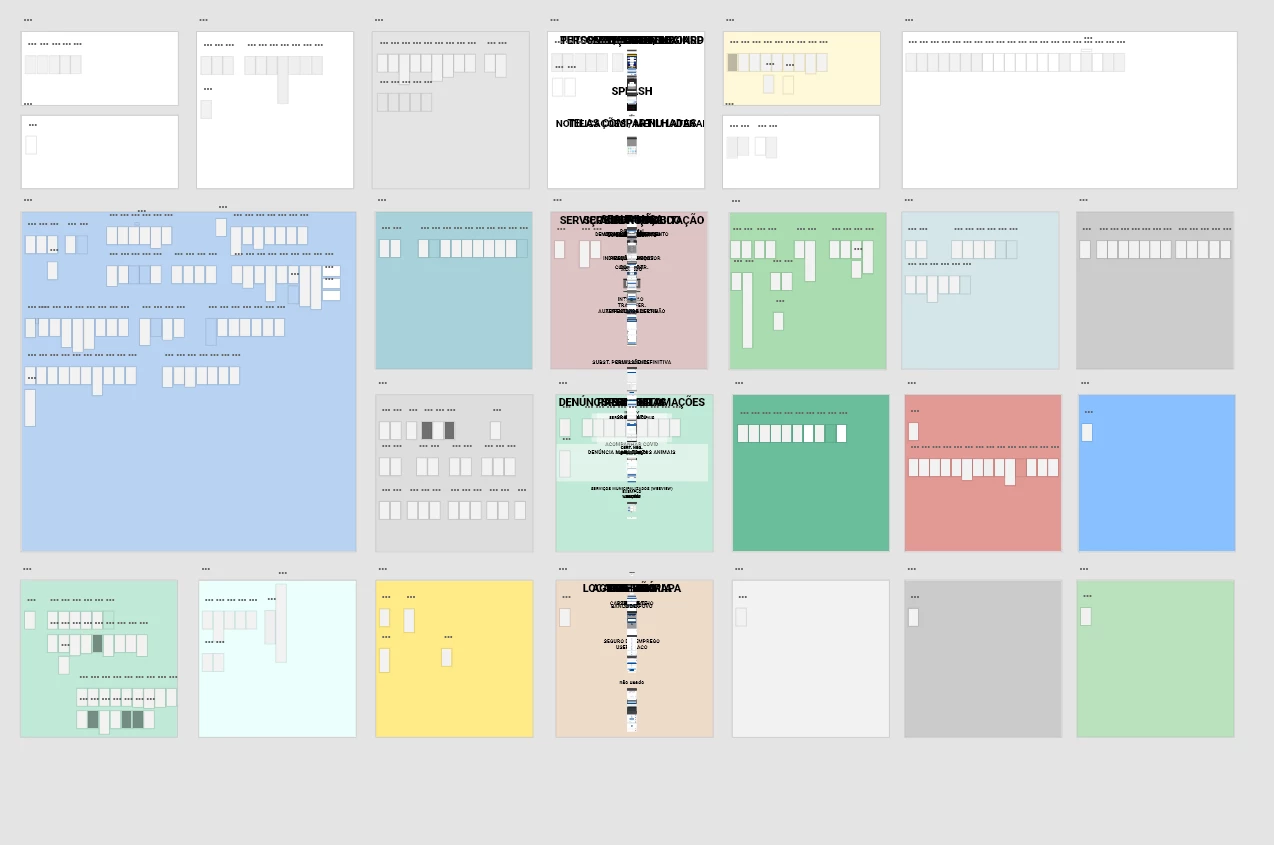
Hi! All my artboards were suddenly messed from the project, when changing from a Router connection from my cellphone, to Wifi from my home. Take a look at the image: the contents of the artboards were all centered in the screen - it's just a mess now... I'm not so desperated because it's in the cloud. [EDIT]: It gave me a lot of work to copy all my project to the current file! I had to delete everthing in the current version(included the componentes - if you don't delete them, it will be duplicated when you paste the content of previous version), open the previous version that was ok, copy in the "prototype" mode(or your links won't work). Then, back to the current version, in "prototype" mode again, paste the content of the previous version. 1 hour to get the version I was working! wtf Adobe! Put an option to select a previous version and set it as the current version!!!
I think there's a bug in XD when wifi suddenly is down, and we change to another one like a Router connection from the cellphone. Data get loss!!! I think it's the delay when the current connection is lost... I remember I was rolling back the steps, and with the delay, it centered all contents... Adobe XD got confused about what command to step back... I think it was that!
Also, I'm trying to revert to previous versions by Adobe Cloud. It should be an option to just click and that version is now the current version. But no: we have to open the file and copy to the current version. It's good too, but when we want the ENTIRE project, is not so practical.
 AdChoices