Participant
March 27, 2023
Answered

Auto resize item based on text box size

  • March 27, 2023
  • 1 reply
  • 636 views

Hi,


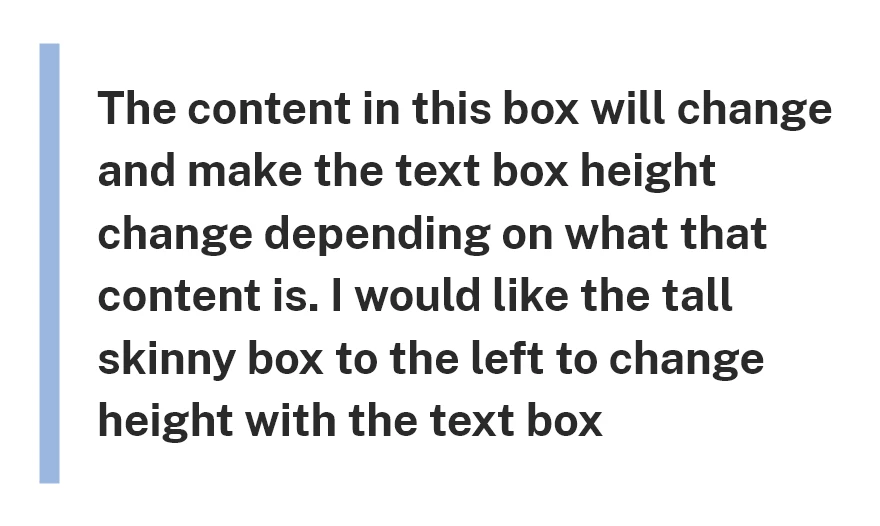
I would like for an offset item to resize its height when the text in a textbox is changed.

Like the example below, there is a shaded hilight that is set 15px offset top and bottom and to the left the same that I would like to get taller and shorter when the text next to it is chamged.


I've tried doing shaded backgrounds but the inded does not allow offsets past the left of the text, and setting the item to auto resize responsively also does not work.

I also tried a stach where the box is separate pieces above, below and to the side but that does not work either.


Thanks for any assistance. 
    This topic has been closed for replies.
    Correct answer Dan Rodney

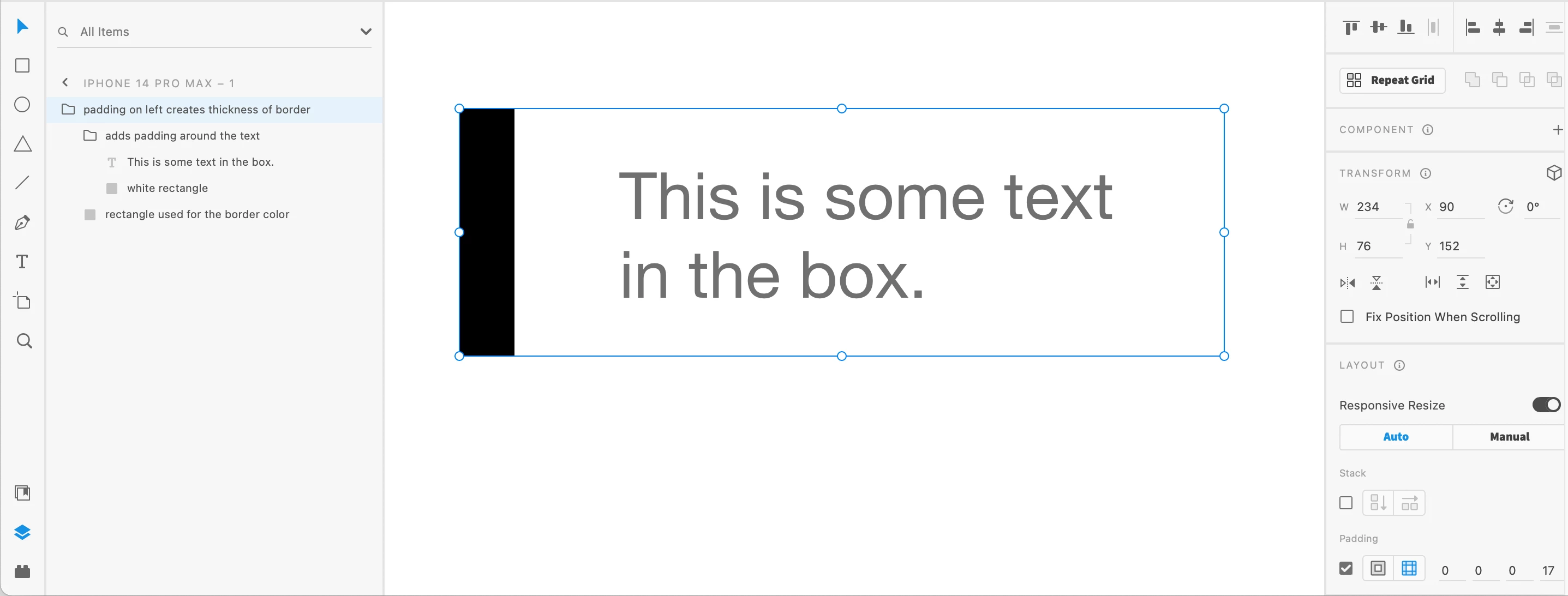
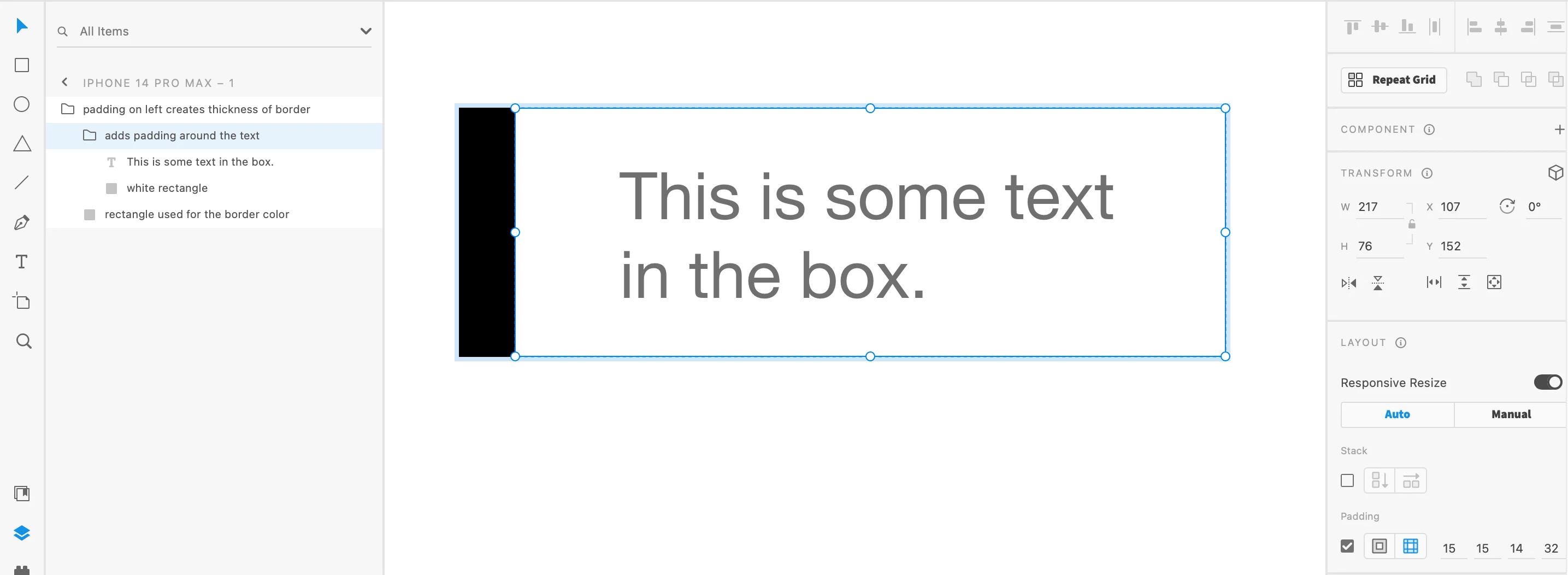
    You have to be a bit creative to accomplish this. One way is shown in the screenshots attached:

    1. Make a container group with left padding the thickness of your border and a rectangle that will serve as the border color (you'll cover up most of this rectangle with a nested group).
    2. Inside that have another group (also with responsive resize) that adds padding around the text with a white background to cover over the other rectangle that will serve as the border color.


    Refer to the screenshots for how this looks (note the layer names and set up on the left, and the responsive resize settings on the right.


    I noticed after taking a screenshoat that I didn't use your 15px for padding amounts... I was just making a quick example 🙂


    1 reply

    Dan Rodney
    Community Expert
    Dan RodneyCommunity ExpertCorrect answer
    Community Expert
    March 27, 2023

    You have to be a bit creative to accomplish this. One way is shown in the screenshots attached:

    1. Make a container group with left padding the thickness of your border and a rectangle that will serve as the border color (you'll cover up most of this rectangle with a nested group).
    2. Inside that have another group (also with responsive resize) that adds padding around the text with a white background to cover over the other rectangle that will serve as the border color.


    Refer to the screenshots for how this looks (note the layer names and set up on the left, and the responsive resize settings on the right.


    I noticed after taking a screenshoat that I didn't use your 15px for padding amounts... I was just making a quick example 🙂


    — Adobe Certified Expert & Instructor at Noble Desktop | Web Developer, Designer, InDesign Scriptor
    BricknounAuthor
    Participant
    March 28, 2023

    Amazing! Thank you so much for this. such a simple method.

    I was definitely getting too much in my head.