
Participant
May 17, 2018
Answered

Basic workflow

  • May 17, 2018
  • 1 reply
  • 831 views

Ok here's a real noob question - I've been looking at this product with great interest but is there any online explanation about the overarching development process. It looks like you do the basic graphic design and navigation design for the app but I don't see where the actual coding of the advanced functionality occurs. Is everything in this tool UI design only or can you go into the design at some level and code objects?

Best, Steve
    This topic has been closed for replies.
    Correct answer Colin Holgate

    I think I can summarize my question as - I designed this app - now what? Do I call a programmer? What do I give him?

    Best, Steve


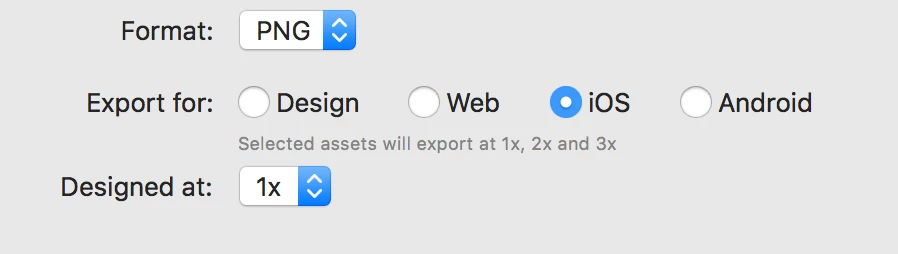
    You can give the programmers a link to your prototype, so they can see what the app is supposed to do. You can also select the graphics in your prototype and do an Export/Selected... and have that produce the different sizes of images that the app will need. You can choose different platforms, and the various sizes that might be needed will be made for you.

    There isn't currently any way (that I know of, I would love to be wrong!) to help in placing those elements, the programmers would have to manually put the elements into the right place.

    Here's how the export dialog looks:

    1 reply

    Participant
    May 17, 2018

    You probably have to take a look at Adobe Muse.

    There you can design and export the HTML.

    Don't know if prototyping is a function within muse.. haven't worked with it yet.

    Participant
    May 17, 2018

    Does Muse export as an app? I'll have a look -  many thanks.

    Best, Steve

    Participant
    May 17, 2018

    Ah, an App.

    Sorry i thought it was for a website, my bad!

    Wel i don't think it does output the code for an app, but yeah you should just check it out.

    Good luck!