


Inspiring
November 14, 2018
Question

Blurry UI text

  • November 14, 2018
  • 1 reply
  • 1955 views

After last update I get blurred text in the section that specifies the document formats and the tool menu is also blurred. Never happened before. It doesn't happen in any other Adobe application than XD. I'm on Windows 10, always up to date.
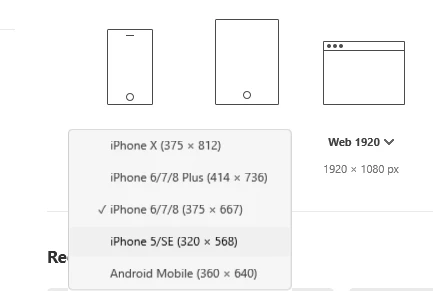

    This topic has been closed for replies.

    1 reply

    Atul_Saini
    Legend
    November 15, 2018

    Hi Perrybrus,

    Thanks for sharing the screenshot here, could you please share the exact version of Adobe XD which you are using? I would also like to know if you are viewing Adobe XD on primary monitor or on the secondary monitor? Please share the resolution of your screen as well.

    -Atul

    perrybrusAuthor
    Inspiring
    November 16, 2018

    XD Ver. 13.0.12.14

    XD is viewed on a secondary monitor (Display 2) at 2560x1440. This is my setup for all my work. XD is the only app that shows blurry text in parts of the UI. None of the other applications I have running on this machine does. As you can see below I have set scale to 200% cause that's what works. I know there's been yet another late update file launched by Adobe after the big October release but it's been so much trouble and so many issues with the updates so I'm really skeptic to do the last one. Always some nasty surprises with XD updates. My strategy now is to at least wait until update bugs have been partly fixed cause they never get totally fixed and then accept updates. It was after the last big update that XD went bad on resolution again. As mentioned all the other apps are fine in terms of text sharpness and UI scaling. Only XD is failing miserably. 

    Atul_Saini
    Legend
    November 16, 2018

    Thanks for sharing the details here. Another thing which I want to confirm, could you please test it on your primary display? I am trying to check it here at my end as well.