Participant
January 26, 2021
Answered

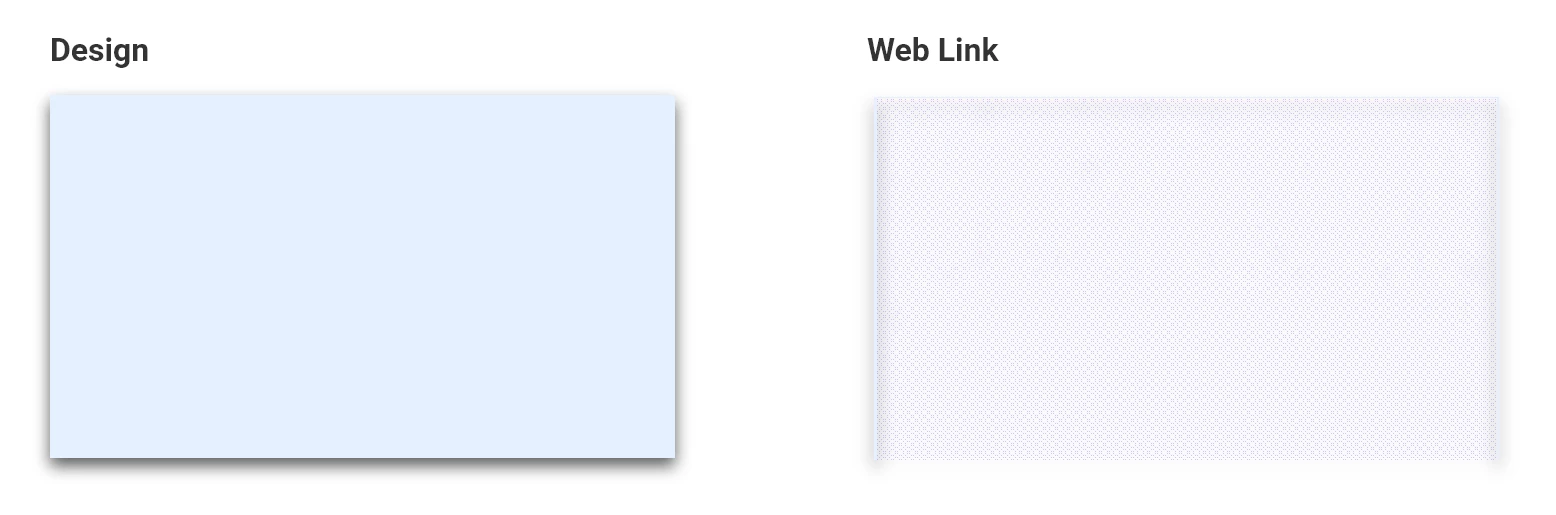
Broken Shadows in Shared Link

  • January 26, 2021
  • 1 reply
  • 1075 views

Latest update broke rendering of shadows on web share links.

This topic has been closed for replies.
Correct answer Harshika Verma

Hi Kenny,


Thank you for reaching out and reporting the issue you are facing with shadows on share links. I am unable to reproduce the issue at my end on the windows machine. I am able to see the shadow on the share link: https://xd.adobe.com/view/35a46eac-1b09-4265-a3b5-72131a498d88-60f7/


Would you mind telling me if it's happening with a specific file or all files? Is it a development link or a design for review link? Could you please share the link with me so that I can check at my end? Are you able to see the shadow effect properly in desktop preview within XD app? 


I would suggest checking on a different browser or with a new file. 


I will try my best to help.


Thanks,

Harshika

1 reply

Participant
January 26, 2021

running version 36.1.32 on Windows

Harshika Verma
Community Manager
Harshika VermaCommunity ManagerCorrect answer
Community Manager
January 26, 2021

Hi Kenny,


Thank you for reaching out and reporting the issue you are facing with shadows on share links. I am unable to reproduce the issue at my end on the windows machine. I am able to see the shadow on the share link: https://xd.adobe.com/view/35a46eac-1b09-4265-a3b5-72131a498d88-60f7/


Would you mind telling me if it's happening with a specific file or all files? Is it a development link or a design for review link? Could you please share the link with me so that I can check at my end? Are you able to see the shadow effect properly in desktop preview within XD app? 


I would suggest checking on a different browser or with a new file. 


I will try my best to help.


Thanks,

Harshika

Participant
January 28, 2021

Hi Harshika,


Inexplicably, I can no longer reproduce the issue either.


Previously the issue was occurring consistently with every file tested and both 'design review' and 'development' share types. Desktop preview had rendered correctly. Only the share link had the issue (tested only in Chrome).


Still unclear what caused it, or why it works now. Seems unrelated to the file itself since links that had the issue yesterday and were unchanged are now displaying correctly. 


Thanks,

Kenny