Participant
February 14, 2019
Answered

Button Symbol Ration/Alignment Retain

  • February 14, 2019
  • 2 replies
  • 357 views

Hello Design Community!

I am new to Adobe XD, just switched from another design tool and I would love your help!

I created a button Symbol, and when I use it, I cannot retain the ratio when the text is not aligned.

Any suggestions? The first button is the Symbol and the button below is the use of it with less text.
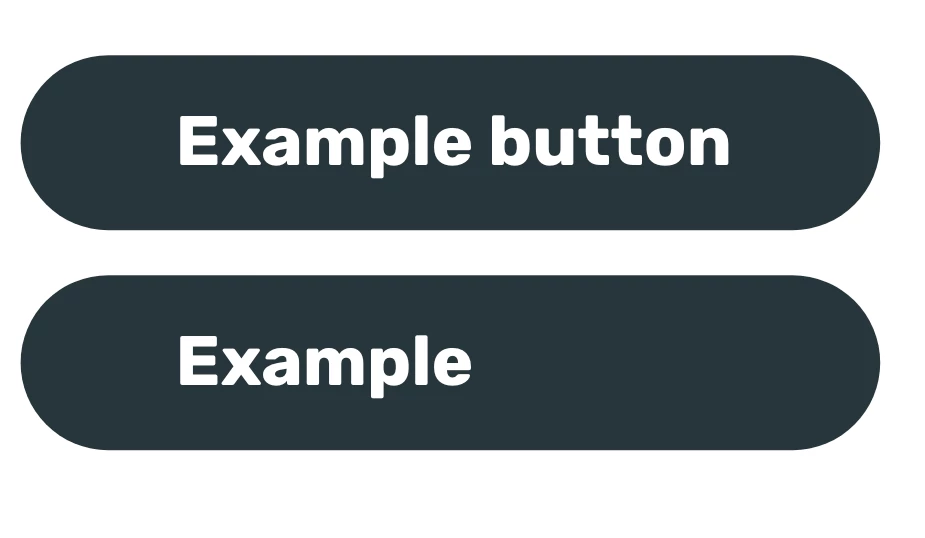
When I try to move the text, it changes to the original symbol also
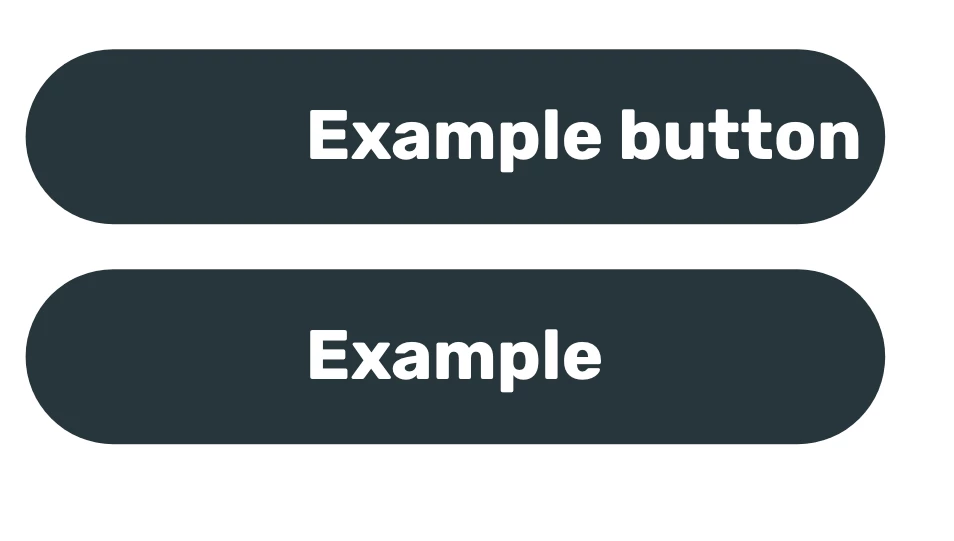
I would love to know how to solve this

This topic has been closed for replies.
Correct answer Preran

I am guessing this is what you did.

  • You created the rectangle and then used the Text tool to add text in it.
  • You grouped the two and converted the group to a symbol.
  • You then made a copy and deleted the word button from the second symbol
  • Now, when you move the text in one symbol, the other one is moving as well.

If my assumption is correct, then try the following

  • Right click the button on top, and select Ungroup Symbol
  • Select the rectangle and the text, press the Alt Key, and drag to make a copy
  • Select both the objects in the first button right click, and select Make Symbol
  • Repeat that for the second button as well.

When you move the text in one button, the text in the other button should not move.

Thanks,

Preran

2 replies

Kenneth Kawamoto
Community Expert
Community Expert
February 14, 2019

Have you tried aligning the button label to centre? (Or may be I misunderstood!)

Preran
PreranCorrect answer
Legend
February 14, 2019

I am guessing this is what you did.

  • You created the rectangle and then used the Text tool to add text in it.
  • You grouped the two and converted the group to a symbol.
  • You then made a copy and deleted the word button from the second symbol
  • Now, when you move the text in one symbol, the other one is moving as well.

If my assumption is correct, then try the following

  • Right click the button on top, and select Ungroup Symbol
  • Select the rectangle and the text, press the Alt Key, and drag to make a copy
  • Select both the objects in the first button right click, and select Make Symbol
  • Repeat that for the second button as well.

When you move the text in one button, the text in the other button should not move.

Thanks,

Preran