
Participant
September 22, 2022
Answered

Can't download XD because creative cloud won't let me log in.

  • September 22, 2022
  • 1 reply
  • 353 views

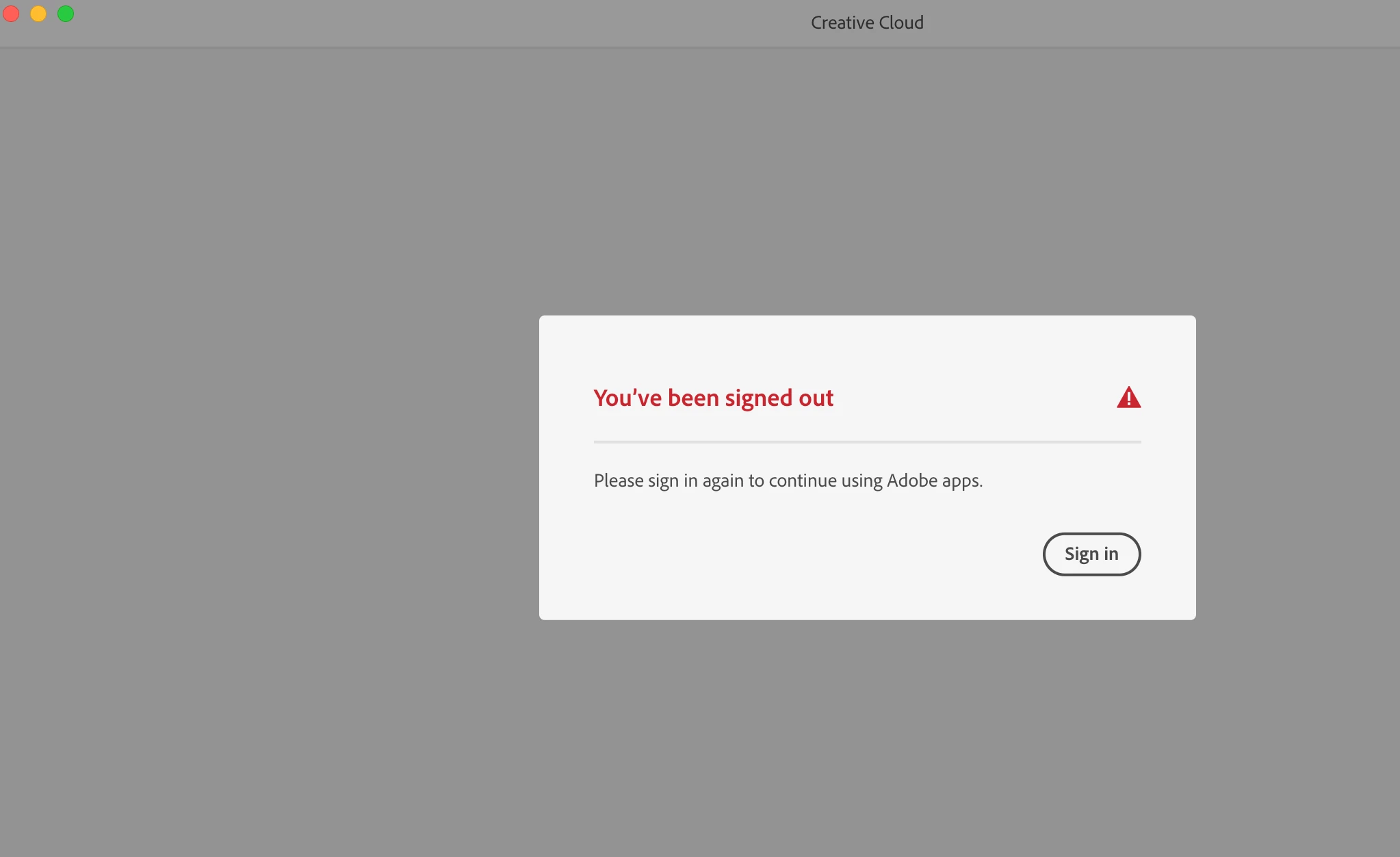
I am trying to download XD onto my computer, but whenever I do, it brings me to the creative cloud and tells me I need to sign in. After clicking sign in, the same screen just comes back up. I have tried uninstalling and re-installing creative cloud but can't seem to figure this out. Please advise. 


I can't get past this screen. 
    This topic has been closed for replies.
    Correct answer Chaitanya21936374hmkf

    Hi Hannah26233903cnfo,

    Sorry for the inconvience, could you please try below steps:

    1.Try to Log In from XD Application

    2.If you are using other apps could you please try out LogIn through other app of Adobe
    3.If the above scenario's does not work could you please try to uninstall creative cloud be using the link "https://helpx.adobe.com/in/creative-cloud/kb/cc-cleaner-tool-installation-problems.html
    "
    4. After the 3rd step try installting again.
    5. If non of the above steps mentioned work, please share us short video and also attach the logs.


    We will look into the issue.
    Thanks,

    Chaitanya Shandilya

    1 reply

    Chaitanya21936374hmkf
    Community Manager
    Chaitanya21936374hmkfCommunity ManagerCorrect answer
    Community Manager
    September 22, 2022

    Hi Hannah26233903cnfo,

    Sorry for the inconvience, could you please try below steps:

    1.Try to Log In from XD Application

    2.If you are using other apps could you please try out LogIn through other app of Adobe
    3.If the above scenario's does not work could you please try to uninstall creative cloud be using the link "https://helpx.adobe.com/in/creative-cloud/kb/cc-cleaner-tool-installation-problems.html
    "
    4. After the 3rd step try installting again.
    5. If non of the above steps mentioned work, please share us short video and also attach the logs.


    We will look into the issue.
    Thanks,

    Chaitanya Shandilya

    Participant
    September 23, 2022

    Number 3 worked!!!! Thank you so much, you have no idea how long I've been trying to fix this.