Participant
Mar 9, 2021 8:47 AM UTC
Answered

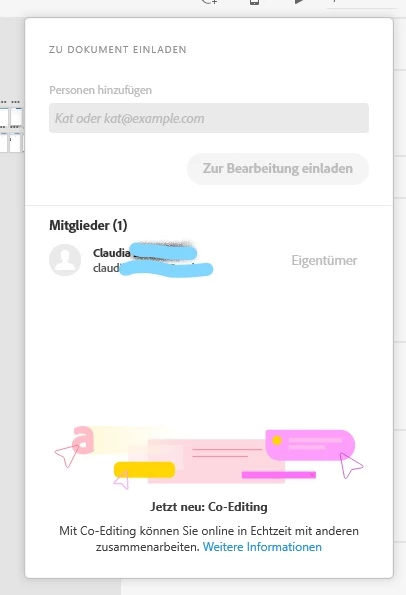
Can't invite a co-editing partner anymore-field inactive, greyed out

I can't invite a co-editing partner anymore, the form field stays inactive. The free-version says I can have one and it worked before. I want to invite the same person again.

This topic is closed to new replies. Start a new post to keep the conversation going.
elainecc
elaineccCorrect answer
Participating Frequently
Mar 30, 2021 6:16 PM UTC

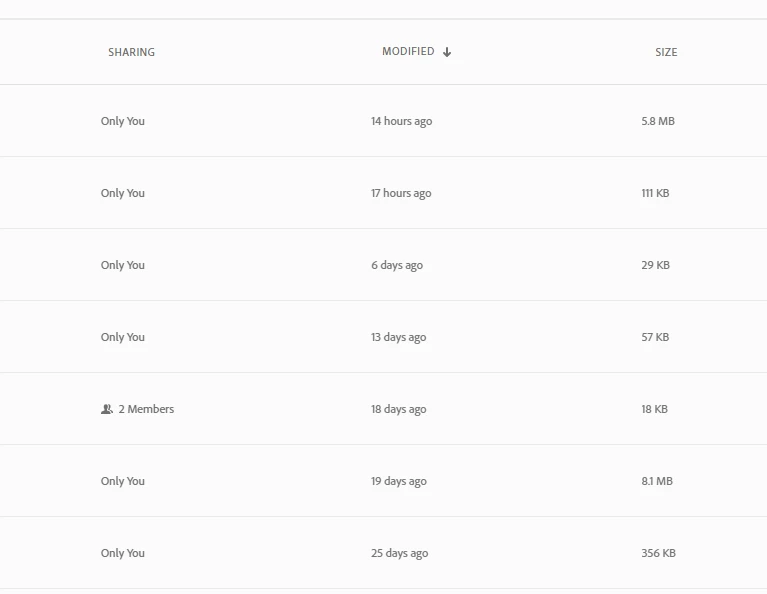
The best way to look for docs you have shared before is to go to assets.adobe.com, then navigate to Files > Cloud Documents, and switch to list view in the upper right. Once you've switched to list view, there is a column that says "sharing," which will tell you how many people you've shared a document with.


Hope that helps!

4 replies

Community Manager
Mar 9, 2021 10:31 AM UTC

Hi Claudia,


You are right for free user only one invitation across Xd is allowed. To invite again, you have to first remove the previously invited person by going to the previously shared file and removing the invited person from the invite to edit sharesheet. 


Hope this helps.


Regards,

Jagriti Kashyap


Translate
Participant
Mar 30, 2021 12:27 PM UTC

Thank you very much. I just can't find the previous version I shared. It is probably a few months ago. How do I see which one that was?

Translate
elainecc
elaineccCorrect answer
Participating Frequently
Mar 30, 2021 6:16 PM UTC

The best way to look for docs you have shared before is to go to assets.adobe.com, then navigate to Files > Cloud Documents, and switch to list view in the upper right. Once you've switched to list view, there is a column that says "sharing," which will tell you how many people you've shared a document with.


Hope that helps!

Translate