
Inspiring
August 17, 2022
Answered

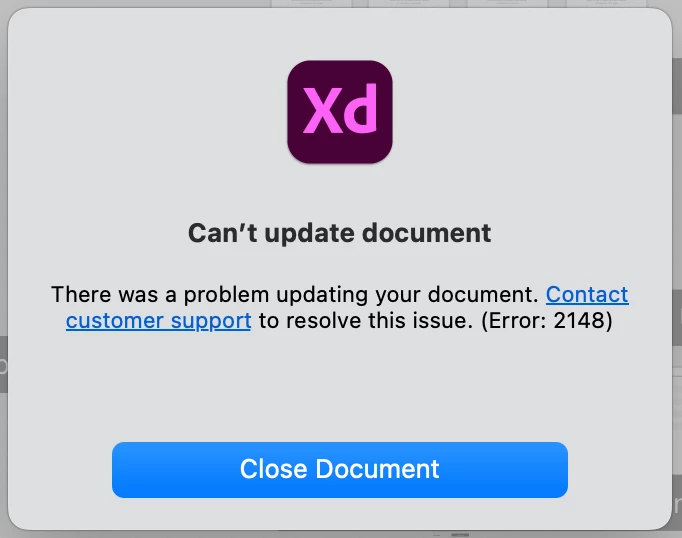
Can't open my shared document in my Mac Error: 2184

  • August 17, 2022
  • 1 reply
  • 477 views

So I own this shared document and for the past 2 days I cannot access it from my Mac, but it's accessable from a windows device for me and all the other shared personnel(who use windows). Yes, all devices run on the latest versions. And I did try logging out/in of CC and XD, reinstalling XD, but still, I get the same message. 
 

This topic has been closed for replies.
Correct answer Vaishnav23801338b3kj

Thinking what I'd do, I'd create a new test file on mac, open that file in windows, and paste the contents of the file with the problem to that copied file from mac, and open it on mac, if you haven't tried that please try & update me 🙂


So i just deleted the Creative cloud app along with its cache files and installed it again. Everything works fine now. 

1 reply

AkinGn
Community Expert
Community Expert
August 18, 2022

Hi @Vaishnav23801338b3kj, I think in this conversation ( https://community.adobe.com/t5/adobe-xd-discussions/can-t-open-document-error-2148/td-p/11422604 ) another designer who had the same problem says they fixed the problem by creating another copy of the file and they were able to open it without any problems. Hope this helps!

Inspiring
August 18, 2022

Yes, I've seen that. And it does work, but just not for my mac (I can access the file in my windows pc). It still shows "Syncing" but nothing really gets synced. 

Inspiring
August 18, 2022

and this is just isolated to the mac non of the other systems experience this issue.