
Question
Can't see colors in the color selection area
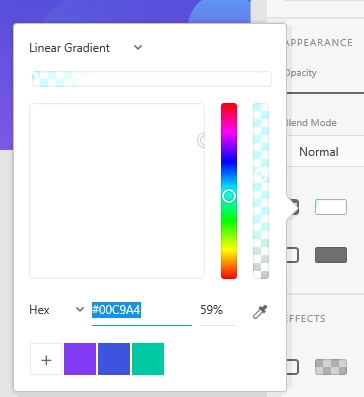
The above image is preview of what has been happening to my XD whenever I'm trying to select colors for the past few months and I have no clue why. I am always up to date on my XD and I don't when was the last time I saw this filled with colors anymore. Please fix this...
P.S. - It does not matter whether I have selected solid color or Radial/Angular Gradient, it still looks like this. This is happening on both my Windows and Mac app and currently limited to XD only


 AdChoices