
Answered
Cannot Manage Team Members
Hello,
We are part of an Adobe business plan that has team management capabilities.
When using XD, and sharing LIbraries, it by default includes a group called "Everyone - Members" when sharing the library. I have a screenshot below.
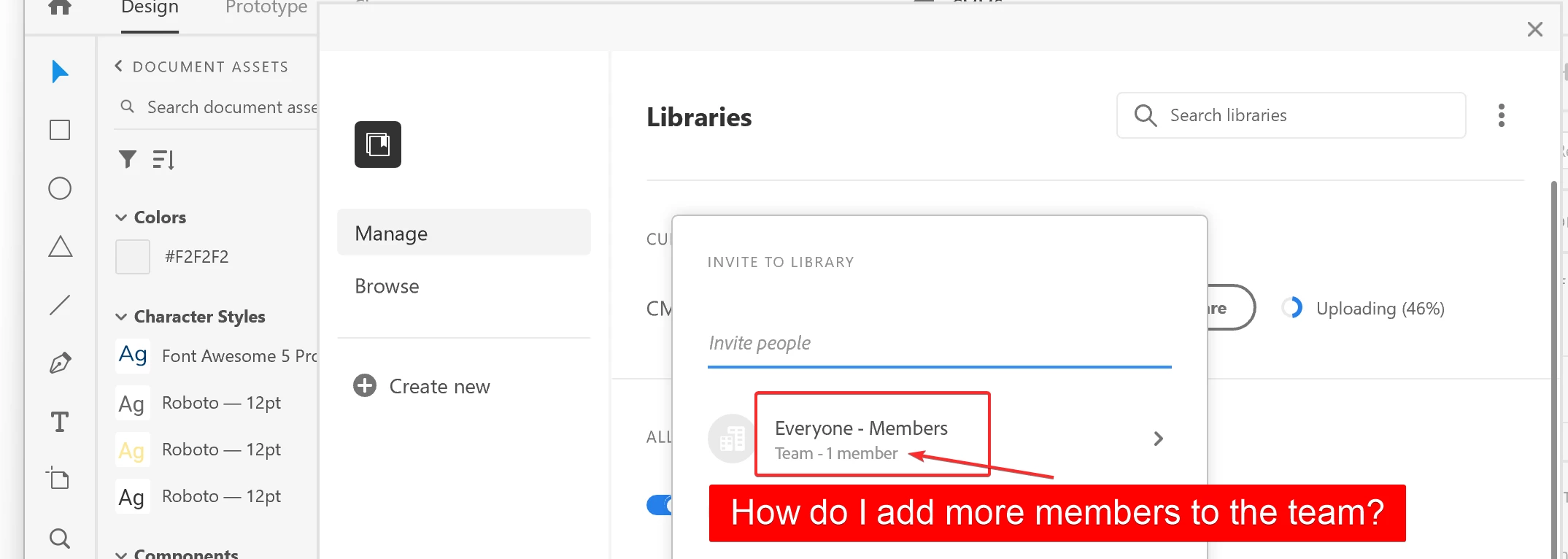
The problem is, this sharing popup says "Team - 1 member" and when I click into this, I (the one sharing this library) am the only member within that team.
When I click into the "Everyone - Members" group I only see myself listed as shown in the screenshot below:
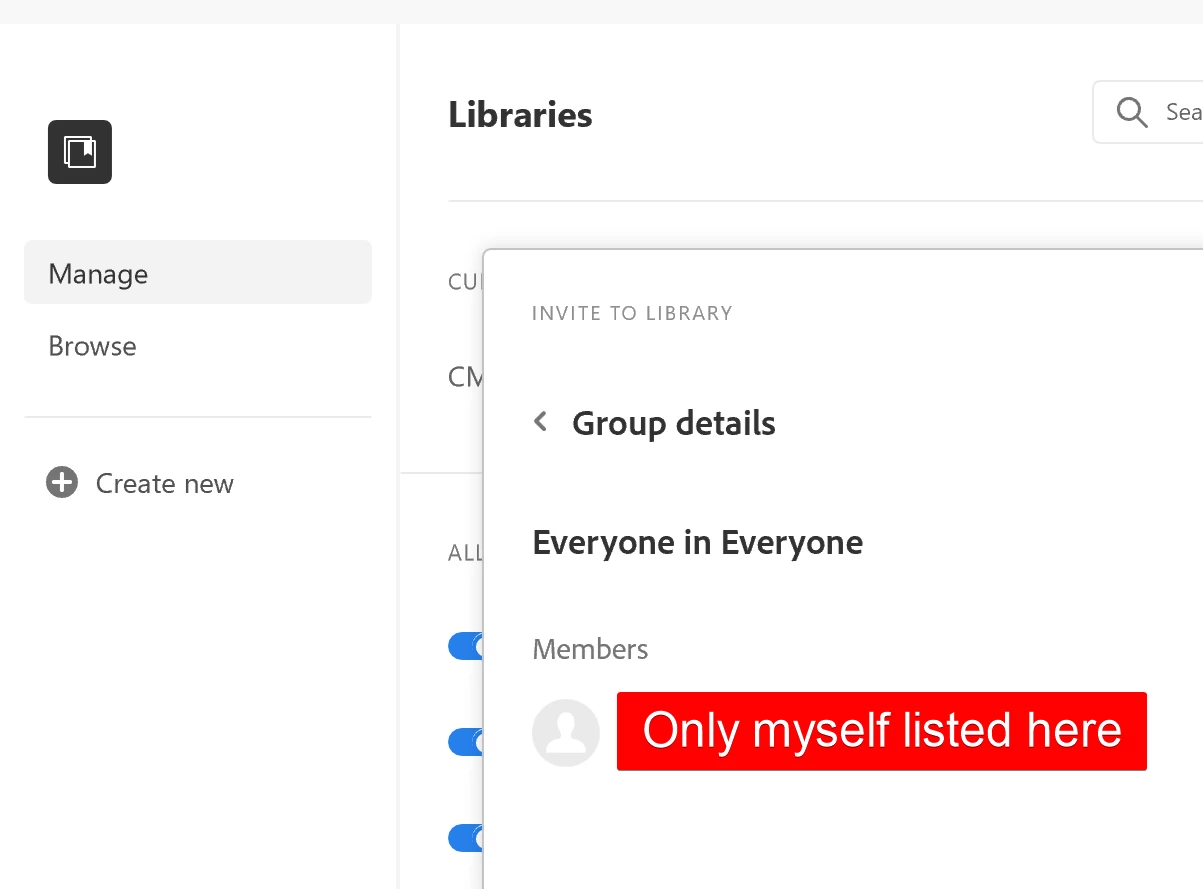
When I visit https://adminconsole.adobe.com/ I have 18 members listed, all with licenses that have access to XD.
There is no documentation that I can find anywhere on Adobe on how to manage this "Everyone" team. This appears to be a bug.


 AdChoices