

Participant
May 28, 2020
Answered

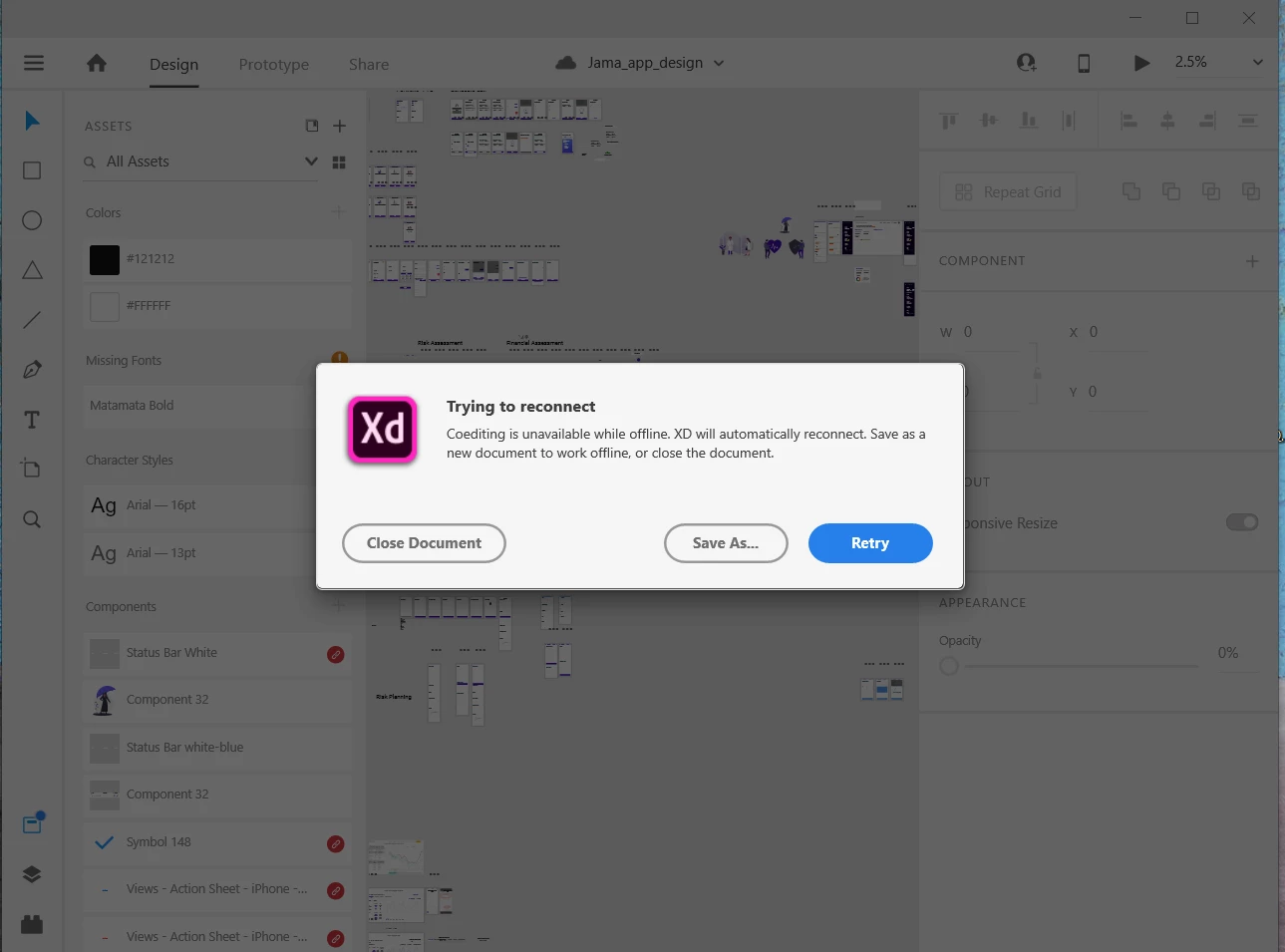
Cannot open my cloud documents on my pc

  • May 28, 2020
  • 1 reply
  • 877 views

I'm constantly getting this error, even I've the updated XD and creative cloud.

This topic has been closed for replies.
Correct answer Rishabh_Tiwari

Hi there,


Sorry to hear about the trouble. Could you please try the steps below and share check if you are able to open cloud document:


  • Sign out of Adobe XD and Adobe CC Desktop App.
  • Please close CoreSync Process and all Adobe related processes from the Task Manager.
  • Sign back in on Adobe CC Desktop app and launch XD from there and check if you are able to open cloud docs.


If it still doesn't work, please share a few more details like:

  1. A screenshot of the About XD info page under the help menu.
  2. Are you connected to a private network or an enterprise network?


Regards

Rishabh

1 reply

Rishabh_Tiwari
Community Manager
Rishabh_TiwariCommunity ManagerCorrect answer
Community Manager
May 28, 2020

Hi there,


Sorry to hear about the trouble. Could you please try the steps below and share check if you are able to open cloud document:


  • Sign out of Adobe XD and Adobe CC Desktop App.
  • Please close CoreSync Process and all Adobe related processes from the Task Manager.
  • Sign back in on Adobe CC Desktop app and launch XD from there and check if you are able to open cloud docs.


If it still doesn't work, please share a few more details like:

  1. A screenshot of the About XD info page under the help menu.
  2. Are you connected to a private network or an enterprise network?


Regards

Rishabh

Participant
August 12, 2024

I have the same it's annoying


creative explorer
Community Expert
Community Expert
August 13, 2024

@Studio54.Photography since day one, I have never had an issue with Adobe Xd nor have I received that error message. I do use the desktop app and am always logged into Adobe CC, never quit it. Curious to know if this is a PC issue because am on a MAC

m
