hegeh
Participating Frequently
February 13, 2017
Answered

Cannot open or save files

  • February 13, 2017
  • 10 replies
  • 9226 views

Cannot open existing files or save the one I already had opened.

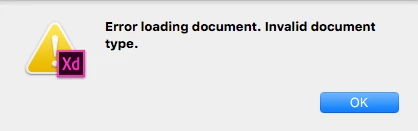
When trying to open various files I get the same error message: "Error loading document. Invalid document type." (file extension xd on all of them)

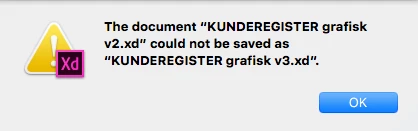
When I try to save the file I already have open I get this error message: "The document "KUNDEREGISTER grafisk v2.xd" could not be saved."

When I try save as... on the same file I get this error message: "The document "KUNDEREGISTER grafisk v2.xd" could not be saved as "KUNDEREGISTER grafisk v3.xd""

I'm on a Mac OS X El Capitan (10.11.6) and XD is the 0.6.12.17 Beta version, continually updated via CC updates.

Please help, I'm using the app in a client project

    This topic has been closed for replies.
    Correct answer Peter_Flynn

    Hi TheNord,

    Did you try updating to the latest version of XD? If not, can you upgrade and let us know if you are still facing this issue?

    Thanks,

    Preran


    To state it more explicitly: the Mac save/load problems should now be fixed.

    The fix is contained in Adobe XD version 0.6.18.5, released on March 7.  Check the About box to make sure you have this new version.  If not, open the Creative Cloud app, click the gear icon, then click Check for Updates.

    If you are using version 0.6.18.5 and you're still having problems opening or saving files, then please let us know right away.

    If you are having save/load problems on Windows, please refer to this other forum thread.

    - Peter

    10 replies

    Participant
    March 1, 2017

    I was also facing the same problem, couldn't save files just copy all the Artboards on the left menu, quit XD and then restart, open a new artboard then paste it works perfectly. And maybe try and close XD when you not using it to avoid the same error message.

    thegoodnunes
    Participant
    February 22, 2017

    I have the same problem.  File had previously saved successfully.  But today, after doing a handful (more than) of edits, trying to Save or Save As gives me

    I get the same error for any of my XD files I try to edit in this session.  Don't want to shut down XD because I don't want to lose existing edits....

    EDITED: So I followed the Copy Artboards suggestion above, and was able to successfully paste into a new document that saved.  (whew)  When I exited the original file, I selected Save Changes to close the file, and I did not receive the "could not be saved" error.  And the file had in fact saved all changes.  So the error message only occurred when I tried to Save or Save As an active file.  Did not reproduce error when saving on close of file.

    archemedia
    Participating Frequently
    February 23, 2017

    So rounding up solutions from above, there are two possible ways:

    1. copy the artboards; quit xd; restart xd; paste artboards in a new document and then save

    2. just quit xd and click on 'save changes'

    This will enable people to keep their work intact until Adobe comes with a bug fix

    Participant
    March 1, 2017

    @archemedia thanks this worked but Adobe needs to fix this bug. Thanks

    Participant
    February 21, 2017

    I'm also running into the same problem. Unable to save a file or open an existing file.

    Sharing works fine.

    300+ GB space

    40M for terminal response

    Participant
    February 21, 2017

    Hey, I've been having this problem since this morning, tried everything.

    sestorck
    Participant
    February 21, 2017

    So I couldn't wait and I bit the bullet and restarted XD and haven't yet "experienced" the same problem. Fingers crossed I don't. I've just be been saving like a mad man every few minutes in hopes that when I do get the error again I can just restart. 

    pixelrogue1
    Participant
    February 21, 2017

    Chiming in w/the same problem.

    • Environment:  MacBook Air / Sierra 10.12.3 / XD 0.6.12.17 Beta
    • Everything was working yesterday; no changes were made to XD or OS, no updates.
    • "The document “file name” could not be saved."
      File will not save to anything (local drive, external USB, cloud drive). File will not "Save as..."
      Plenty of free space. Exported as .svg as backup per a post suggestion.
    • Terminal response:   67M /var/folders/2t/jxj2f_655zv6jkbgp2vnm3y40000gp/T/

    Like most of us, on a client project w/presentations and deadlines right around the corner.

    -------------

    **UPDATE**

    -------------

    Exporting as .svg looked like it worked (as last ditch effort to save work) initially. However those files appear to not import into XD, and they open as blank canvases in Illustrator.   (work was all lost)
    Artboard (canvas) remains empty. Illustrator thumbnail shows expected images. Layers are showing as if the expected vectors all exist, yet blank canvas regardless of layers on/off/visible.

    An action taken this morning around the time the save problem was noticed:

    The file in question was duplicated in the finder, and renamed (extra backup). The file was 'not' open at the time of the duplication. The file that was then opened was the new renamed file.

    After a restart (and the acceptance of all the lost work), XD is now saving again.

    Recommendation to everyone:  Save lots of incremental copies of work to minimize your loss when this happens...like the early days.

    archemedia
    Participating Frequently
    February 22, 2017

    Exporting to svg does work. Just import the svg into an art board, then 'ungroup canvas' which will bring a black rectangle in front. Just delete that.

    A better way though is to copy all art boards. Quit XD. Relaunch XD and then past. All art boards will be back!

    IMPORTANT: when you copy the art boards, make sure you select the art boards in the list. So don't click in the canvas and 'select all' because then you will copy the ​content of the art boards instead of the art boards themselves

    February 22, 2017

    You're right, this works waiting for the correction of this bug.

    Mihnea Ovidenie
    Participating Frequently
    February 17, 2017

    Hi,

    I want to let you know that we are actively looking at this issue. It would be helpful for us if you could:

    1. Check that sharing is working or not

    2. Check the available free space on your mac local storage (SSD/HDD)

    3. Check the size of your $TMPDIR folder. For this, you can open a Terminal and run the following command: du -sh $TMPDIR

    Thanks for your help,

    Kind regards,

    M.

    Participant
    February 19, 2017

    Hi,

    I'm having the same issue as above.

    I can share the project, my machine has 52gb of hd space available and I'm getting 338g for the $tmpdir.

    PLEASE HELP!   I have a hard client deadline to meet at the end of this week and really need this resolved before then.

    thanks

    tom

    Participant
    February 16, 2017

    Hi,

    Facing the same issues. I think it's after the last update. I can't even save a new file that I created. I need to send the client on an urgent basis. Any kind of help is appreciated.

    Participant
    February 15, 2017

    I've got the same issue. "The document could not be saved." Looking through older posts it looks like this happened last year as well.

    sestorck
    Participant
    February 14, 2017

    I got this message today as well. Have never had an issue like this before. I cannot save or open any files.

    elainecc
    Participating Frequently
    February 14, 2017

    Did anything change about your setup between the last time you launched XD and today? (e.g. OS upgrade, XD upgrade)

    -Elaine

    sestorck
    Participant
    February 14, 2017

    I upgraded XD whenever the latest upgrade came out. It was working fine up until today. I sent the file to a coworker who didn't update their xd yet and they could not open the file. It told her she had to update to open.

    elainecc
    Participating Frequently
    February 14, 2017

    Hi, hegeh​-

    Can you upload the file you're trying to open to a file sharing service (like CC Assets, Dropbox, or Google Drive) and send me a link via PM? I can try to open it on my machine and see if it's the file or your machine. Does this happen with new files, or just with this file?

    -Elaine

    hegeh
    hegehAuthor
    Participating Frequently
    February 14, 2017

    Thank you!

    Have sent you a dropbox link. Happens with both existing and new files, and not just this, but all my files.

    - Hege

    elainecc
    Participating Frequently
    February 14, 2017

    Did it suddenly start happening, or did it start happening immediately after you upgraded to this version of XD?

    So the good news is: I was able to open and save your files using the same setup as you described above, so you haven't actually lost data. Stay tuned - I'll probably reach out with more questions in the near future.

    -Elaine