
Inspiring
October 23, 2020
Answered

Cannot Replace Fonts in a Large XD File

  • October 23, 2020
  • 3 replies
  • 1042 views

Mac OSX (latest). XD (latest)


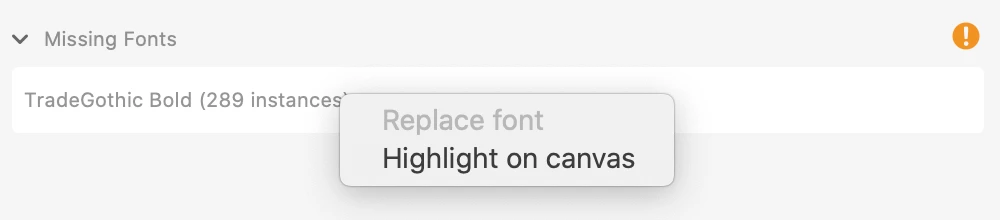
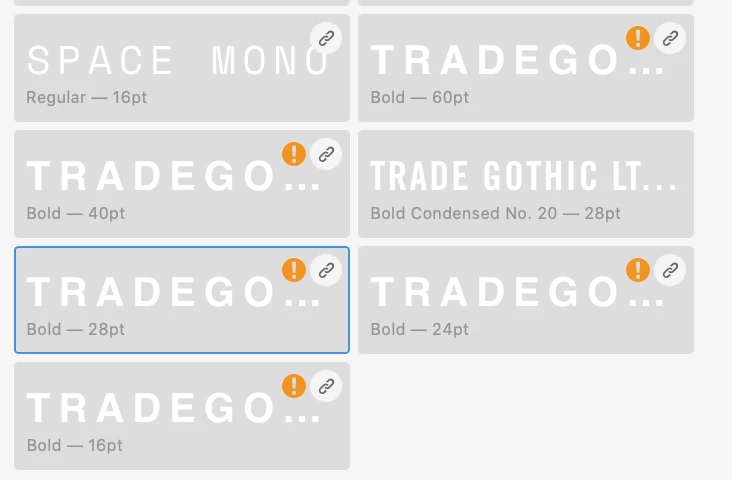
Hi there. I recently did a purge/clean of old fonts, and while XD allowed me to replace SOME of them, it will not allow me to replace all of them. The option is greyed out and the styles that use that font are essentially just "broken."


This is a critical issue for me as Im working with a document with a ton of artboards and these fonts that I need to replace constitute a huge amount of assets across the document.
 

    This topic has been closed for replies.
    Correct answer jordanm71837611

    I figured it out.

    The fonts were linked to a library from another document. Right clicking on the style, clicking "go to source document" and editing them THERE allowed me to come back to the other docs and update the styles. This process was not intuitive at all. There should be a more apparent way to update libraries when needed.

    3 replies

    Harshika Verma
    Community Manager
    Community Manager
    October 29, 2020

    Hi Jordan,


    Sorry for the delay in response. Are you still experiencing the issue? If yes, we would like to know if this is happening with this specific file or all the files? Have you tried reactivating the similar fonts and see if that solves the issue for you?


    We will try our best to help.


    Thanks,

    Harshika

    Inspiring
    November 2, 2020

    Hello Harshika,


    Yes. This is still happening. 


    It's across all files that are using the same assets library. There is no clear way to update/edit the library, so these styles that are using the old font just stay broken. This is kind of crazy to me because the idea of modifying text styles has existed in so many forms dating back to ancient and terrible powerpoint and word processing. The ability to select a piece of text, right click on a text style and "update style with selected." As it stands, I cant interact with the style at all. I essentially have to remove and replace each one manuallyy.

    Inspiring
    October 27, 2020

    Can anyone from Adobe verify this as a bug or is there something I'm doing incorrectly?

    Inspiring
    October 23, 2020

    I basically just need to able to edit those text styles. I can replace it manually from there, but I dont see a way to modify them.