Chumaka
Participant
November 12, 2020
Question

CC library does not open in XD

  • November 12, 2020
  • 1 reply
  • 376 views

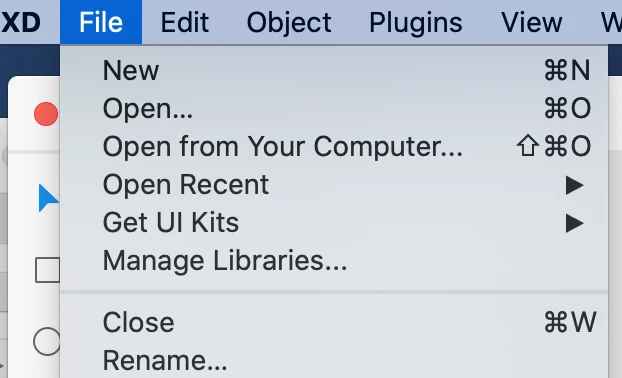
To access my library I go to FILE>OPEN CC LIBRARY. After the update I only see >Managed Library... and I can see my library but I cannot access the content. Anyone know how to fix this?

 

    This topic has been closed for replies.

    1 reply

    Participant
    November 28, 2020

    The way we access our libraries has been updated and therefore the File > Open CC Library option has been removed, as it is obsolete.  Instead we must now use the View > Libraries option from the menu bar, which will open the Libraries Panel on the left-hand side of the screen (the Libraries button in the bottom left-hand corner of the screen or the appropriate hot keys can also be used – Shift + Command + Y for Mac).  The panel may initially display the Document Assets, as it always has in this area, but if you click on the small back arrow to the left-hand side of the Document Assets title, at the top of the panel, you will navigate back to another menu where you can select the library you want to work with and select further items to add to your project.