Johdear
Participating Frequently
April 19, 2021
Question

Center text inside a button

  • April 19, 2021
  • 3 replies
  • 2687 views

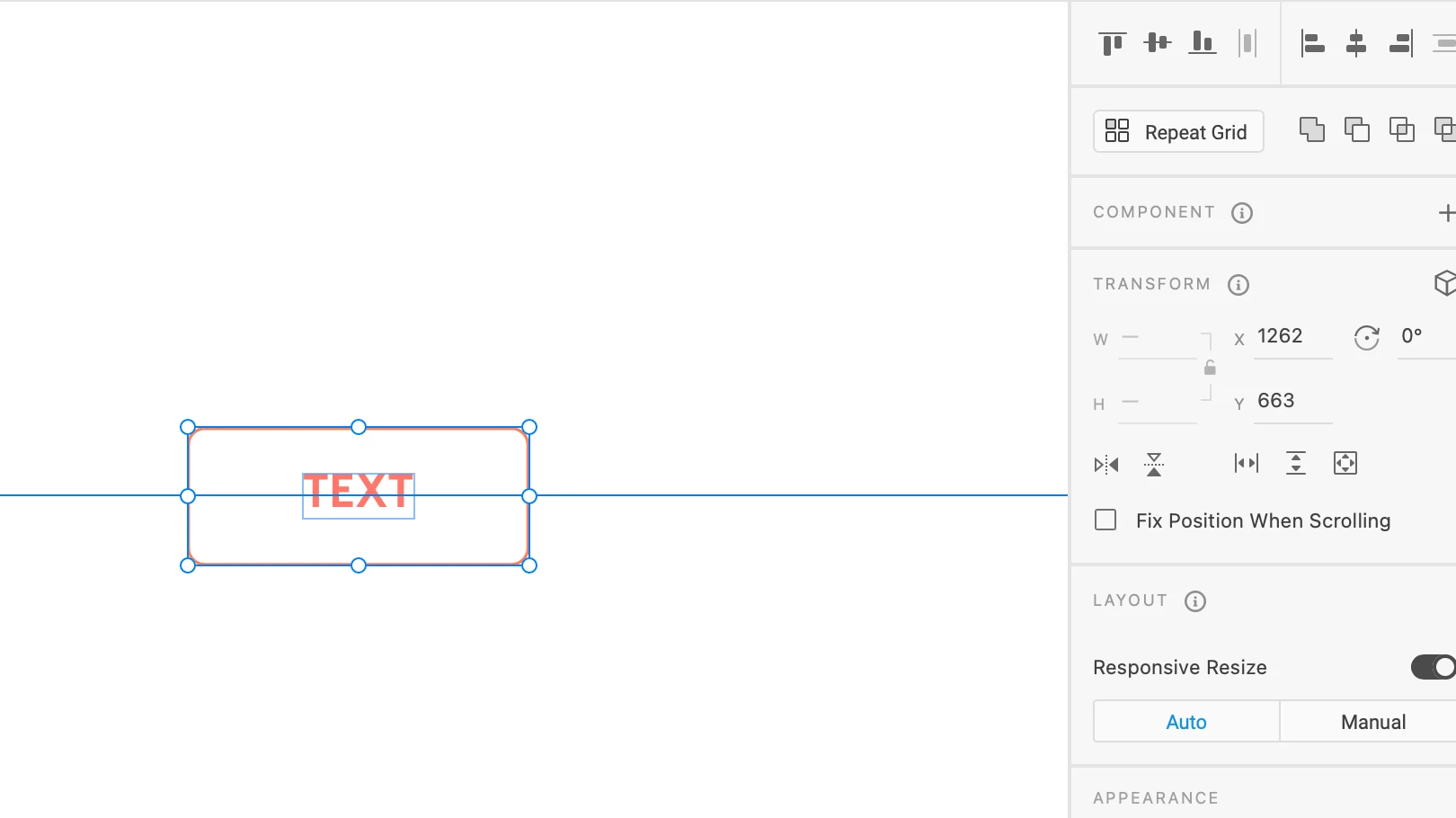
I know this should be like the easiest thing to do, but im totaly stuck. I just want o center the text! I choose the button frame then the text and align center, but its off!!

 

    This topic has been closed for replies.

    3 replies

    Johdear
    JohdearAuthor
    Participating Frequently
    April 22, 2021

    Thanks for your help, yes i guess it depends on the font..

    Myra Ferguson
    Community Expert
    Community Expert
    April 19, 2021

    You can change the size of the text box without changing the font size by either creating area text (draw out the rectangle with the text tool and enter the text there) or select your existing text and in the Text section on the right, click on Fixed Size (icon is a box with lines inside representing text). Then you can center it based on the new size of the text box.

    monterxz
    Inspiring
    April 19, 2021

    Your text object is centered correctly, but your font has an uneven top and bottom margin (blue outline around text). There is no easy way to center text itself unless Adobe makes XD to consider letter height instead of text object's height.