richardp512
Participating Frequently
February 21, 2020
Question

Character spacing values incorrect in published XD prototype

  • February 21, 2020
  • 2 replies
  • 2484 views

Hi,


I've noticed a discrepancy between the character spacing values on the prototype within XD and those published/shared with Developers, in the inspector panel. I've also confirmed this with a new test document too, in case it was document specific.


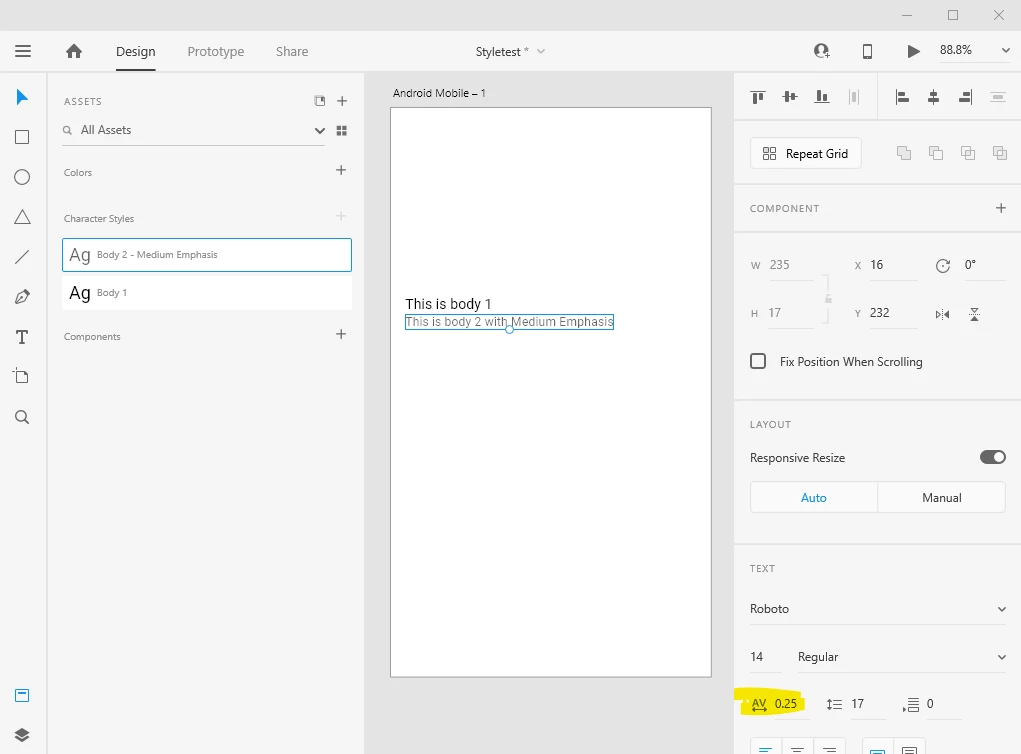
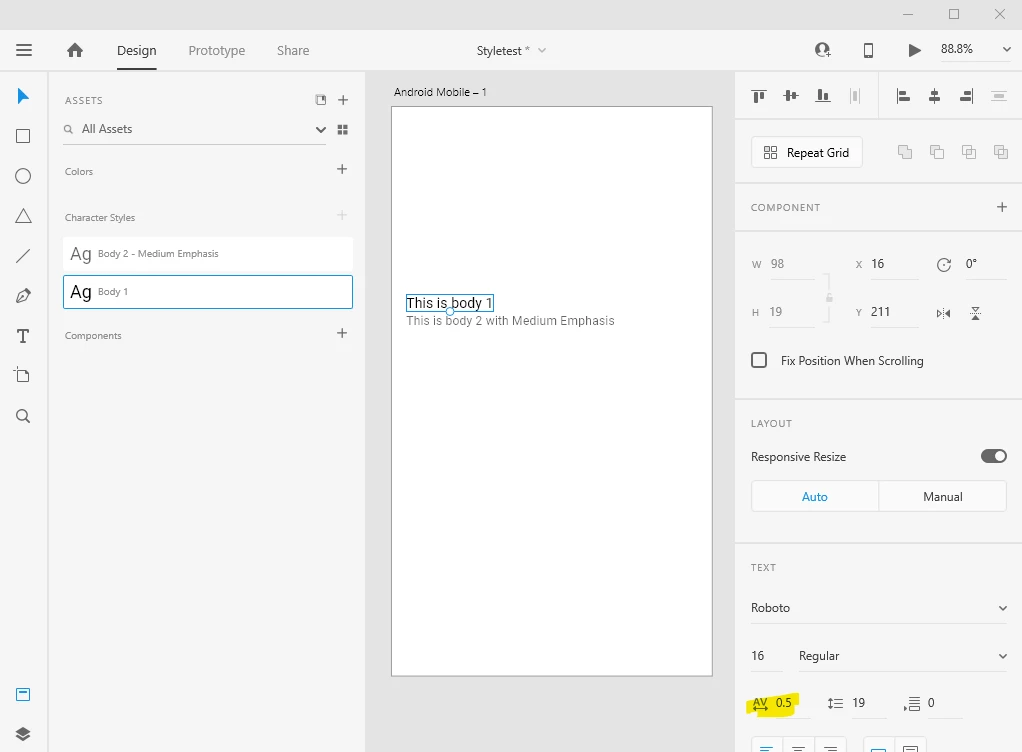
Here in XD, I've set character spacing to 0.5 for "Body 1" and 0.25 for "Body 2":


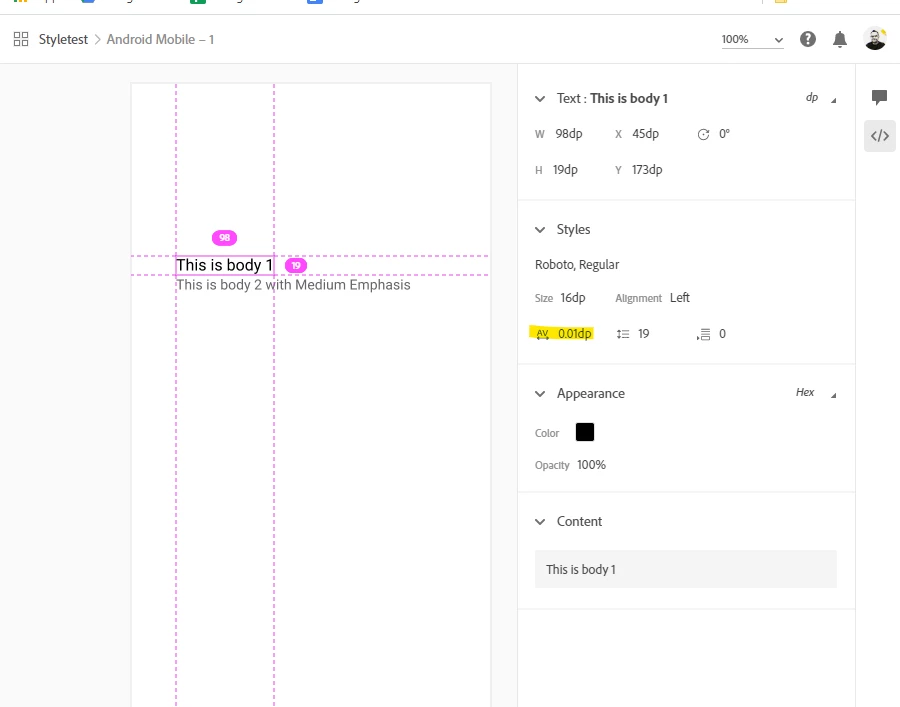
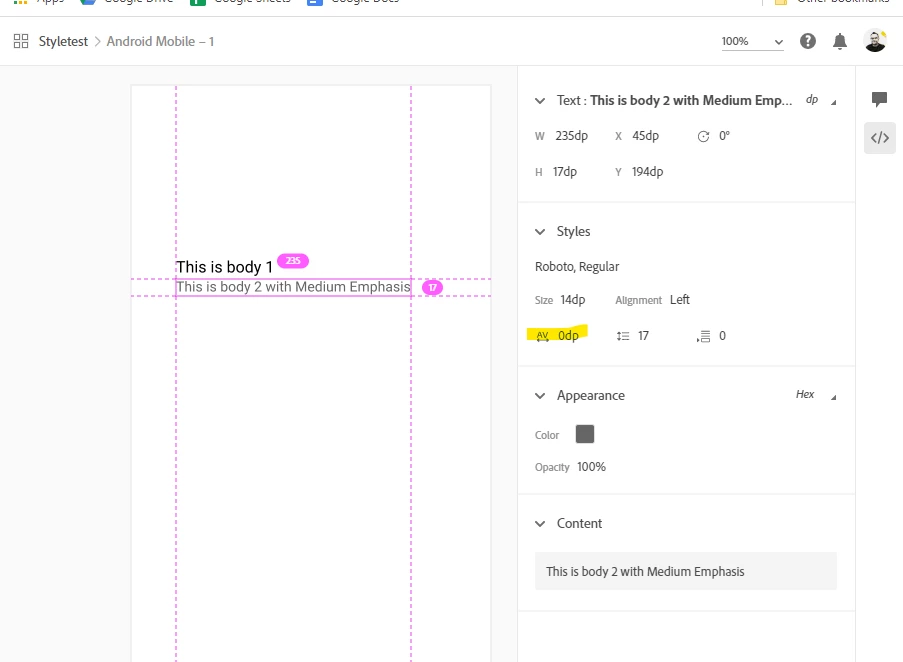
When I share them using the Development view setting, the values are not the same in the inspector panel:


Is this a known issue, and are there any workarounds?


I'm using XD version 27.1.12.4 on Windows 10. 


thanks
Richard

This topic has been closed for replies.

2 replies

Peter Villevoye
Community Expert
Community Expert
February 22, 2020

What a lovely topic for a Saturday evening !

It might be good to understand what the spacing value stands for.

Adobe XD's online Help resources explain that it's in "milli-ems".


Historically (since the age of lead type) the "em" stands for the width of the character m in the running font and size. So it's not a fixed size, but a relative measure. And that's how it is still interpreted in this digitale age, albeit that the width isn't depending anymore on the m in any given font or family (which can differ), but only to the set size. 


You can see how a value of 1000 inserts a square "em" of 20 pixels between the characters.


So in your example, that value of 0.5 is a 1/2000th of 16 = 0.008 dp and the other value of 0.25 = 1/4000th of 14 = 0.0035 dp. Due to the granularity in hundredths of a dp/pixel, I guess these values are probably and respectively rounded up to 0.01 dp and rounded off to zero dp. So the change in scale is correct – the rounding up/off could be under consideration.


Does this matter ? Well, for calculating sizes while designing with large or long texts and type, it does ! So these spacing values should be kept intact. For rendering on screens, there's actually no significant (visual) difference to be seen between 0.005 and 0.01 or 0 density pixels. We're talking about a hundredth or a thousandth of a density pixel here ! So the rounding of the value is really no big deal.


As a matter of fact: I think it's ridiculous to set a spacing value of less than 10 or even 50 for these text sizes. If you're able to discern the differences between 0.5 or 0.25 or zero, I suggest you apply for a job at a forensic institute, as a human microscope... 😉


What worries me more, is that there's a conversion of a typographical value, which shouldn't be rendered into a physical value. It's up to the browser to eventually do that. CSS allows em and pixel values: https://cssreference.io/property/letter-spacing/


BTW, here's such a square "em" in lead, that started it all...

Preran
Legend
February 26, 2020

I absolutely loved your explanation of the issue, Peter. While the team has confirmed the issue, I am sure that the person that fixes the bug will have similar observation in their notes.


Reading your reply made for a lovely start to my day.


Thanks,

Preran

Preran
Legend
February 21, 2020

I am able to reproduce your issue, and will log a bug with the product team. 


Thanks,

Preran