Participant
Jul 28, 2022 1:21 PM UTC
Answered

Cloud file lost my file's previous versions

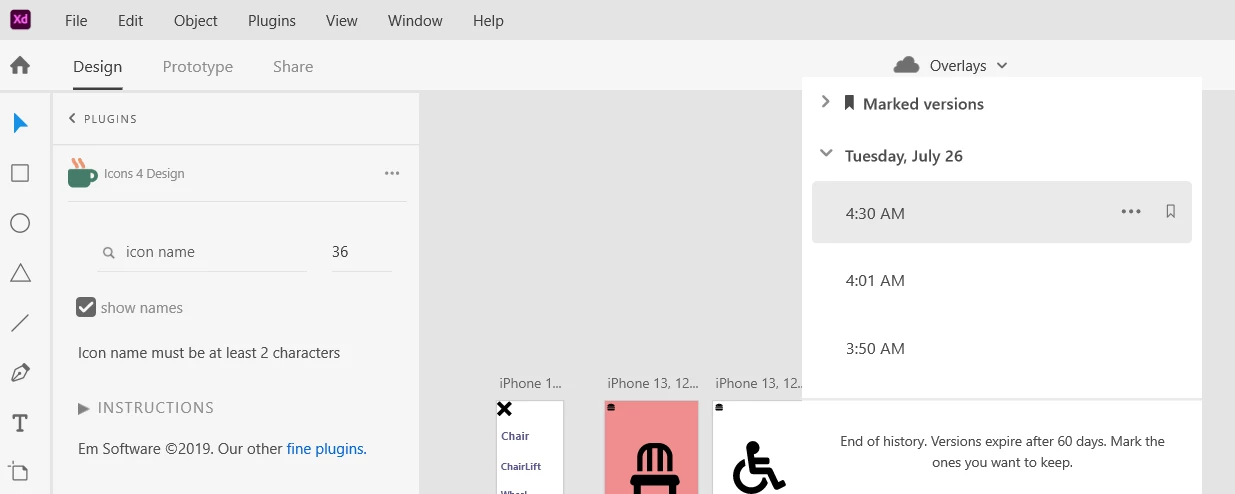
I lost days of work and documentation today when I opened XD and, to my surprise, the file was in the state it was 2 weeks ago when I first started this project.


I've checked everywhere, and CC simply has a registry up until the 7th of July for my files. I even tried switching to personal account to see if for some reason my file moved there at some point, but no.


I'm guessing this is a DB issue and I hope that Adobe can restore my files history. 

    This topic is closed to new replies. Start a new post to keep the conversation going.
    Harshika Verma
    Harshika VermaCorrect answer
    Community Manager
    Jul 28, 2022 1:43 PM UTC

    Hi @uxexprt,


    Sorry for the trouble. Would you mind confirming if you can see your file's version history in the below location? Are you able to see the updated file here: https://assets.adobe.com/cloud-documents? Please share the version of XD and the operating system you're working on.


    For the file getting auto-save, you may please upvote this request: Allow users to adjust the frequency of auto-save or to turn auto-save on / off – Adobe XD Feedback : Feature Requests & Bugs and submit your feedback.


    We will try our best to help.


    Thanks,

    Harshika


    4 replies

    Harshika Verma
    Community Manager
    Harshika VermaCommunity ManagerCorrect answer
    Community Manager
    Jul 28, 2022 1:43 PM UTC

    Hi @uxexprt,


    Sorry for the trouble. Would you mind confirming if you can see your file's version history in the below location? Are you able to see the updated file here: https://assets.adobe.com/cloud-documents? Please share the version of XD and the operating system you're working on.


    For the file getting auto-save, you may please upvote this request: Allow users to adjust the frequency of auto-save or to turn auto-save on / off – Adobe XD Feedback : Feature Requests & Bugs and submit your feedback.


    We will try our best to help.


    Thanks,

    Harshika


    Translate
    uxexprtAuthor
    Participant
    Jul 28, 2022 1:45 PM UTC

    Thank you Harshika

    Translate
    Harshika Verma
    Community Manager
    Community Manager
    Jul 28, 2022 1:49 PM UTC

    You're welcome. Please let us know if you need further assistance. We would be happy to help.


    Thanks,

    Harshika

    Translate
    uxexprtAuthor
    Participant
    Jul 28, 2022 1:27 PM UTC

    Also. The option that it automatically saves in the cloud... VERY BAD IDEA. It should default to local storage and optionally go to the cloud.

    Translate