Participant
July 11, 2021
Answered

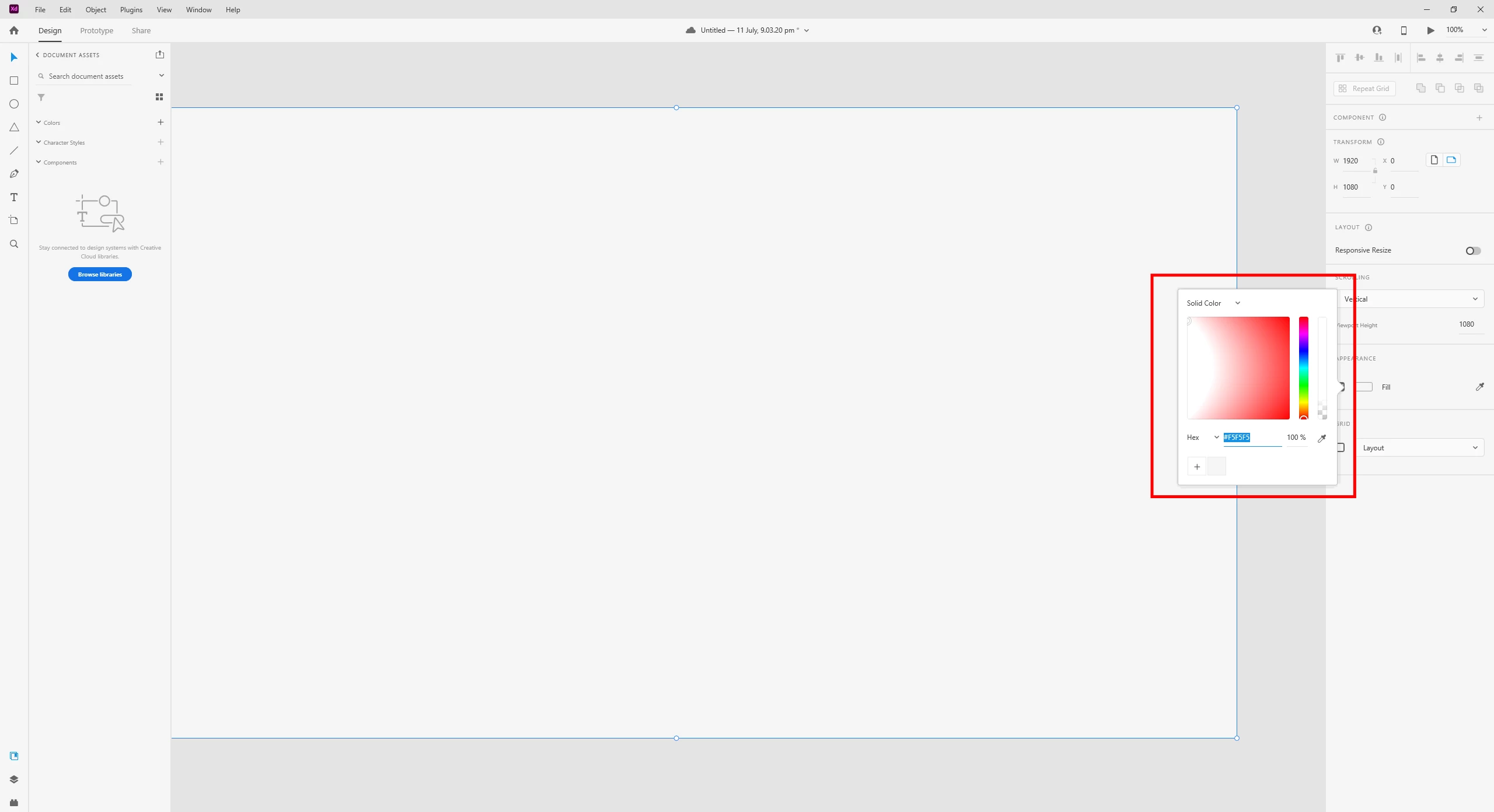
Color Fill Pannel looks strange in XD 41.1 version on windows machine.
  • July 11, 2021
  • 1 reply
  • 1481 views

This topic has been closed for replies.
Correct answer naveedchaand786

Hi @HARSHIKA_VERMA ,


Thank you for the jump into this. I have seen the posts you shared and follow the steps but no luck, still facing the same issue.


Please looking forward to your reply,

Naveed


Hi @HARSHIKA_VERMA ,


Just wanted to know that my Issue is resolved now. This was my GPU(Nvidia Quadro k4000m) driver issue. I update the latest driver and color panel problem is fixed.


Thank you so much for the support!.

Naveed

1 reply

Community Manager
July 12, 2021

Hi There,


Thank you for reaching out and sorry to hear that you're having trouble using color picker. Would you mind sharing the OS and XD version of your machine? Have you tried signing out of XD and Creative Cloud app, restart the machine and then sign back in? Can you confirm Is it Issue happening with every file or with a specific file? Also Is it happening only with Xd or any other Adobe app?


We're sorry for the inconvenience. please feel free to update this discussion in case you need further assistance and we will be happy to help.


Thanks,

Chethan

Participant
July 12, 2021

Hi @Chethan Girish ,


Thanks for contacting me. Yes, it is happening only with XD on every file.

XD Version: 41.1.12.9

Windows 10 Pro, OS Build: 19042.1083


Please looking forward to your reply,

Naveed

Community Manager
July 12, 2021

Hi There, 


Thanks for your reply. please try to troubleshoot with below steps and let us know if this helps.

Troubleshoot steps:

  • Quit and restart XD. 
  • Uninstall XD and reinstall it.
  • Sign out of XD and Creative Cloud app, restart the machine and then sign back in.


We're sorry for the inconvenience. please feel free to update this discussion in case you need further assistance and we will be happy to help.


Regards

Chethan
