Participant
August 27, 2021
Answered

Color issues copying from Illustrator to xd

  • August 27, 2021
  • 1 reply
  • 1836 views

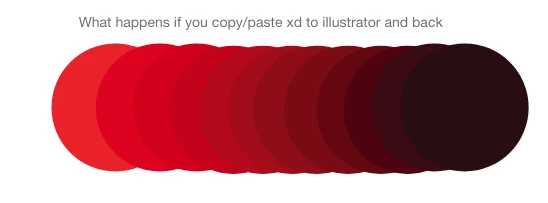
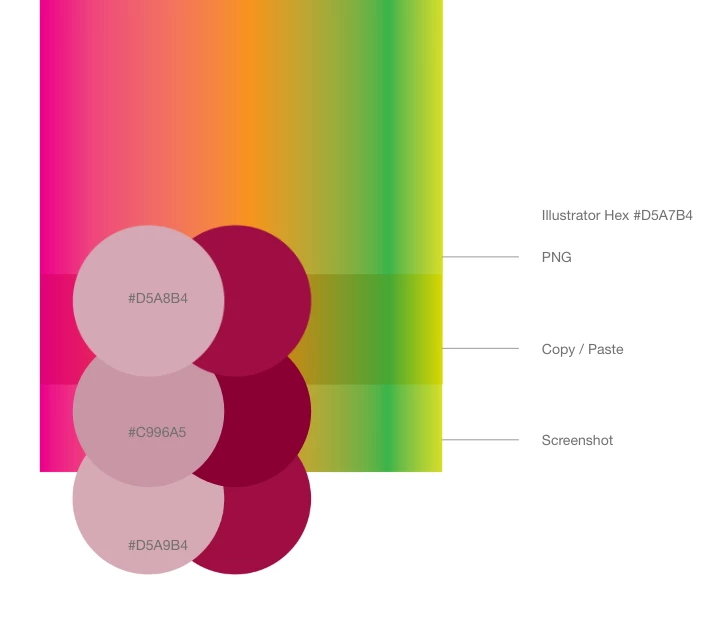
Hello, I dont know if anyone has noticed a color difference between illustrator and xd. When I copy and paste from illustrator to XD I get a very different hex value, then when importing a png it is closer in color but still not exact. What is the best way to get closest RGB values from one program to another? I have noticed that it seems to get consistently darker when copying and pasting. When I copy from XD paste to AI then take that same object and paste it back to XD it is darker then before. If you keep this same pattern the object eventually turns black. 


This topic has been closed for replies.
Correct answer Dan Rodney

Color managment is complex and can be very confusing. Just because the HEX codes are the same, doesn't mean every app will display those colors the same way (even on the same computer). XD is not color managed and therefore can display the color differently than Illustrator (which is color managed). Different apps on the same computer/display can act differently. If you're using a wide gamut monitor (such as Display P3), XD will not adjust and can display things differently than a web browser would (which use sRGB). So because XD lacks the ability to color manage itself, the only way would be to adjust the display settings of your entire monitor (but that will affect all apps, not just XD).

1 reply

Dan Rodney
Community Expert
Community Expert
August 27, 2021

Without testing things myself, this could be related to XD not being color managed. Color Management (set color profiles) – Adobe XD Feedback


Using hex codes is the most reliable way to know the color is the same.

— Adobe Certified Expert & Instructor at Noble Desktop | Web Developer, Designer, InDesign Scriptor
Participant
April 6, 2023

I'm using CC Libraries and therefore the exact same hex codes in both programs and seeing very different results. I've seen a lot of responses saying to change my computer's display settings, but this has to be an app issue, as I'm viewing the two programs on the exact same computer, with obviously the same monitor.

Dan Rodney
Community Expert
Dan RodneyCommunity ExpertCorrect answer
Community Expert
April 7, 2023

Color managment is complex and can be very confusing. Just because the HEX codes are the same, doesn't mean every app will display those colors the same way (even on the same computer). XD is not color managed and therefore can display the color differently than Illustrator (which is color managed). Different apps on the same computer/display can act differently. If you're using a wide gamut monitor (such as Display P3), XD will not adjust and can display things differently than a web browser would (which use sRGB). So because XD lacks the ability to color manage itself, the only way would be to adjust the display settings of your entire monitor (but that will affect all apps, not just XD).

— Adobe Certified Expert & Instructor at Noble Desktop | Web Developer, Designer, InDesign Scriptor