
alexandran86565258
Participant
September 8, 2020
Answered

Color Management issues causing saturated images in Adobe XD

  • September 8, 2020
  • 1 reply
  • 2302 views

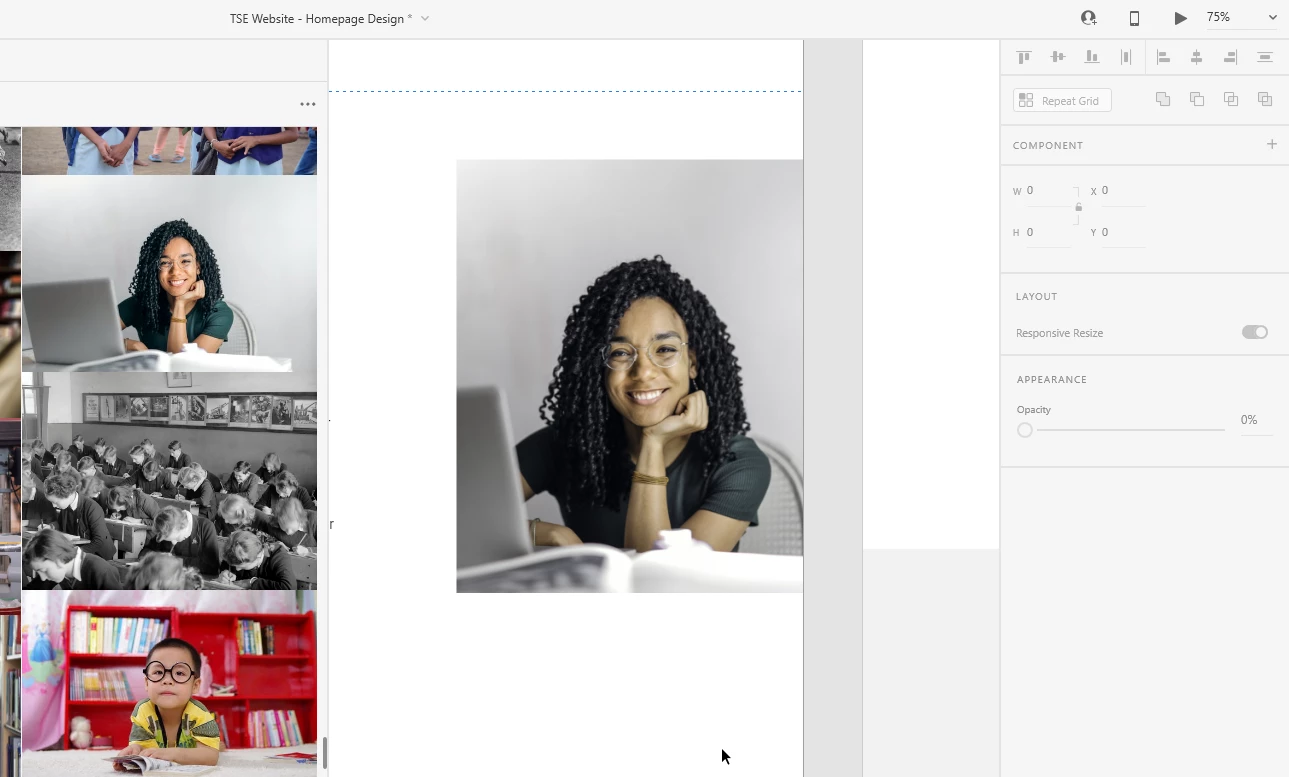
Hi everyone! Does anyone know if this is a common issue with Adobe XD or it's related to my PC somehow? Some images placed in Adobe XD have different saturation/hue than the original image and once I export the images, they are saved with the altered saturation/hue. In the example below, the girl's skin and top colors are obviously desaturated, with an altered hue as well.


{Renamed By MOD}

This topic has been closed for replies.
Correct answer Rishabh_Tiwari

Hi Alexandra,


Thanks for reaching out. Adobe XD is not color-managed yet, I'd request you to please upvote this UserVoice request: https://adobexd.uservoice.com/forums/353007-adobe-xd-feature-requests/suggestions/17480899-color-management-set-color-profiles


Having said that, it should be SRGB throughout. For the best viewing experience, I'll recommend ensuring that you have the SRGB profile set for colors on your monitor.


Regards

Rishabh

1 reply

Rishabh_Tiwari
Rishabh_TiwariCorrect answer
Legend
September 8, 2020

Hi Alexandra,


Thanks for reaching out. Adobe XD is not color-managed yet, I'd request you to please upvote this UserVoice request: https://adobexd.uservoice.com/forums/353007-adobe-xd-feature-requests/suggestions/17480899-color-management-set-color-profiles


Having said that, it should be SRGB throughout. For the best viewing experience, I'll recommend ensuring that you have the SRGB profile set for colors on your monitor.


Regards

Rishabh