


Inspiring
January 3, 2017
Answered

Color picker picks up the light color in Adobe XD.

  • January 3, 2017
  • 23 replies
  • 49291 views

iOS:バージョン10.15.1

AdobeXD:バージョン 24.1.22


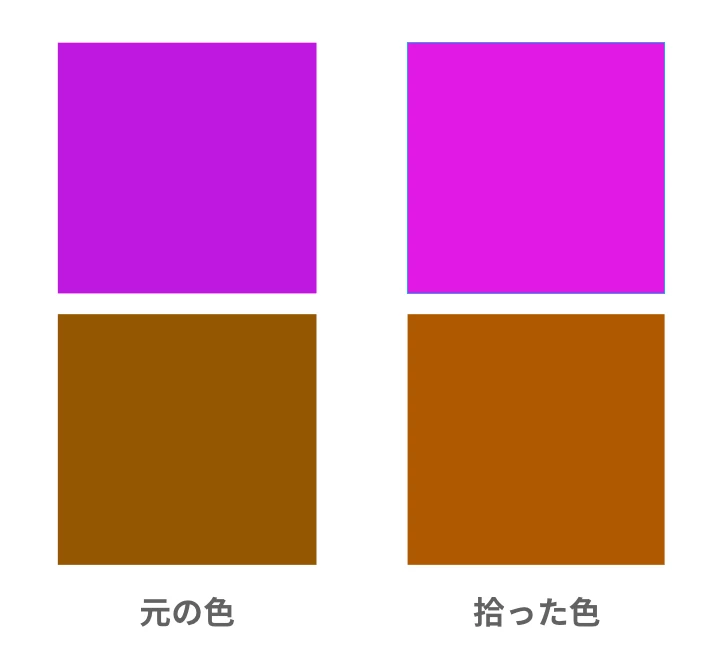
スポイトで色を拾うと少し薄い色を拾っています。

Photoshopのように細かい設定がないので、この場合はどうすればよいのでしょうか。

これから、アンインストールしてからインストールを試してみます。


Translate by mod.
When I pick up the color with a dropper, I pick up a little lighter color. Since there is no detailed setting like Photoshop, what should I do in this case?
Now try uninstalling and then installing XD app.


<The title was renamed by moderator>


Moderator notes
This post was written in Japanese. However, although many answers are received, there are no answers in Japanese.
This thread may be more useful globally than Japanese. and moved it from the Japanese community to the global community.
 

This topic has been closed for replies.
Correct answer yzrh_mine

【解決済み】


返事が早くてとても助かります。


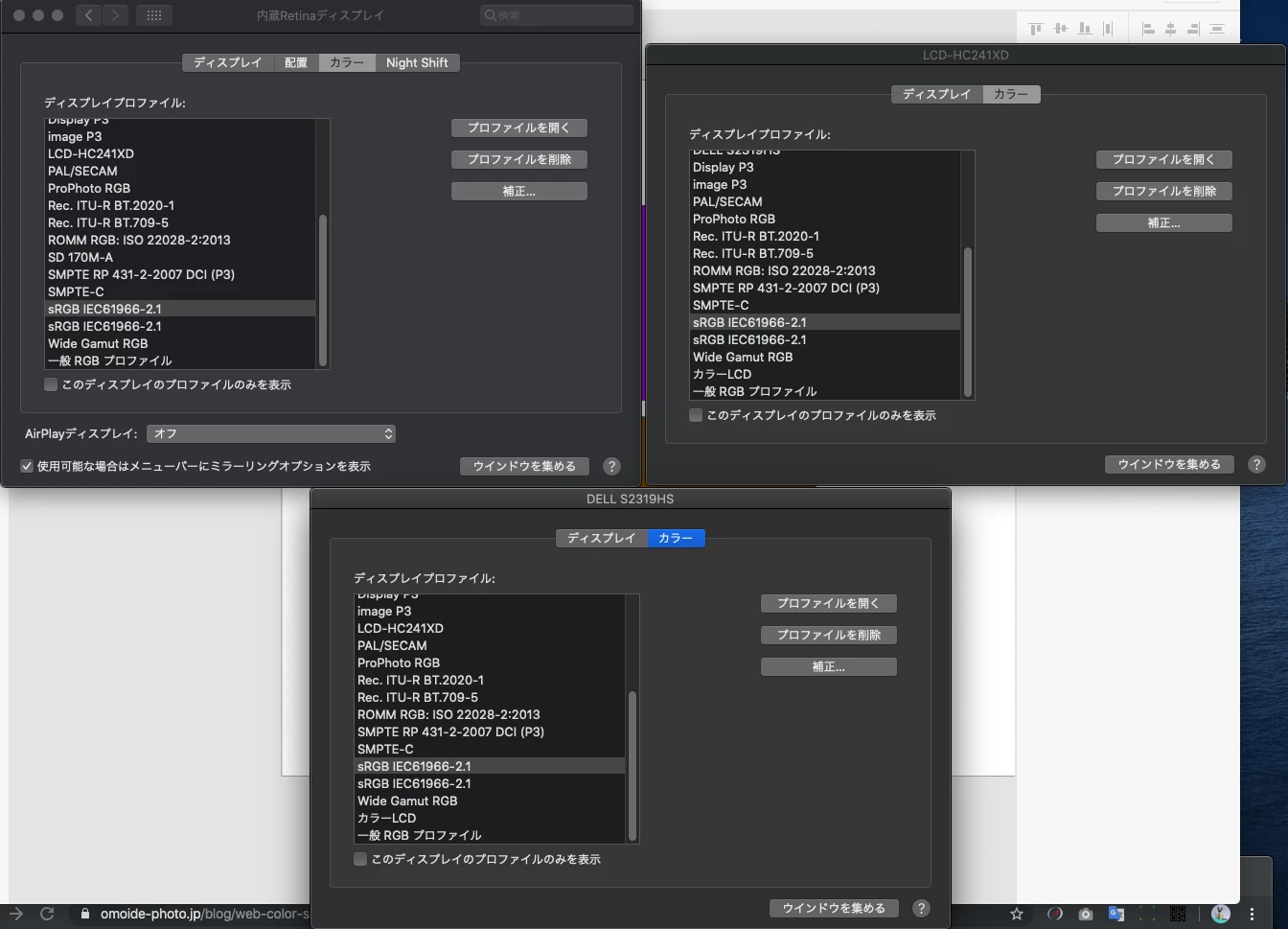
アップルの「設定」→「ディスプレイ設定」→「各モニターのカラーをsRGB」

に変更することで解決しました。

スポイトの色がモニターに起因することを初めて知りました。


ただ、今までこのバグが起きていなかったので、

アップデートで改善されることを待っています。

ありがとう。


ありがとうございました。

23 replies

Mike Kormendy SSI
Participating Frequently
October 21, 2019

If you notice, there's a slight color variance of the color that gets applied from the color that was picked. Going back to the original color adjusts the applied color again. This can be repeated over and over. The colors picked are not the same as what is applied.


Participant
October 23, 2019

I have the same problem. 😞

Mike Kormendy SSI
Participating Frequently
October 23, 2019

Thank you for verifying! I thought it was just me!

Participant
February 5, 2018

My XD color picker stopped working today, for some reason it is not showing any colors just a blown out picker. I am putting an example of what I am seeing below. I have tried changing all the sliders and even selected in different areas and the result is always the same.

ankushr40215001
Inspiring
February 6, 2018

Hi XRave1,

Very strange issue!

Are you on Win 10?

I would suggest you first try uninstalling/reinstalling Xd and see if that works fine.

let us know how it goes.

Thanks,

Ankush

Participant
February 6, 2018

The system is windows 10. I removed the software and reinstalled, I reinstalled a lower version still didn't work. I changed users on my system and installed it as a new user that did not work. I also used adobe cleaner to clean off anything left and still no luck.

levets
Participant
January 3, 2017

Here's the example of the same #F49D54 color when I use it in Adobe XD (left) and Photoshop CC (right)

This is just one example, but because of it, every color in XD looks more saturated than in any other place, which creates a problem when exporting it to PNG and seeing how different it is to what you were working with...

PS: fun fact, I didn't experience this issue until I got a new Macbook Pro 15 with a Touch Bar (I used Macbook Pro 13 Retina from 2014 previously)

levets
Participant
January 5, 2017

anyone?

elainecc
Community Manager
Community Manager
January 7, 2017

Sorry for the lag in reply! Photoshop uses color correction/color spaces, and XD uses raw device colors.

If you're looking for color space management, you should upvote this story in UserVoice: Color Managed Application – Adobe XD Feedback : Feature Requests & Bugs

Thanks!

-Elaine