
Component Instances not matching Main Component
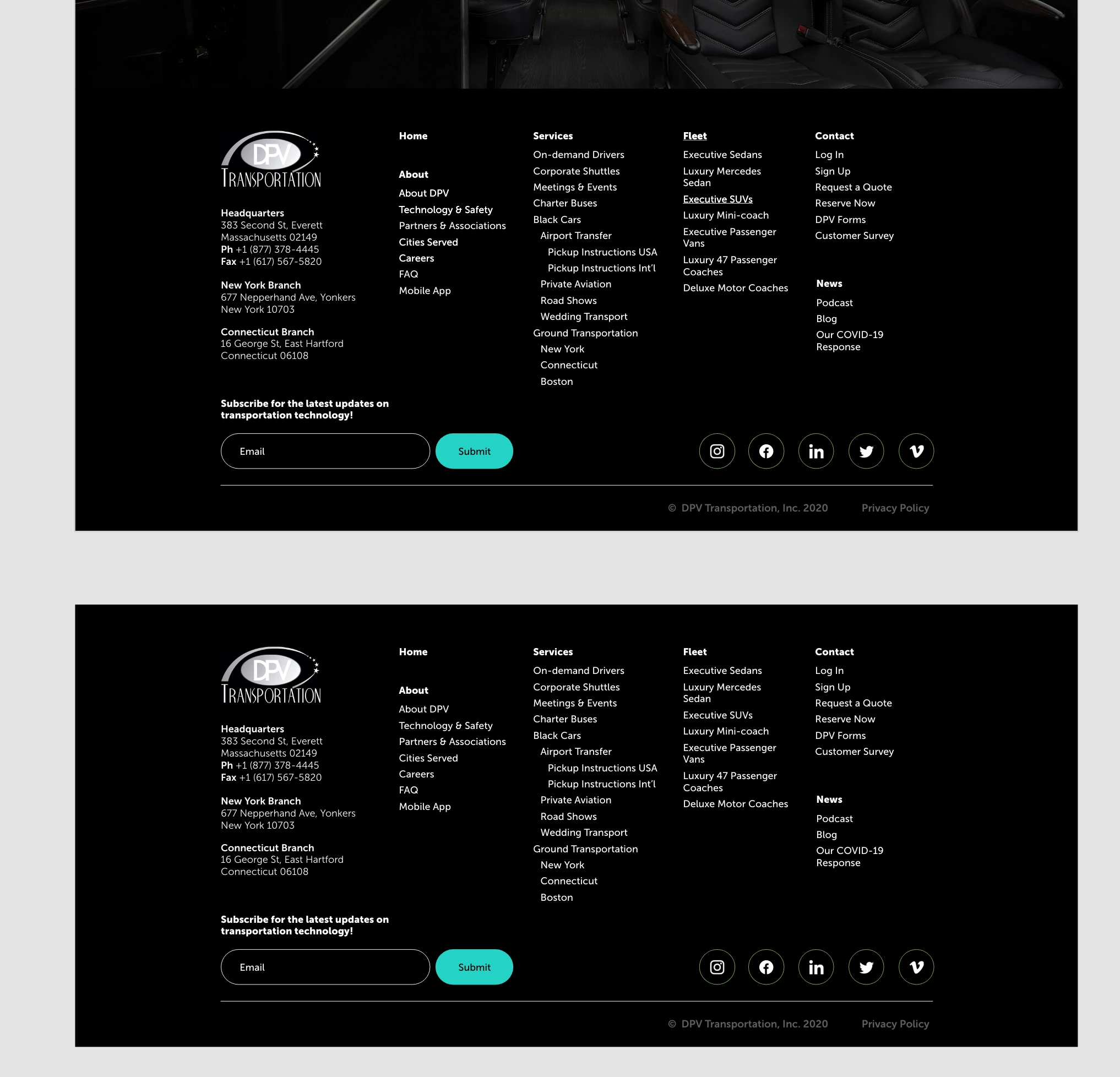
I'm working on a website design and trying to link all of the pages in a sitemap-style footer. I have the footer saved as a Main Component outside of the artboards and have that component inserted as Instances to the bottom of every page. However, on the artboards it's showing some of the page names as having underlines (see below screenshot comparison, Fleet and Executve SUVs have underlines in the instance on top, but below the main component below does not show these pages as having underlines). Previously, I had these links set up with a hover effect that would underline them but I've since deleted those effects as I didn't think it was needed for the design protoype, so I'm wondering if that affected it somehow, but then it was on several links, not just these two. I was also having issues with the protoype links in the footer component not showing up when I would insert it into the artboards. Only half of the links were working. Not sure if I'm explaining this clearly, but if someone could help me figure out what I'm doing wrong that would be awesome.
System: macOS Catalina 10.15.6
XD Version: 32.1.22.3, Creative Cloud Sync 4.3.51.3


 AdChoices