Participant
May 22, 2020
Answered

Component States - HELP!

  • May 22, 2020
  • 2 replies
  • 975 views

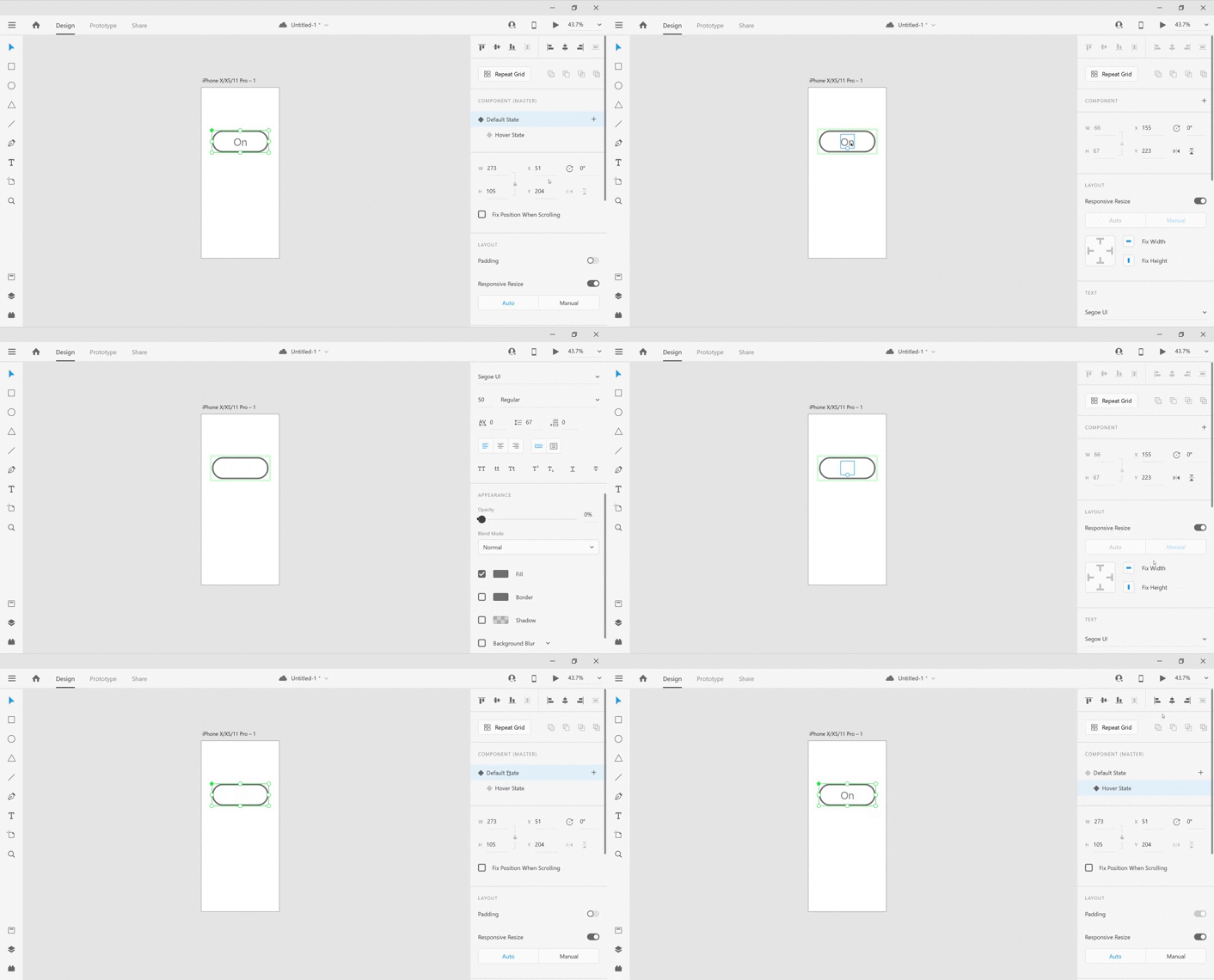
Working with component states is frustrating. Every time I add a default state and then create another state that differs from the default, the change is never applied. If the instance state change is applied, it then applies the same change to the default. Also when I create a button and drop the opacity to 0 for the default state, I am unable to raise it for the instance state. The colour change does not come through.

I’m metaphorically going round in circles.

When I watch tutorials online, no one else seems to have this problem. Is anyone else experiencing this or similar problems, and how can it be resolved? It would be helpful to have a save button against each state so that you can save the change to prevent overriding. It takes up a ridiculous amount of time to resolve, if I ever do resolve it.

Please advise.

    This topic has been closed for replies.
    Correct answer Rishabh_Tiwari

    Hi there,


    Thanks for reaching out. In order to work with opacity between default state and hover state, could you please try changing the opacity in the default state of the object by double-clicking on the object and then similarly on the instance state. For more information you can refer to this video:


    Regards

    Rishabh

    2 replies

    Rishabh_Tiwari
    Rishabh_TiwariCorrect answer
    Legend
    May 22, 2020

    Hi there,


    Thanks for reaching out. In order to work with opacity between default state and hover state, could you please try changing the opacity in the default state of the object by double-clicking on the object and then similarly on the instance state. For more information you can refer to this video:


    Regards

    Rishabh

    Participant
    May 22, 2020

    I just tried it again - following your instructions. It worked. Thank you. If I have any further probems I'll let you know. Thanks again.