


Participant
November 29, 2020
Answered

Component States Not Applying

  • November 29, 2020
  • 2 replies
  • 5200 views

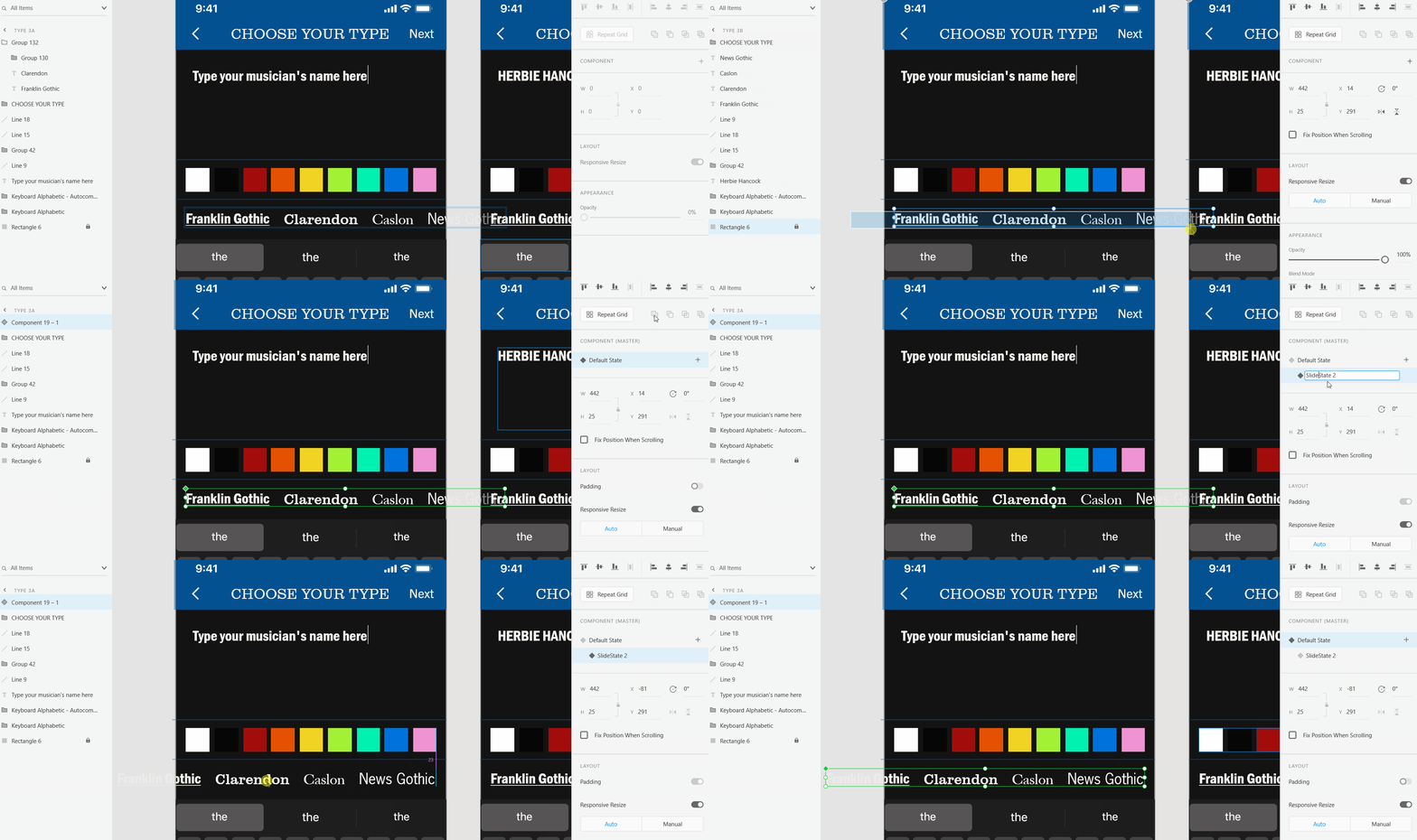
When I try to create text carousels and image carousels, my new component states aren't "sticking". If I make a secondary state and adjust the horizontal location of my carousel, the default state shows that adjustment too. I'm really frustrated because other components of mine are working, including a sliding button that does have a shape that moves horizontally.

I've tried putting transparent and opaque shapes behind my moving images/text to see if it was just those specific text boxes or images. I've tried pasting all of my images as one file instead of a group. Nothing works. I've inserted a gif below showing what I've described, and how after the adjustment, no changes are shown.



This topic has been closed for replies.
Correct answer Dan Rodney

You're moving the component itself, not the things inside the component. Double-click to go into the component and then move the items (on one of the states) and then it should work.

2 replies

Participating Frequently
June 10, 2023

Hi!


I have a similar problem which makes me sooo frustrated. I change the states and it doesn't work. The flag I add to the state, applies also to the default state. Please see the recording. I very much hope in your help. Thank you!!

Community Expert
June 10, 2023

You can change the visibility of the flags between each state.

Participating Frequently
June 10, 2023

What do you mean? 😞

Dan Rodney
Community Expert
Dan RodneyCommunity ExpertCorrect answer
Community Expert
November 29, 2020

You're moving the component itself, not the things inside the component. Double-click to go into the component and then move the items (on one of the states) and then it should work.

— Adobe Certified Expert & Instructor at Noble Desktop | Web Developer, Designer, InDesign Scriptor
Participant
November 29, 2020

Thank you SO much for your help as I learn how to use components. You just saved me so much work (and further frustration). Godbless!