SKoeth
Inspiring
June 22, 2021
Answered

Component swapping not working with instances that are nested

  • June 22, 2021
  • 1 reply
  • 1476 views

Hi!

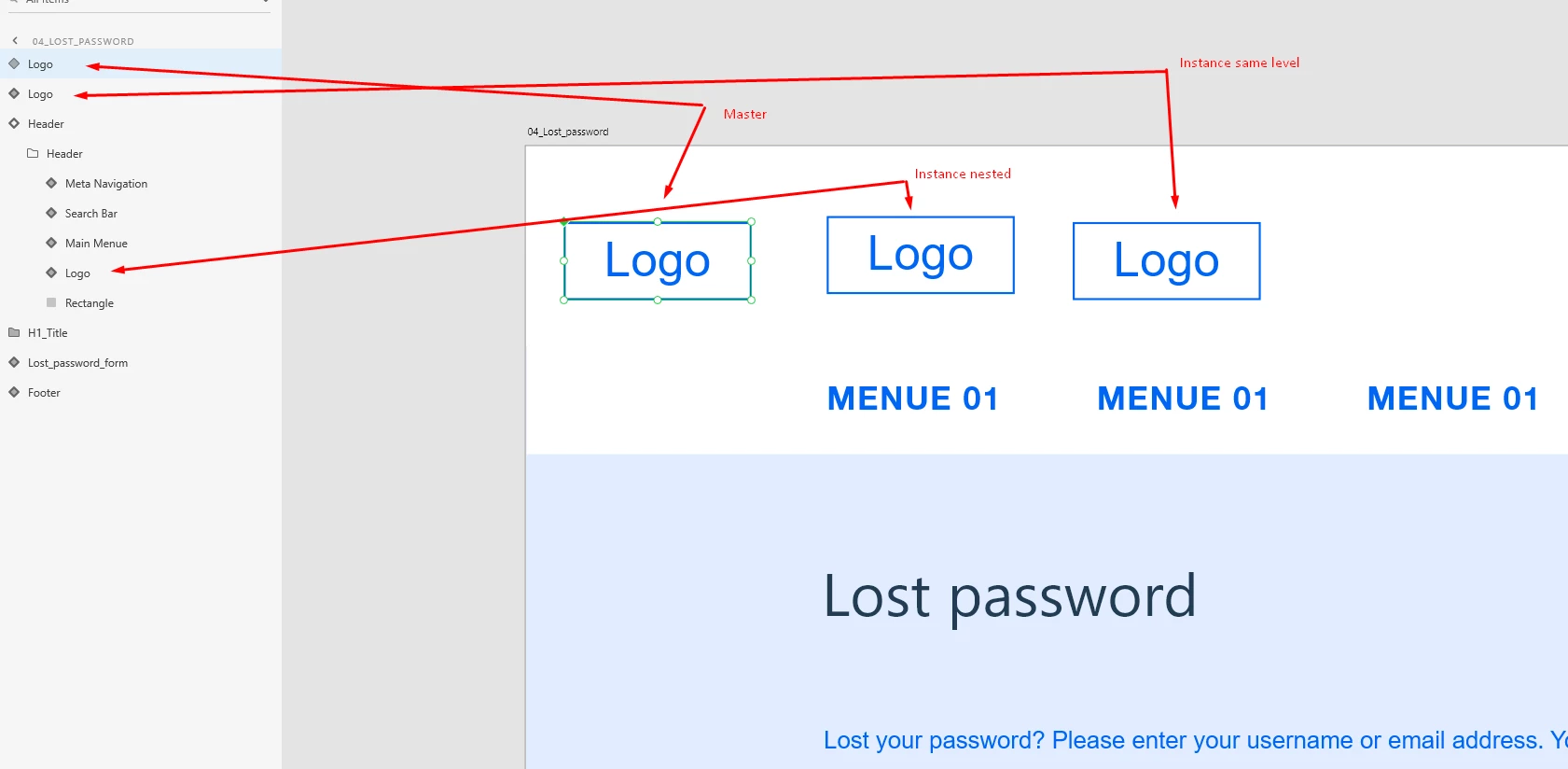
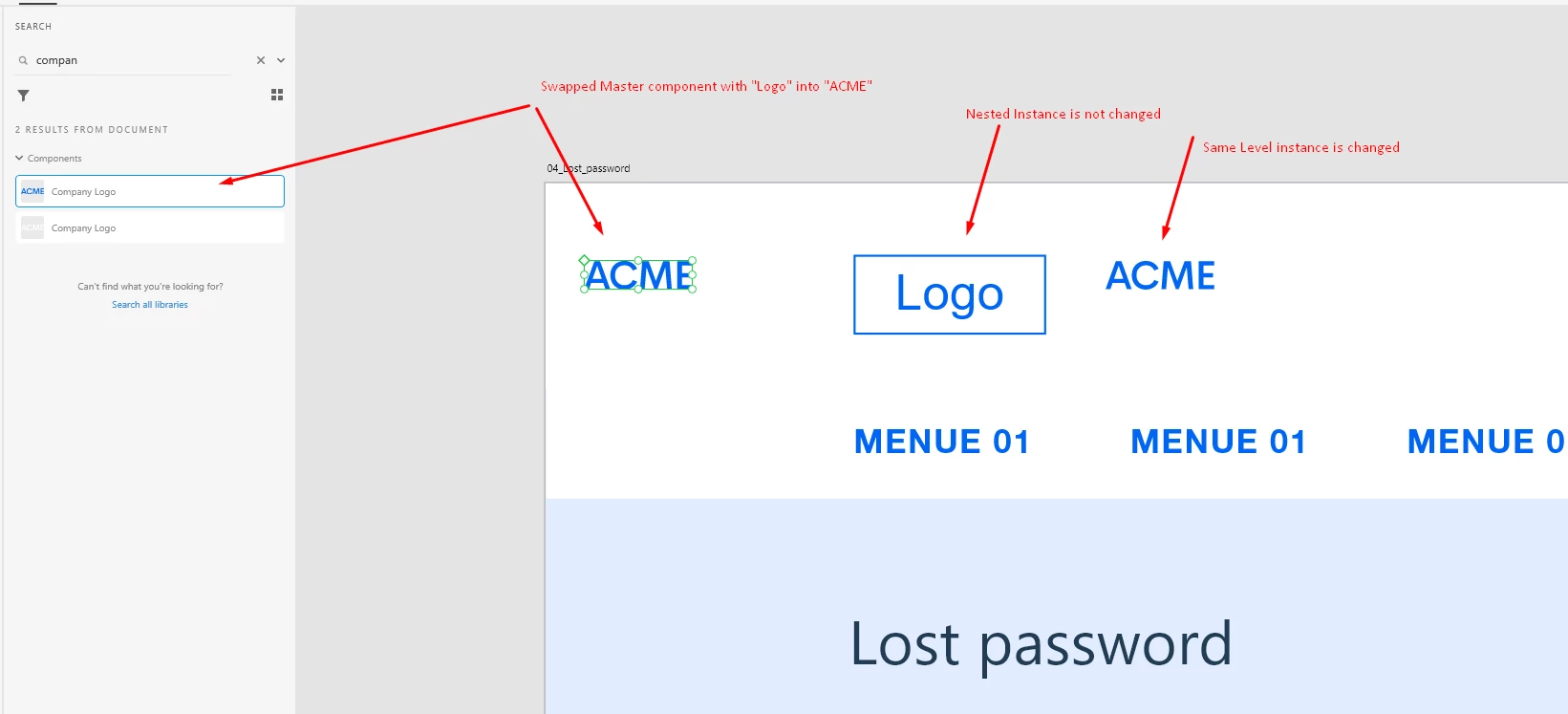
I am trying to swap a master component so that all it´s instances get swapped too. The problem is, that after dropping the new component onto the old one only instances at the same "layer-level" are swapped but not the once that stick within groups or other components.


See attached images:


Am I doing something wrong here or is that a bug?


Thanks


Sascha

    This topic has been closed for replies.
    Correct answer SKoeth

    Hello,

    It is by designed. As you have nested it in another main component , it will work as sub-main component of new main. Only layout /structure changes will gonna reflect in sub-main component, if it is not overrided. 

    Swapping won't effect the sub-main component. If you want to swap,then u need to swap sub-main component so it gonna reflect in all other childs of it's new main component.

    I hope it will cleasr your doubt.


    Regards,

    Anita Subedi


    Oh! Great thank you. I did not know there would be something like a "sub-main component". So to get the process clear:


    When you swap a main component only instances of that main component that are on the same layer-level are turned into instances of the new main component. All other instances are still connected to the old main component. So if you want to swap ALL instances of a main component you have to check each and every level of your project to make sure there are no instances left over that need to be swapped aswell. Or you use the "highlight on canvas" function with the old main component in the assets panel to hightlight all remaining instances. And each time you find another not-yet-swapped instance you have to do the "edit main component" thing to reveal the old main component on the artboard and then swap it with the new one.


    Is that correct?


    And one more question that relates to that: Is there any way to change the highlight color of the "highlight on canvas" function?


    1 reply

    Joely10623436
    Community Expert
    Community Expert
    June 23, 2021

    Did you drag the NESTED instance directly from the MASTER/Primary Component? or is it a copy of the other instance?


    And why has the nested instance to be nested…?


    Don't think it's a «bug» Just unexpected behavior and maybe the limit of this function 😉

    SKoeth
    SKoethAuthor
    Inspiring
    June 23, 2021

    Hi Joely, thanks for your comment. And yes, I did pull it out of the asset library, That does not seam to be the issue. And yes, it does need to be nested 😉 So it looks like its a "limitation" ...

    Community Manager
    June 24, 2021

    Hello,

    It is by designed. As you have nested it in another main component , it will work as sub-main component of new main. Only layout /structure changes will gonna reflect in sub-main component, if it is not overrided. 

    Swapping won't effect the sub-main component. If you want to swap,then u need to swap sub-main component so it gonna reflect in all other childs of it's new main component.

    I hope it will cleasr your doubt.


    Regards,

    Anita Subedi