
Inspiring
November 8, 2020
Question

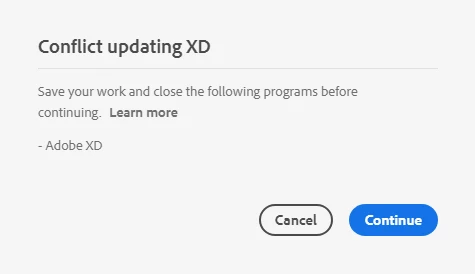
Conflict updating XD

  • November 8, 2020
  • 2 replies
  • 1853 views

This old friend has started to appear again. As usual there's no XD open or found to be active in any background process in Windows. As usual rebooting Windows does not help. I have NO Adobe application open. There are NO Adobe applications active in the task manager. It's about time someone in the Adobe XD team took a long hard look at this issue.


This topic has been closed for replies.

2 replies

Participant
January 19, 2022

Close your screen Adobe XD application and this dialog will not display again.

Rishabh_Tiwari
Community Manager
Community Manager
November 9, 2020

Hi Perry,


We're so sorry to hear about the trouble. Usually, this message stops popping in once Adobe XD process has been terminated. In case if you are still getting this message even after terminating the XD process from the Task Manager/Activity monitor, please try to close processes by following the steps shared here: https://helpx.adobe.com/download-install/kb/close-conflicting-processes.html


If it still doesn't work, we'll need to work on a remote session, please reach out to us using this link: https://helpx.adobe.com/contact.html


Regards

Rishabh 

perrybrusAuthor
Inspiring
November 9, 2020

Dear Adobe. Please read my post before answering.