
Participant
March 30, 2022
Question

Creating a button that is is changing state when an image is selected

  • March 30, 2022
  • 1 reply
  • 324 views

Hi,

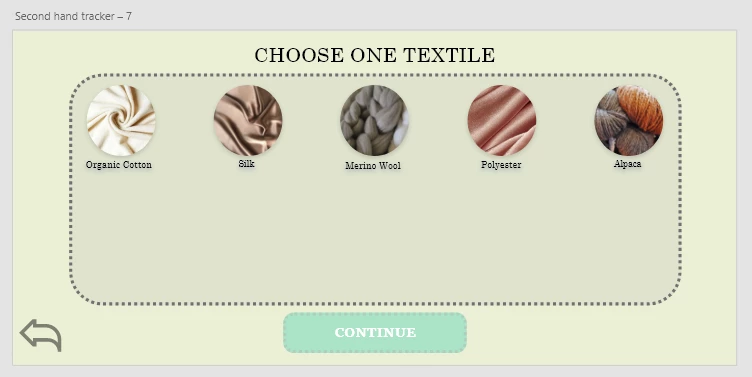
i have a list of images displayed for the user, i want the user to click at one of the images, and then make a button clickable for the user. Problem is, i dont know how without making a absurd amount of art boards.


Thanks in advance!
    This topic has been closed for replies.

    1 reply

    Chris W. Griffith
    Community Expert
    Community Expert
    March 30, 2022

    This is how I would appoarch it. Treat the 5 buttons and the continue button as ONE component. Tapping on one of the 5 images would move that component to a new state, where the Continue button would now enabled. If you want to show some feedback on the 5 images, you will need to create more states for each one.

    Participant
    March 31, 2022

    Do you mean states in the ONE component or in sub componenets? Sorry if the answere is obvious, your answere already helped alot btw.