Moh Hammouda
Participant
Feb 28, 2022 9:40 AM UTC
Answered

Creating a public link keeps failing in Adobe Xd

Hi there.

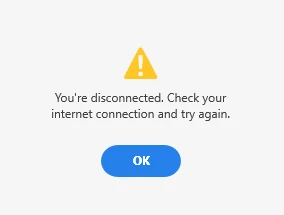
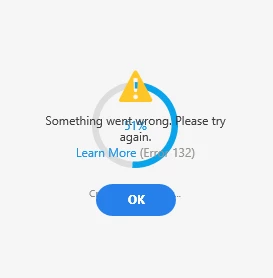
I'm trying to create a public link of a simple design I created on Xd so that I can share it with my client. But Xd keeps failing to create that link. It gets stuck at about %60 then says that "I'm disconnected and I should try again later!" I'm sure I'm not disconnected, so I tried restarting my whole PC and try again and still no luck.

Also, it seems like the entire share window is bugging out, I attached some photos.
This topic is closed to new replies. Start a new post to keep the conversation going.
Rishabh_Tiwari
Rishabh_TiwariCorrect answer
Legend
Mar 7, 2022 3:40 PM UTC

Hi @Moh Hammouda ,


We are sorry to hear you are experiencing issues while creating a share link. We would request you to please try these steps-


  • Sign out of XD, Creative Cloud Desktop app.
  • Quit Creative Cloud Desktop app and kill all related processes from Task Manager/ Activity Monitor.
  • Restart the computer
  • Sign back in with a different network connection.


Let us know if that helps or if you need any further assistance.


Regards

Rishabh

3 replies

Rishabh_Tiwari
Rishabh_TiwariCorrect answer
Legend
Mar 7, 2022 3:40 PM UTC

Hi @Moh Hammouda ,


We are sorry to hear you are experiencing issues while creating a share link. We would request you to please try these steps-


  • Sign out of XD, Creative Cloud Desktop app.
  • Quit Creative Cloud Desktop app and kill all related processes from Task Manager/ Activity Monitor.
  • Restart the computer
  • Sign back in with a different network connection.


Let us know if that helps or if you need any further assistance.


Regards

Rishabh

Translate
italosan
Community Expert
Community Expert
Mar 7, 2022 11:52 AM UTC

Hi, do you still need help? Has your problem been solved? Keep us updated

Translate
italosan
Community Expert
Community Expert
Feb 28, 2022 11:17 AM UTC

Hi, what version of Adobe XD are you using? Does this problem occur with all files? Have you tried connecting to a different internet network?

Translate