


Participant
Jan 21, 2020 2:53 AM UTC
Answered

[Design]-Replacing a components doesn't show green plus or arrow on windows in XD.

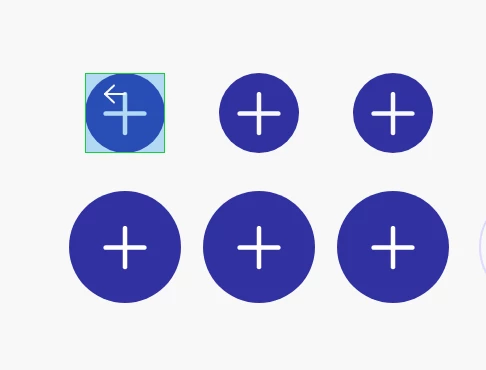
While replacing component on adobe xd on windows 10, unlike shown in tutorials, it does not show any green plus or arrow sign as a guide which would be helpful to release mouse on right location. Any idea?
 

<The Title was renamed by moderator>

This topic is closed to new replies. Start a new post to keep the conversation going.
mhiremat@adobe.comCorrect answer
Community Manager
Jan 21, 2020 4:15 AM UTC

Hi iheathers,

 Thank you for using Adobe XD, In windows 10 green plus or mark is not shown instead of that the entire component is highlighted with green border, ( In mac the green arrow mark is shown ), you want this feature added to be Adobe XD for windows 10 here is the link, Adobe XD : Feature requests, https://adobexd.uservoice.com/ and get voted!


Regards,

Ashwini M Hiremath.


3 replies

Participant
Feb 28, 2021 5:06 AM UTC

I have a mac and do not see a green arrow. Mine has a green link symbol instead.

Translate
Participant
Mar 31, 2021 8:15 PM UTC

I have the same issue as AmyLouise -- on a mac. What's with the green link symbol? It didn't replace the nested component, but just placed a new one over the existing one. 

Translate
mhiremat@adobe.comCommunity ManagerCorrect answer
Community Manager
Jan 21, 2020 4:15 AM UTC

Hi iheathers,

 Thank you for using Adobe XD, In windows 10 green plus or mark is not shown instead of that the entire component is highlighted with green border, ( In mac the green arrow mark is shown ), you want this feature added to be Adobe XD for windows 10 here is the link, Adobe XD : Feature requests, https://adobexd.uservoice.com/ and get voted!


Regards,

Ashwini M Hiremath.


Translate