

FrancoBits
Legend
September 21, 2020
Answered

[Design] Responsive resize + auto-padding issue

  • September 21, 2020
  • 1 reply
  • 640 views

I'm creating a group with 3 elements: a background panel, a vertical bar and text element.

I group all 3 together and set the vertical bar to have responsive resize - manual. I fix the width and anchor the top, left and bottom points. When I resize the background panel, the sidebar panel resize as well.
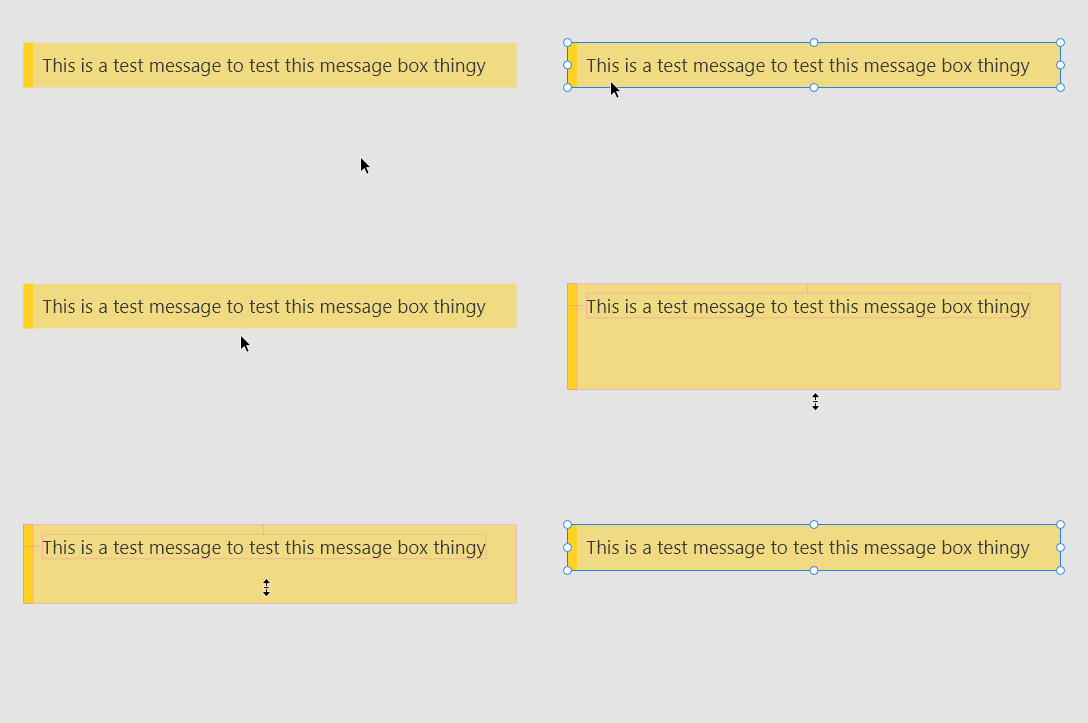
 

Now I activate the auto padding and leave the automatic values. As I type in the text and break the line, the background panel will grow its height because the text. 
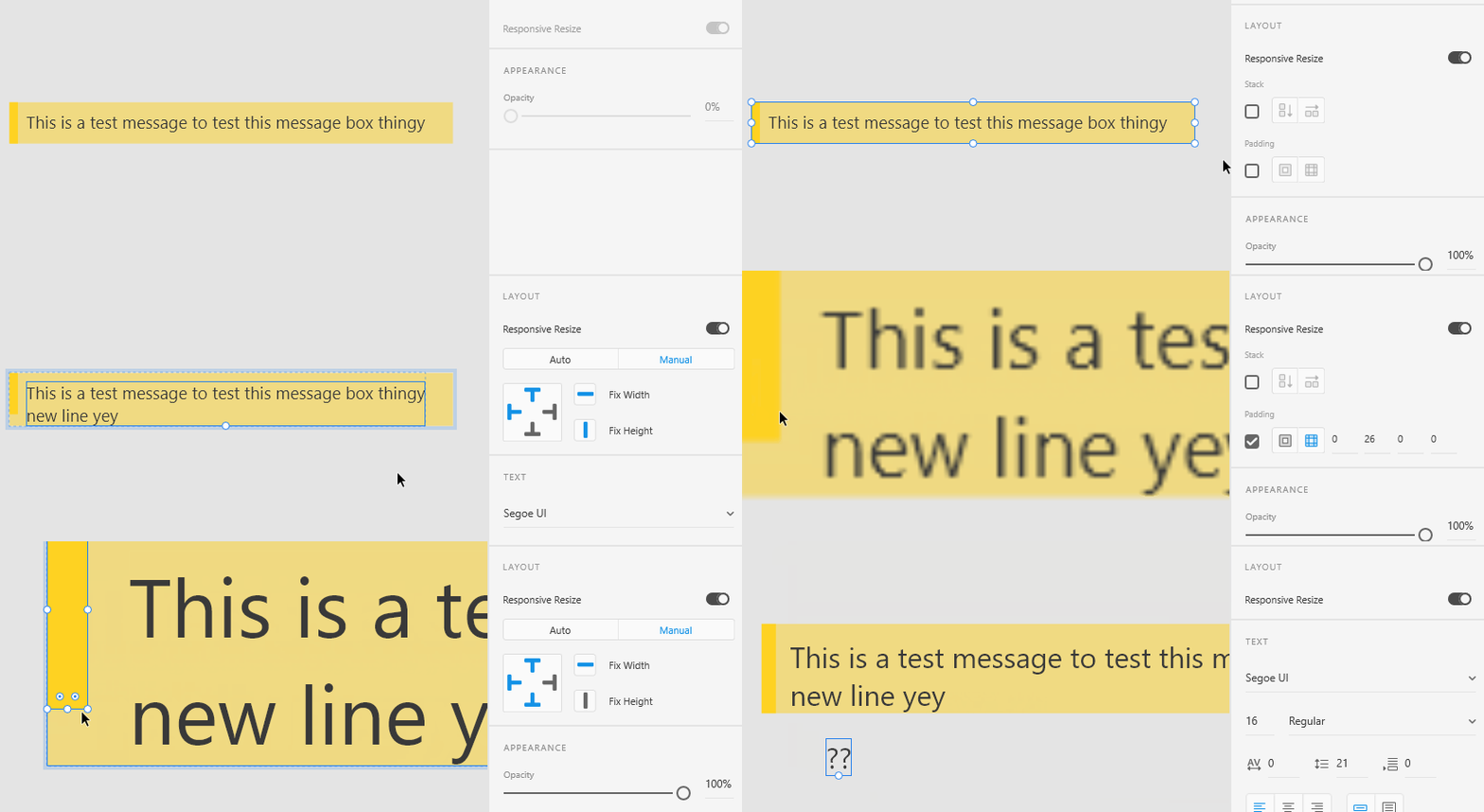
 

Althought, shouldn't the sidebar follow background panel's height too?

    This topic has been closed for replies.
    Correct answer Harshika Verma

    Thanks for waiting, Franco. Team mentioned that this is working as designed and explained that

    this is happening because only the large rectangle is made background. For both the rectangles (large one and vertical bar) to resize simultaneously as and when the text grows, you need to group both rectangles, add the text on top and group all and apply padding to the entire group.


    This is how the group should look:

    I have attached the link of the screen recording as well: https://we.tl/t-DjyetUICH1


    Hope it helps.


    Thanks,

    Harshika

    1 reply

    Harshika Verma
    Community Manager
    Community Manager
    September 23, 2020

    Hi there,


    Thank you for reaching out. It looks like you are trying to show that as soon as you enabled the padding with responsive resize the link breaks and the bar doesn't resize as per the background panel. Is it possible for you to share the file with me so that we can escalate and investigate about it? Are you on the current version of XD 33.1 and on windows 10 machine?


    We will try our best to help.


    Thanks,

    Harshika

    FrancoBits
    Legend
    September 23, 2020

    Hello! Yes, Windows 10, XD 33.1.12.4. You can download the file here.

    Harshika Verma
    Community Manager
    Community Manager
    September 23, 2020

    Thank you for the file and info. I have logged a bug for the issue so that our engineering team can investigate on it. I will update you as soon as I hear back from the team.


    Hope it helps.


    Thanks,

    Harshika