Known Participant
January 25, 2020
Question

[Design]- UI elements disappear in Adobe XD.

  • January 25, 2020
  • 1 reply
  • 1138 views

In adobe xd, interface elements, buttons, arrows, tools constantly disappear. Only restarting the program helps. But after a couple of minutes everything repeats.


The latest version of Adobe xd, license. Computer age 6


Tell me, how can I solve the problem? It is difficult to work with such problems.
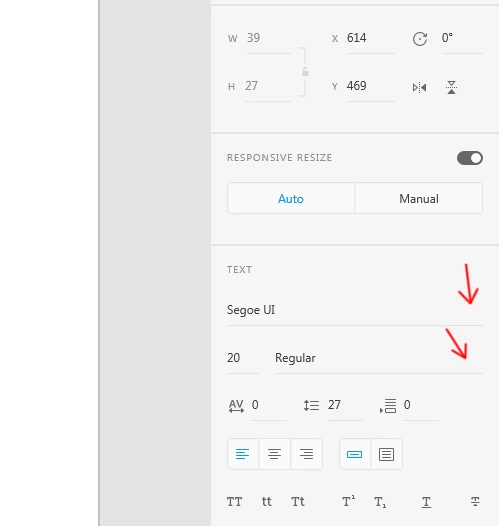
 

<The Title was renamed by moderator>

This topic has been closed for replies.

1 reply

Peter Villevoye
Community Expert
Community Expert
January 25, 2020

That's a difficult one...

My first suggestion would be to totally remove the Adobe XD application from your machine, restart it, and re-install XD. When it doesn't help, please state your computer type and system version. That might be helpful to offer further suggestions.

Known Participant
January 26, 2020

Did as you said did not help.

Version xd (25.3.12)

Harshika Verma
Community Manager
Community Manager
January 27, 2020

Hi there,


Sorry to hear you are experiening UI issues with XD and thank you for trying the steps shared by Peter. Would you mind checking the latest update to your graphic card driver? Please visit the manufacturer site to check for and apply the latest updates to graphic drivers and let us know if that works for you.


We would also like to know if it's happening with all the files or with a specific file. We will try our best to help.


Thanks,

Harshika